

Reach customers when they search with Google Search ads. These ads appear in search results, capture attention and drive traffic to your website. With this, you can reach a highly relevant audience based on keywords, location,… This article is your ultimate guide designed for beginners seeking to master the basics and uncover the best practices.
Quick summary:
- Google Search ads are PPC campaigns that display text ads on Google’s search results when users look for specific keywords.
- They help businesses increase website traffic, leads, and sales by targeting users based on intent, location, device, and schedule.
- Ad formats include Responsive Search, Call-only, and Dynamic Search ads, each with defined specs (3 headlines of 30 chars, 2 paths of 15 chars, 1 description of 90 chars).
- Costs vary by industry ($1–$8 CPC on average) and depend on bids, ad quality, and competition.
- To succeed, advertisers should define goals, choose precise keywords, optimize landing pages, write compelling headlines, and monitor performance via Google Ads and Analytics.
What is Google Search ads?
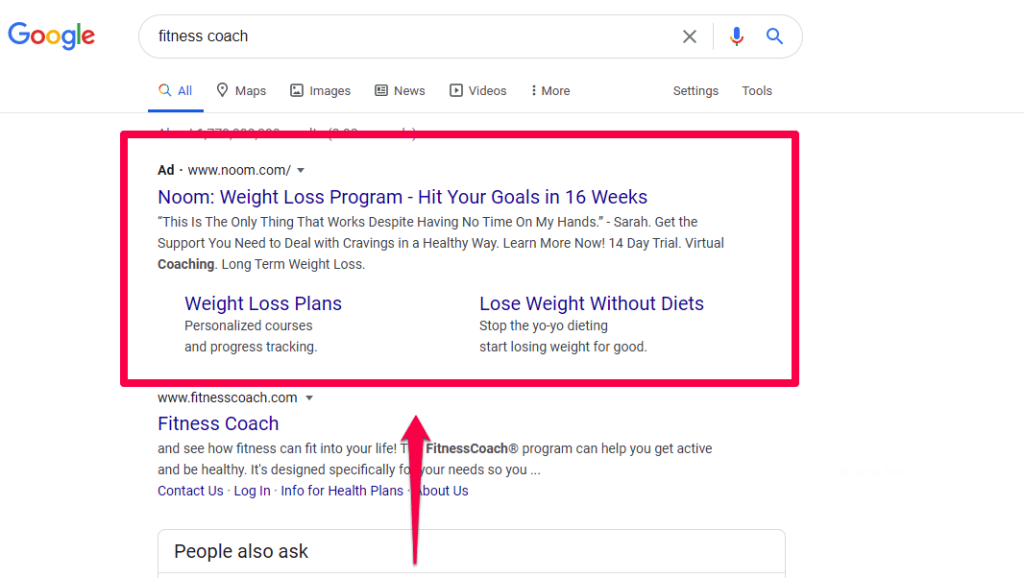
Google Ads is a pay-per-click (PPC) advertising platform, where advertisers pay for each click or impression on an ad.
With Google Ads, you can drive qualified traffic to your business as people actively search for products and services similar to what you offer. It helps increase website traffic, generate inquiries, and attract more visitors to your physical store.
Over time, Google Ads allows you to analyze and optimize your ads to reach a wider audience effectively.
How does Google Search ads work?
The way it functions optimally remains the same: Users who search for a keyword achieve the results of their inquiry on a search engine results page (SERP). So, what does an ad look like? Here is the result for “toys for kids”.
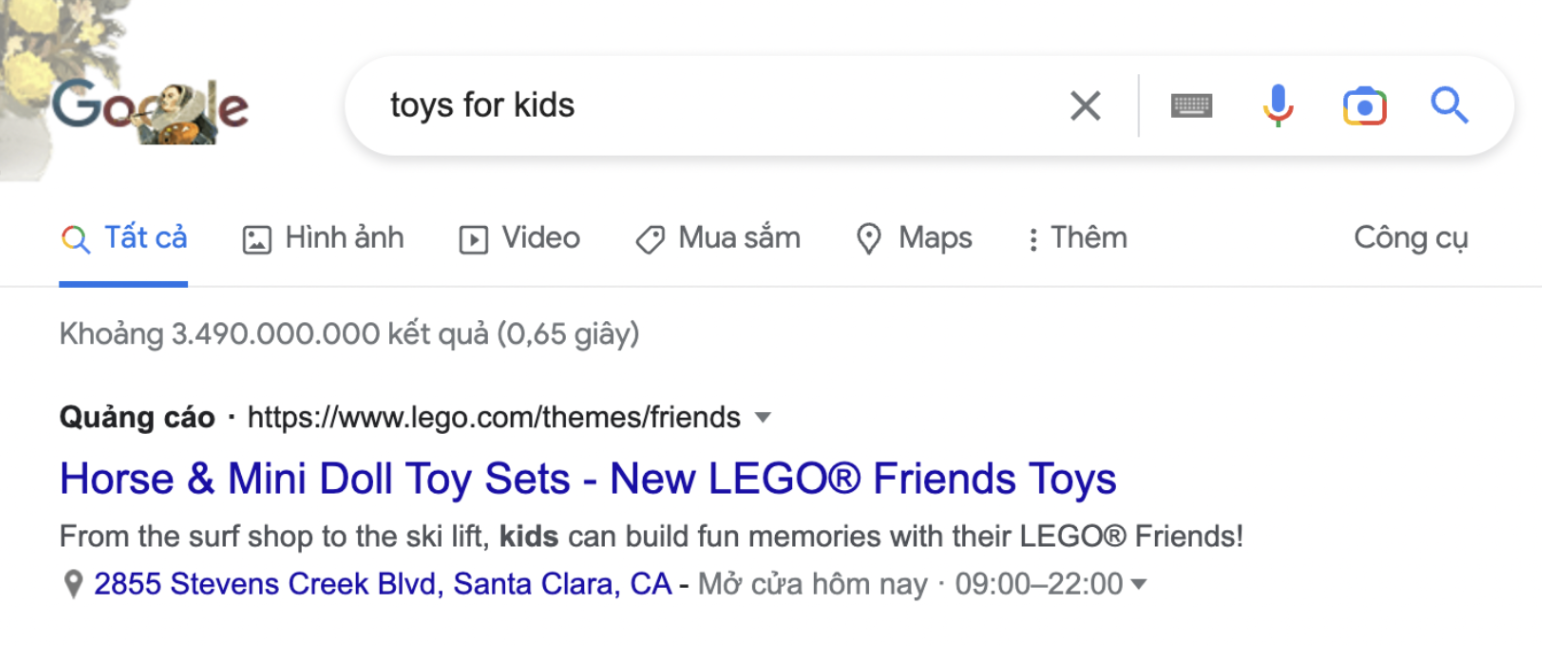
You can see that the top of the SERP is ultimately taken up with ads. They resemble organic search results nearly identical, with the exception of the bolded “Ad” at the top of the post.
It’s an excellent opportunity for advertisers because most traffic from search queries often goes to the first results on Google.
Why Google Search ads?
Google Ads is a must-use channel in case you want to increase sales, raise brand awareness, test new business models online, or collect data. Why? Let’s take a look at the details.
Powerful platform
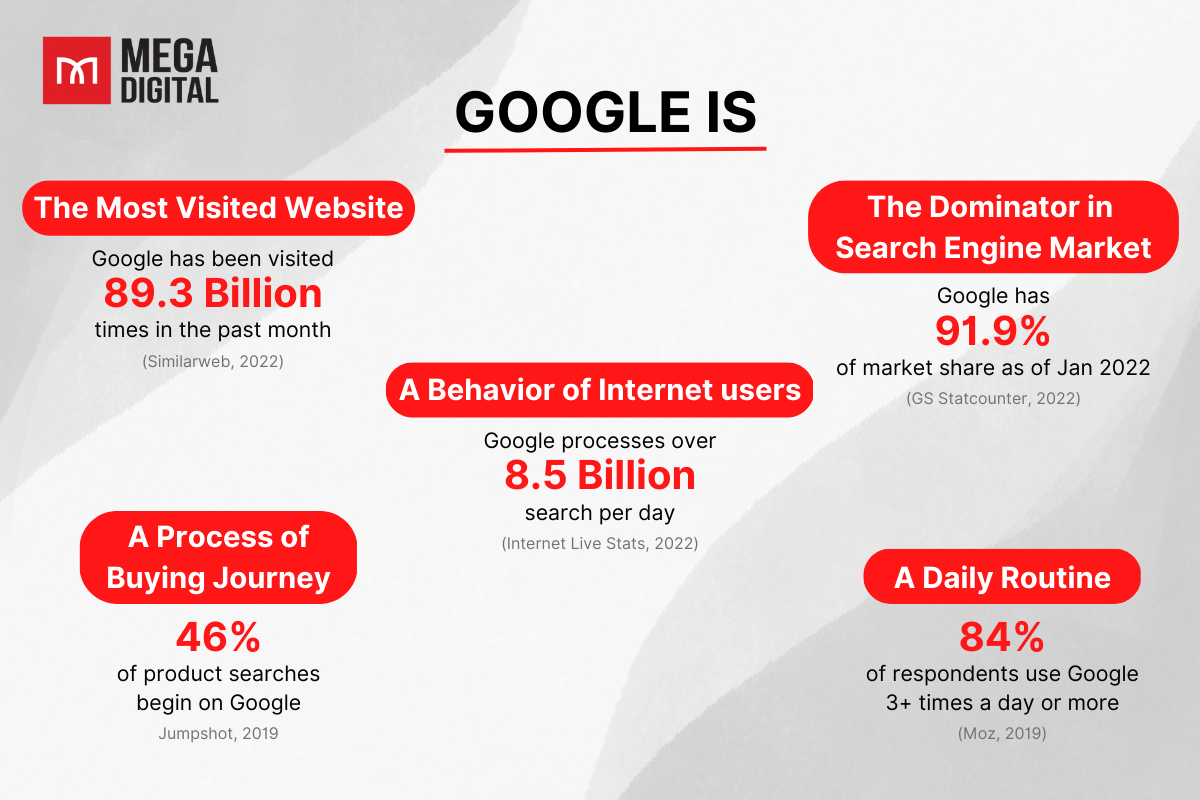
Over the years, Googling has become a behavior that internet users use to research information and their needs. Brands advertising on Google will be able to reach worldwide audiences more efficiently than none. It will be a waste if you haven’t joined this biggest market on the internet.
Reach precise customers
Google Ads allows you to take advantage of the advantages of online advertising by showing your ads to the right people, in the right place, and at the right time.
- Keywords: Words or phrases related to your products or services used to display your adverts when people search for those terms or visit related websites.
- Ad location: Display your adverts on Google search result pages and websites in the Google Search and Display Networks.
- Age, location, and language: Choose your consumers’ age, geographic location, and language.
- Devices: Your advertising can display on various devices, and you can control which devices and when they appear.
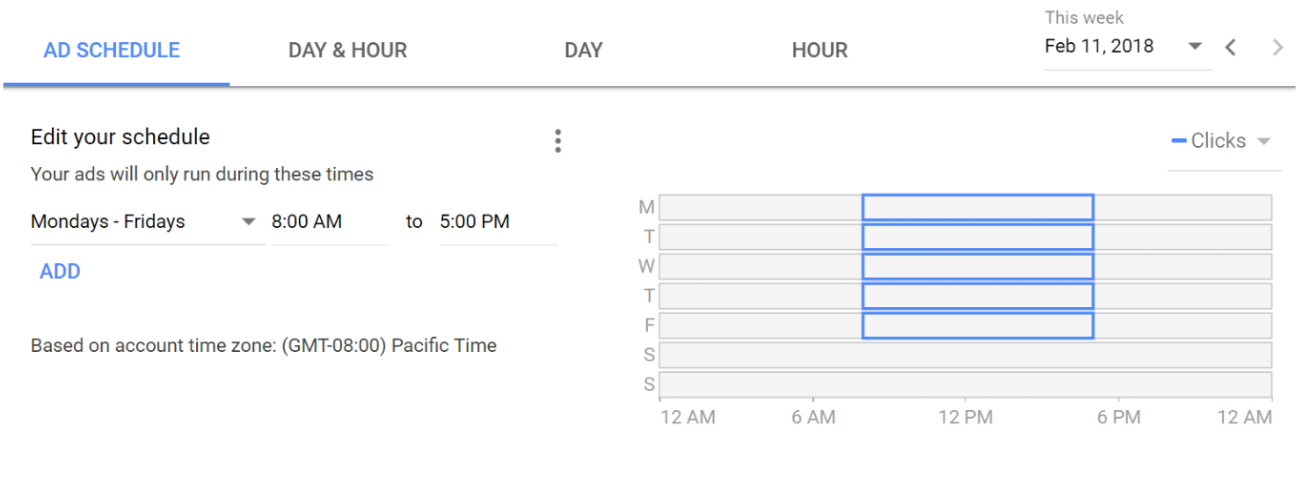
- Days, times, and frequency: Display your advertising at specific hours or days of the week, and set the frequency with which they show.
A common example that many businesses use is running ads only from Monday through Friday, from 8 a.m. to 5 p.m. This is often because firms close on weekends or operate at a lower capacity. This may optimize ad spending.
Target specific devices
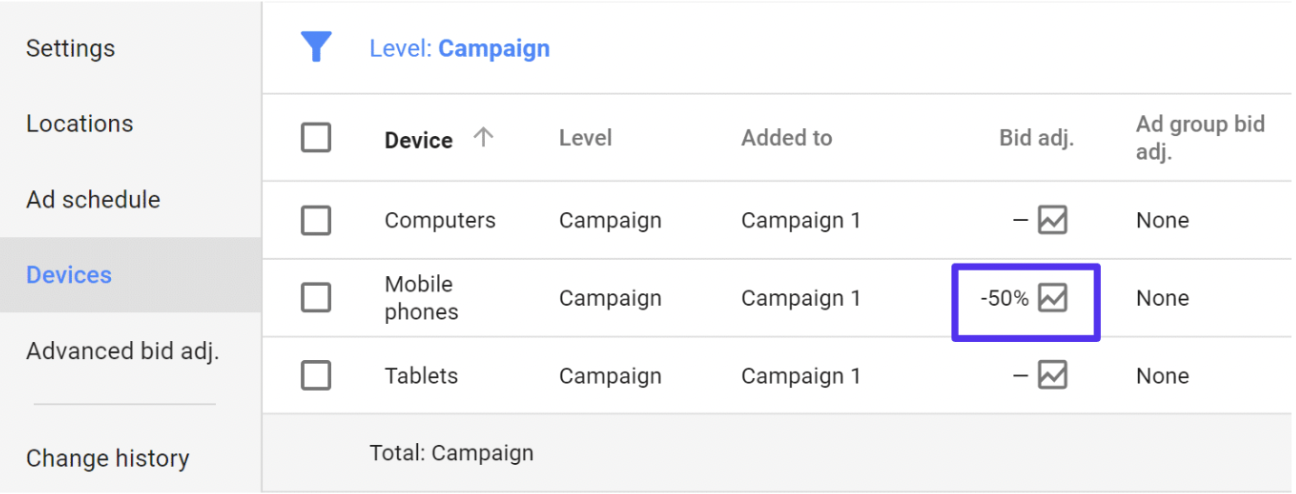
Businesses can select the types of devices on which their advertisement will appear using Google Adsense. Regarding the search network, you can use desktops, tablets, or mobile devices. Companies may target particular devices on the display network, like iPhones or Windows, by drilling down even further. On devices more likely to convert on your site, bid adjustments enable automatically raising or lowering bids.
Pay only for results
Google Ads uses a pay-per-click (PPC) business model. So, what is Google Pay Per Click? That means advertisers target a keyword by Google and place bids against other rivals using the exact phrase. This way, businesses save money by only paying when users have taken action to their advertisements.
Over time, Google Ads will also help you analyze and improve these ads to reach more people so your business can hit your paid campaign goals.
Additionally, no matter your business size or available resources, you can tailor your ads to fit your budget. The Google Ads tool allows you to stay within your monthly cap and pause or halt your ad spending anytime.
Track performance
Google Ads allows businesses to track ad performance, including the number of users who view and click on the ads, as well as the visitors to their website who take desired actions. The dashboard displays relevant information based on your account settings.
- Impressions: See how frequently any version of your ad has been viewed.
- Clicks: See how frequently any version of your ad was clicked.
- Call clicks: See the number of times potential customers clicked your ad’s “Call” button from mobile devices.
- Verified calls: See how often you received calls to the Google forwarding number in any version of the ads.
- Map actions: Track the number of times people saw your ad and then clicked your business’ pin on Google Maps or got directions to your business.
- Analytics goals: You can use tracking IDs and tags to monitor traffic from your ads by linking your Google Ads and Google Analytics accounts.
- Amount spent: See how much money your campaign has spent.
Types of Google Search Ads
There are many types of Google Ads which used for different campaigns with targeted customers:
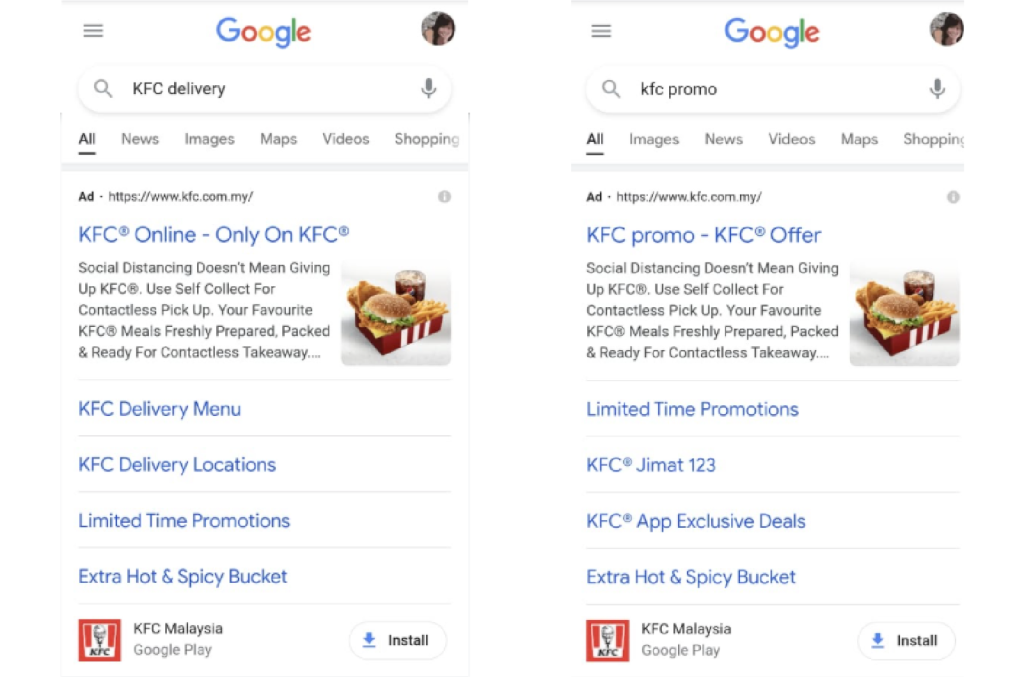
- Responsive Search ads: Responsive search ads allow you to make an ad that adjusts to display messages that are most relevant to your customers. When you create a responsive search ad, you can include multiple headlines and descriptions. Google Ads then tests different combinations of these elements and learns which ones work best over time.
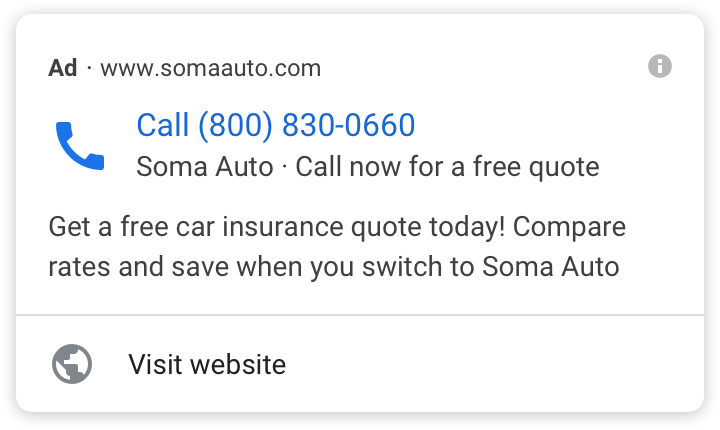
- Call-only ads: Call ads are specifically created to motivate individuals to call your business, and they are displayed exclusively on devices that have the capability to make phone calls. When someone clicks on your ad, it initiates a call from their device directly to your business.
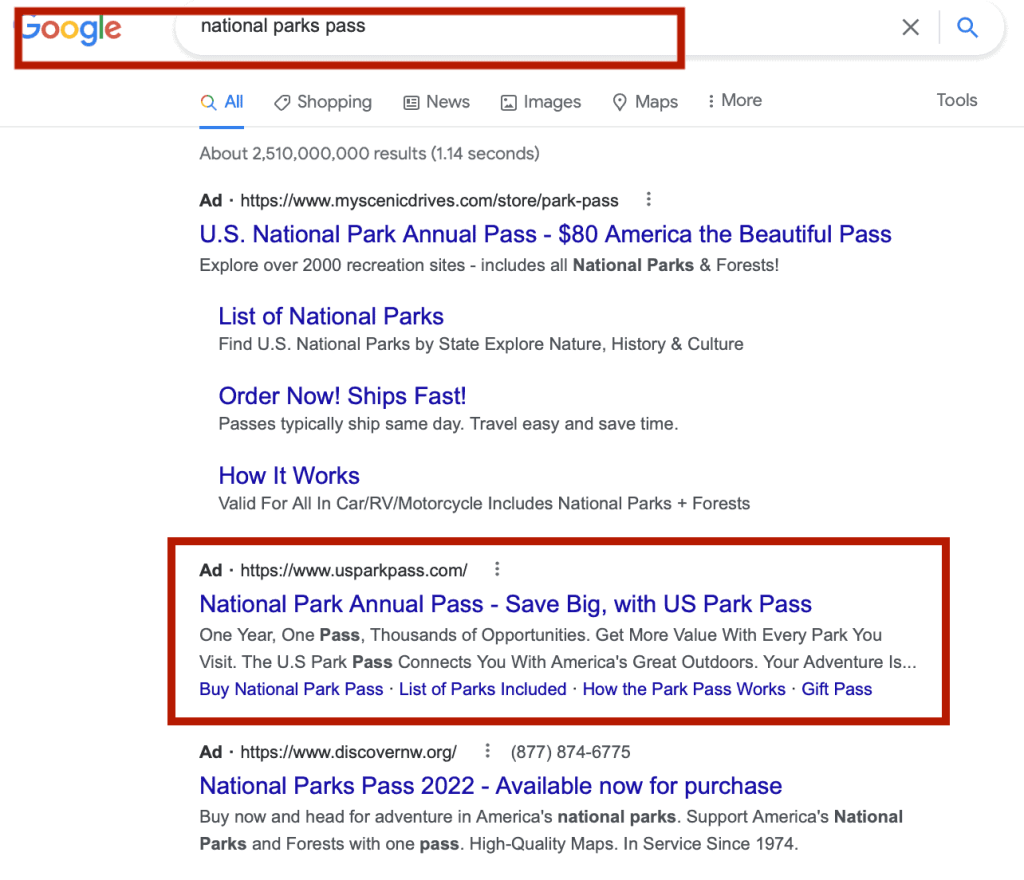
- Dynamic Search ads: Dynamic Search Ads are a simple way to reach customers who are searching on Google for exactly what you sell. It works great for advertisers who have a well-built website or a wide range of products. Dynamic Search Ads use the content from your website to target your ads and can fill in any gaps in your keyword-focused campaigns.
Google Search Ads Specs
Knowing the exact character limits and formatting rules is the first step to writing ad copy that displays perfectly and captures clicks without getting cut off on the search engine results page.
Headline
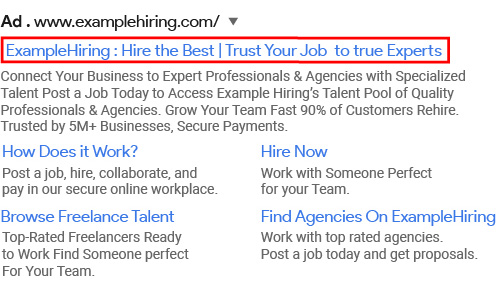
The headline text is what catches people’s attention first. Make sure to include words that users might have searched for on Google.
For Responsive Search Ads, you can provide up to 15 Google ads headlines (up to 30 characters each). Google will dynamically show up to 3 headlines at a time, separated by a vertical line (“|”).
Display URL
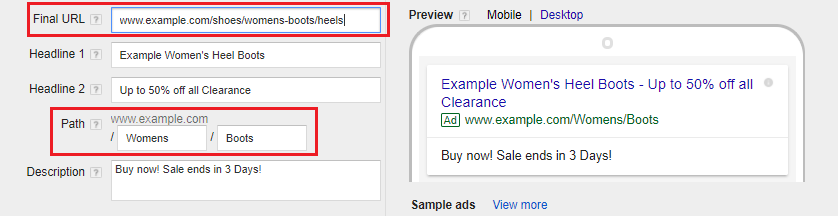
The display URL, usually shown in green, is the address of your website. It consists of the domain from your final URL and the text in the optional “Path” fields.
The purpose of the Path fields is to give visitors a clearer idea of where they will go when they click on your ad. The text in the Path fields does not have to be the same as the text in your display URL.
Description
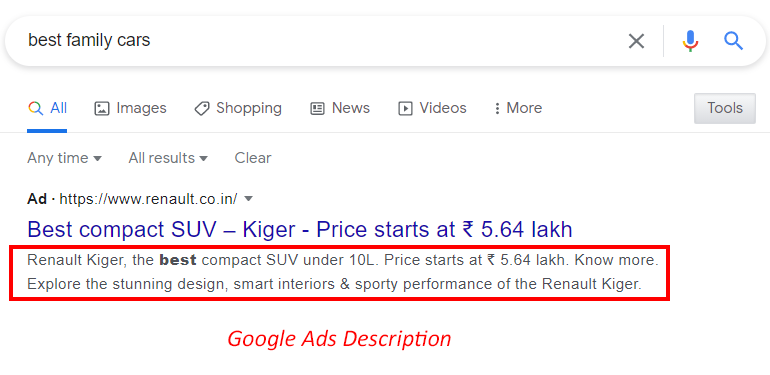
In the description field, you can provide more information about your product or service. It’s a good idea to include a call to action (CTA) that tells the user what action to take.
For instance, if you have an online clothing store, you can use phrases like “Shop now” or “Buy clothes now” in your description. Similarly, a service provider can include phrases like “Get an instant quote” or “Check out pricing” to encourage users to take specific actions.
Length Limits
Below is a table that summarizes the maximum length allowed for each field in Google search ads:
| Field | Maximum Length |
|---|---|
| Headline (each) | 30 characters |
| Display URL Path (2) | 15 characters each |
| Description | 90 characters |
For more details about all types of Google Ads character limits, you can read here: Google Ads Character Limit: Text Ads Guide for Beginners
What is the cost of Google Search Ads?
The average cost-per-click (CPC) will vary heavily across industries, with recent WordStream benchmarks showing an average Search Ads CPC of $5.42. However, your Google Ads cost depends on numerous factors, especially your landing page experience, bid amount, ad relevance, and industry competition.
For example, business services verticals, such as legal or accounting, are highly competitive, leading to a higher CPC. On the other hand, businesses in arts and entertainment or real estate may have lower CPCs.
Quality Score is a key cost-control factor in Google Ads. Based on expected CTR, ad relevance, and landing page experience, a stronger Quality Score can lower CPC by roughly 20 – 50% when improved from 5 to 8 in competitive categories. A higher CPC may still deliver a lower CPA if search intent and landing page experience are well aligned.
How to set up a Google Search ads account
Step 1: Define a goal
Go to the homepage. After that, click the Start Now button in the page’s center or upper right corner.
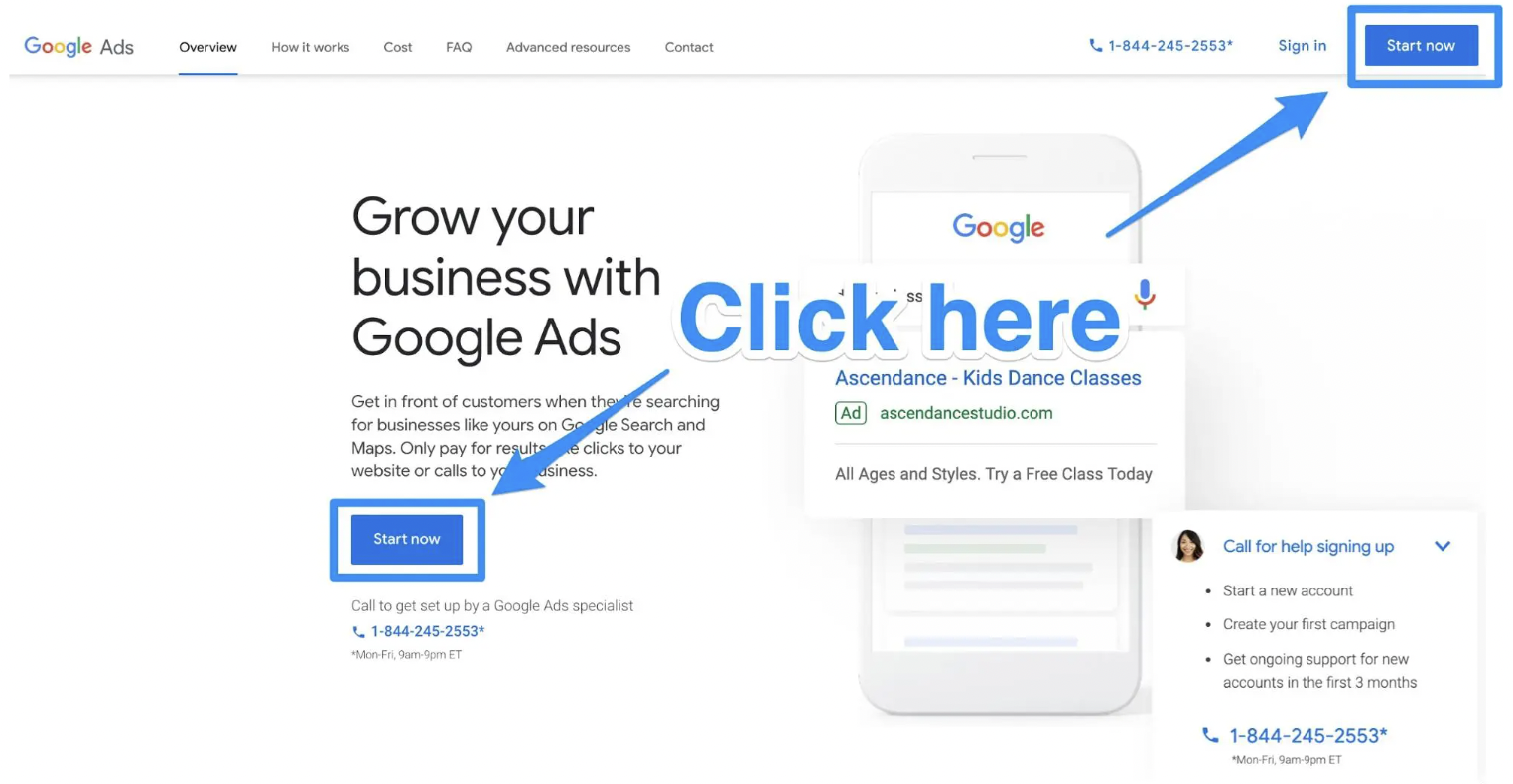
If your dashboard appears, select New Campaign.
The next step is to decide on your campaign goal. By selecting this objective, you’ll inform Google about the audience you want to reach and the method you’ll use to pay for your advertising.
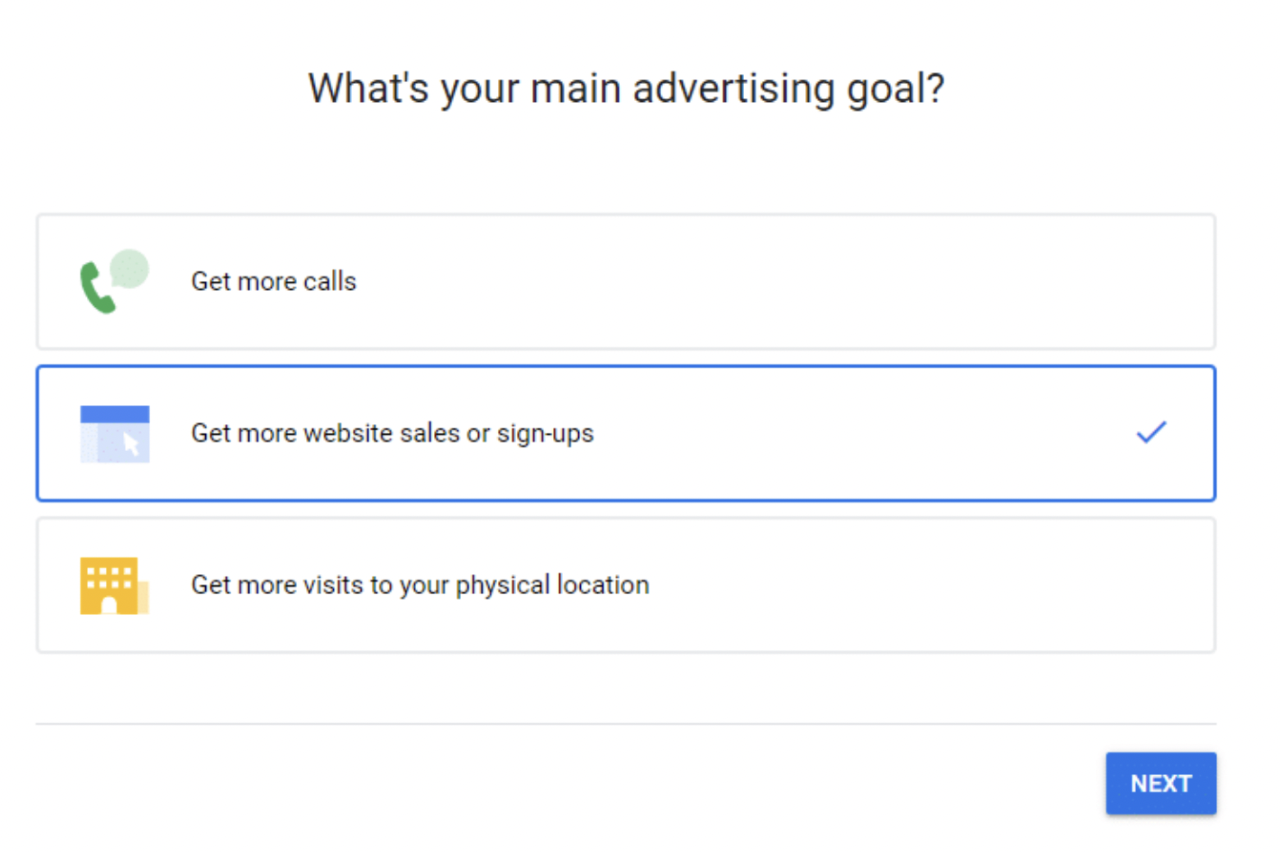
You can select from a number of goals. Once you do, it will assist in providing the best types of advertisement for you.
Step 2: Choose your business name and keywords
After you’ve chosen your goals, click Next. On the next page, you must enter your company name.
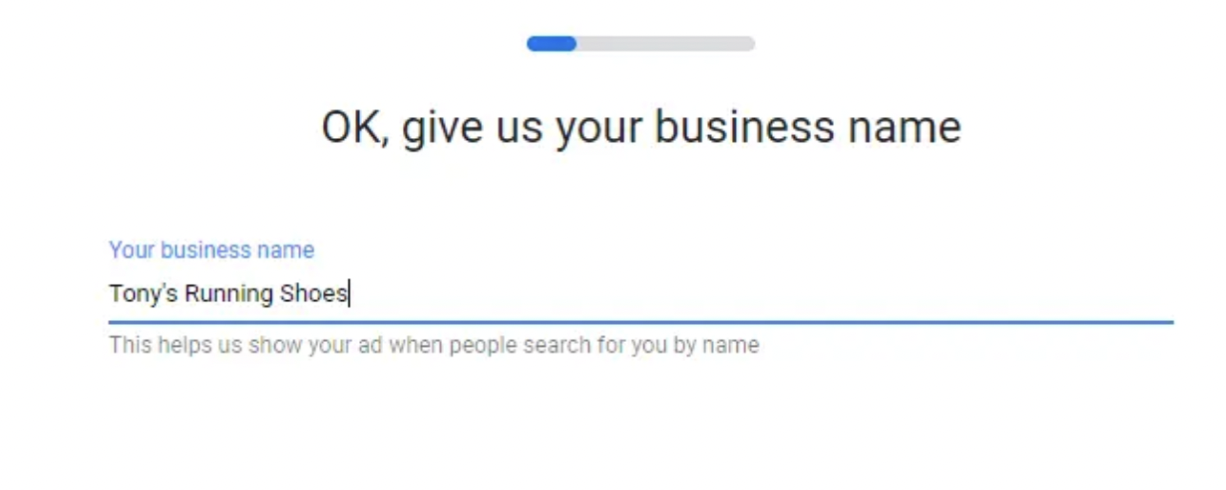
Once you’ve added your company name, click Next. Now, you can provide the URL consumers will visit after clicking on your ad.
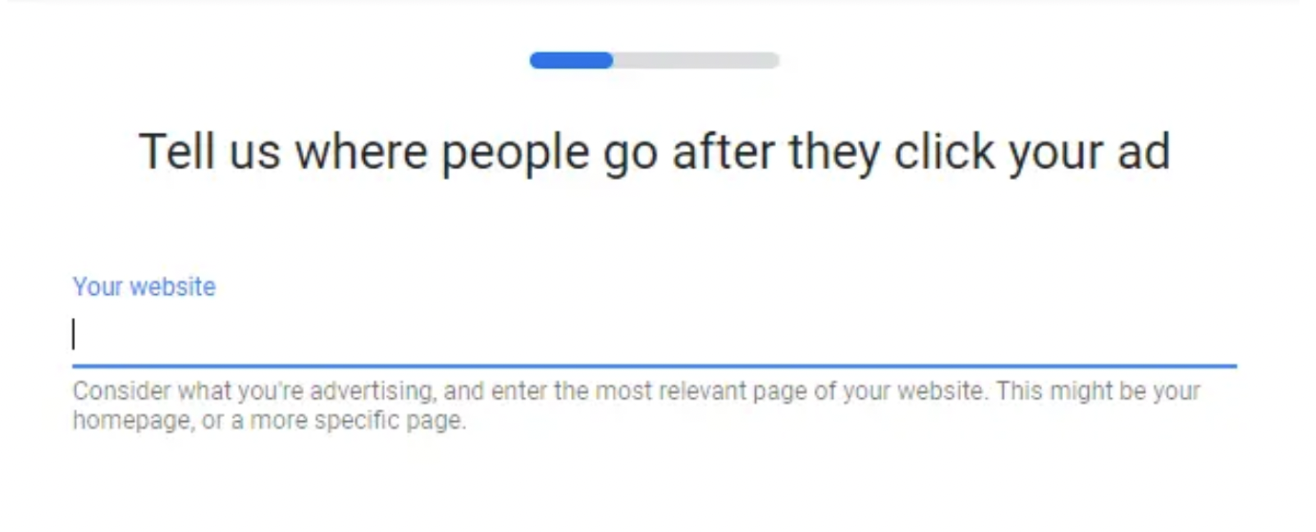
You can select the keyword themes with your advertisement and brand on the next page.
Note: You should spend your time with the Keyword Planner tool to select the precise keywords for your campaigns.
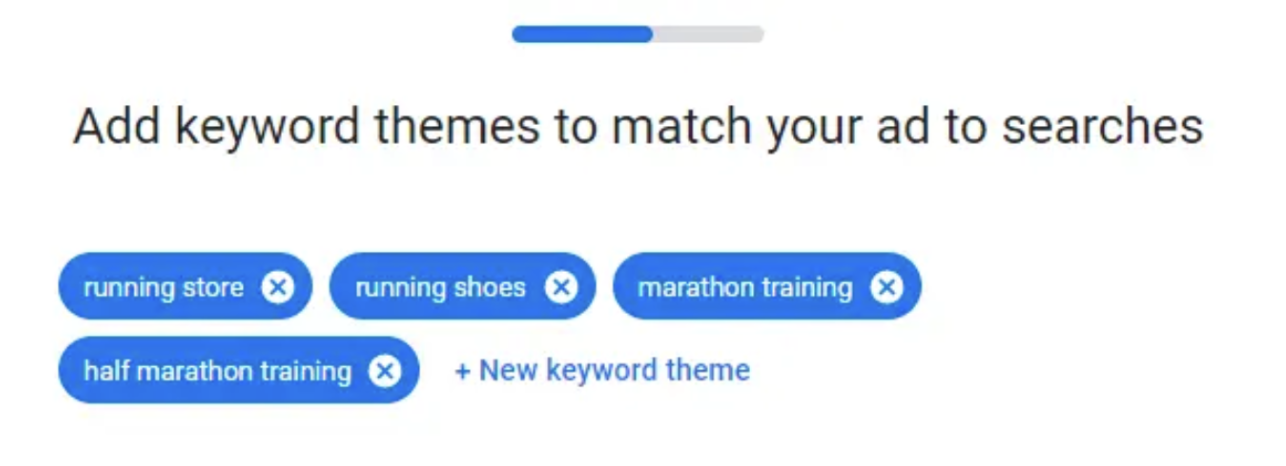
After you’ve chosen all of your keywords, click Next.
Step 3: Choose your target audience
On the next page, you’ll be able to choose where to target your ad. This could be close to a particular place, like a shop or other physical site. Other options include more prominent areas, cities, and zip codes.
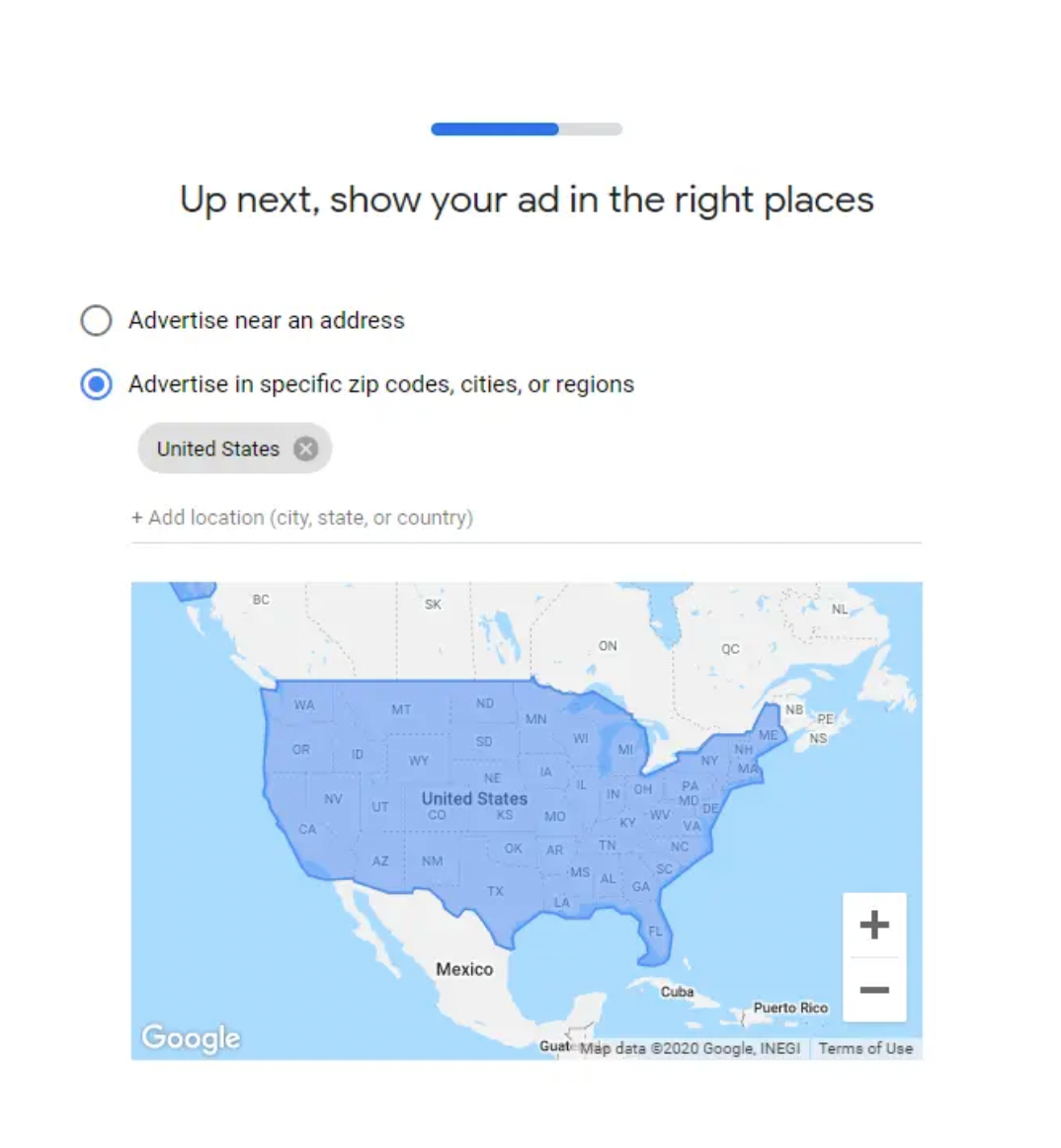
Choose the region you want to target. After you’ve done this, click Next.
Step 4: Make a great advertisement
It’s now time for the enjoyable part – Creating the actual advertisement.
You may write the title and description for the advertisement in this area. The right-side ad preview window makes everything even more straightforward. Google also provides valuable tips and model advertisements to assist you in getting started with developing your advertising.
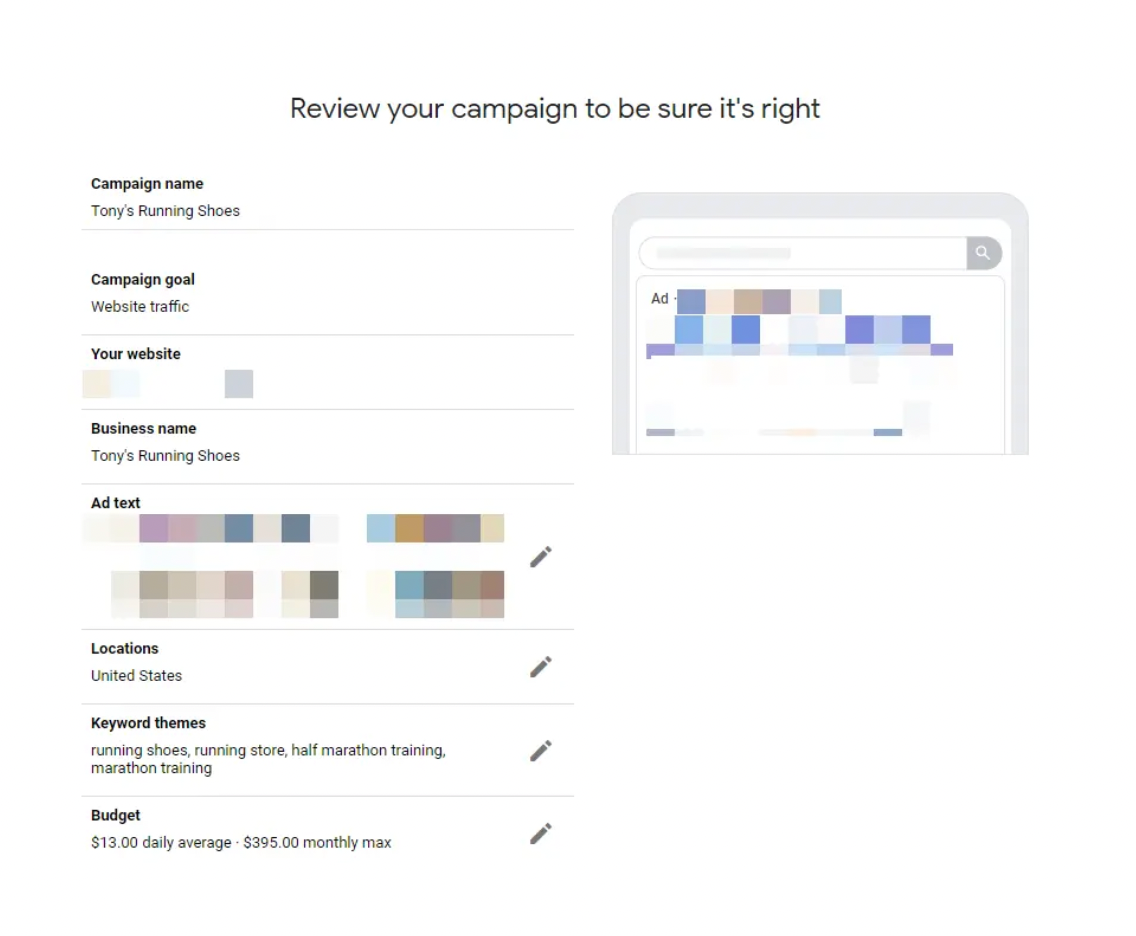
Knowing your audience is the only thing you need to keep in mind when crafting effective ad text.
Step 5: Set up your billing
Add all your billing information and any discount coupons you may have.
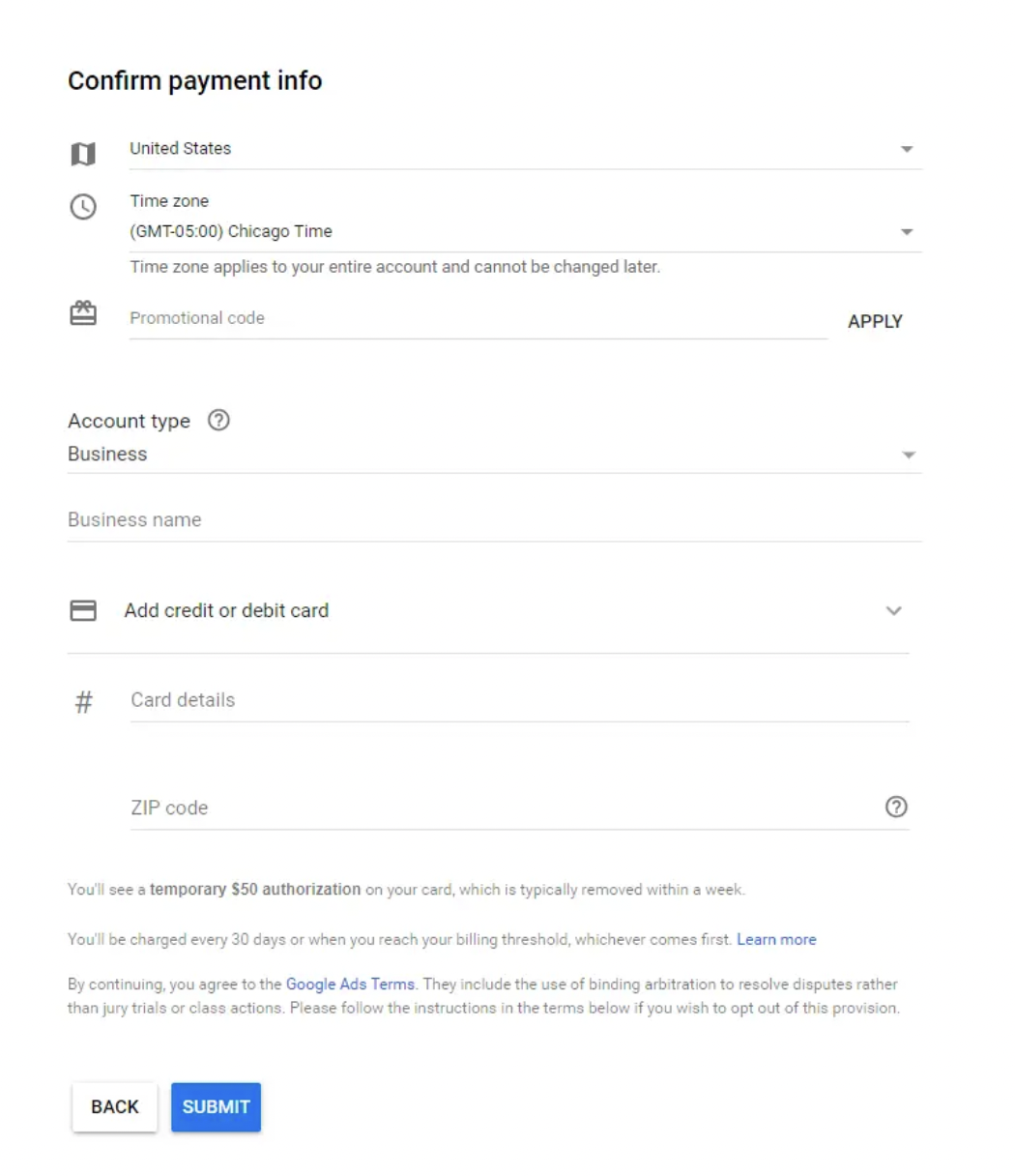
Then, select Submit.
Congratulations! Your first ad has just been generated!
As a Google Agency Partner, we know the platform inside out and have our capabilities verified by Google. We provide excellent Google Shopping Advertising service with 24/7 support. Contact us to get help running Google Ads campaign!
How to optimize Search campaign in Google Ads
Launching the campaign is only the first step. To ensure you don’t burn through your budget, you need to apply these practical Google Search ads optimization strategies:
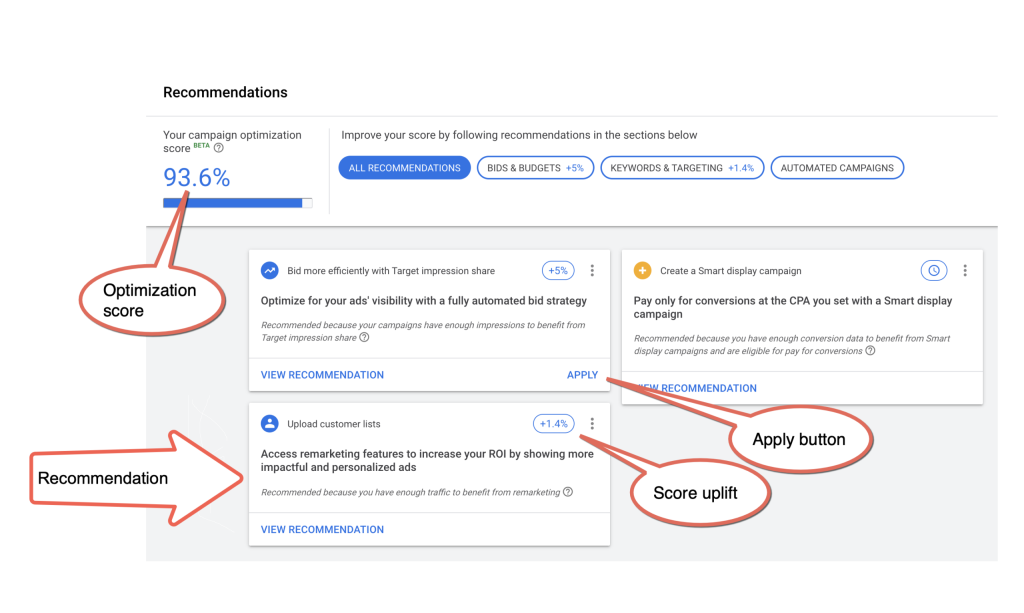
Conduct Deep Keyword & Intent Research
Don’t just guess what your customers are typing. Use the Google Keyword Planner to find terms with high commercial intent. For example, a user searching for “what is a CRM” is just looking for information, while a user searching for “CRM software pricing” is ready to buy.
Focus your budget on the latter. Additionally, test different match types. Start with Phrase Match to balance reach and relevance, rather than leaving everything on Broad Match.
Filter Traffic with Negative Keywords
This is the most critical step to prevent budget wastage. Regularly check your Search Terms Report to see exactly what queries triggered your ads. If you spot irrelevant searches, add them to your Negative Keyword list immediately.
Expert Advice: The average business wastes over $1,000 in Google Ads per month. Routinely adding negative keywords is one of the fastest ways to cut down on this wasted spend. In fact, accounts with at least one negative keyword have a 3X higher conversion rate.
To see how filtering traffic and refining match types works in practice, let’s look at TBP by TMJ Group. As a seasoned brand with over 15 years of experience in automated bagging and packing solutions, they struggled to make their initial Google Ads campaigns profitable. Here is how Mega Digital revamped their strategy:
- Challenge: Despite offering high-quality products, TMJ Group suffered from low conversion rates. Their broad targeting missed their niche manufacturing audience, which was problematic given their tight monthly budget of just $860.
- Solution: Mega Digital stepped in to refine their targeting. We shifted keywords from Broad Match to Phrase Match, actively filtered out bad traffic with negative keywords, and implemented Ad Scheduling to run ads exclusively during peak B2B hours.
- Result: This tailored approach dramatically lowered their Cost Per Acquisition (CPA) to $19.88, consistently secured over 40 conversions per month, and delivered an outstanding 9.8x Return on Ad Spend (ROAS).
Leverage Ad Assets and Pinning for Headlines
Since Responsive Search Ads rotate combinations dynamically, the system might sometimes construct a sentence that lacks impact. To counter this, “pin” your most important headline, such as your brand name or a major discount to Position 1.
Furthermore, make sure to add all available Ad Assets (Sitelinks, Callouts, Call assets) to make your ad physically larger on the SERP, pushing competitors further down the screen.
Align Ad Copy with Landing Page Experience
Your ad might be perfect, but if the landing page is slow or irrelevant, the user will bounce, hurting your Quality Score. Ensure that the main keyword in your Ad Headline is prominently displayed in the H1 of your landing page. Keep the page scannable, ensure it loads in under 3 seconds, and place a clear, compelling CTA above the fold.
FAQs about Google Search Ads
Here are quick answers to the most common questions about Google Search Ads costs, setup, and performance.
There is no fixed minimum. You can start with $5 – $10 per day, but $500 – $1,000 per month is more practical for testing keywords and collecting enough data.
Google Search Ads are better for fast visibility and immediate traffic. SEO is better for long-term organic growth. Most businesses get the best results by combining both.
Ads can get clicks once approved, but most campaigns need 2 – 4 weeks to collect data, optimize keywords, and stabilize CPC or CPA.
A Quality Score of 7 or above is generally considered good. Higher scores can help lower CPC and improve ad position by improving ad relevance, expected CTR, and landing page experience.
Conclusion
We hope this guide has helped you understand what Google Search ads is, why we should use it, and how it works. If you need any further information, don’t hesitate to contact us.