

Many advertisers want to expand beyond Google and YouTube but are still unsure how Bing Video Ads work, where they appear, and whether they fit their campaign goals. This guide breaks down the key formats, benefits, setup process, and best practices to help you launch Microsoft video campaigns with confidence.
Quick summary:
- Microsoft Advertising video ads provide a unique opportunity to showcase your brand across premium web properties to a highly captive audience.
- Advertisers can utilize Instream, Outstream, and Connected TV formats to maximize their visibility across various devices and streaming platforms.
- These campaigns offer significant benefits such as lower competition and exclusive B2B targeting capabilities to reach high-value professionals.
- The step-by-step setup process is straightforward and integrates seamlessly with your existing Microsoft campaign management tools.
- Applying practical optimization tactics and leveraging 2026 AI trends will significantly improve your overall campaign delivery and creative performance.
What Are Microsoft (Bing) Video Ads?
Originally known as Bing Ads, Microsoft Advertising has expanded into a massive network encompassing search, display, and video. Microsoft Advertising video ads allow brands to showcase their video content across Microsoft’s premium web properties and partner networks.
Instead of fighting for attention in crowded social media feeds, your video content appears where users are actively reading news, working, or streaming content, providing a highly captive audience.
What Are the Main Bing Video Advertising Formats?
Microsoft Advertising offers three primary video formats, designed for different placements, devices, and campaign objectives.
Instream Video Ads
Instream ads appear within a video player before, during, or after the content a user chooses to watch. Because viewers are already engaged with video content, this format is suitable for product introductions, brand storytelling, and awareness campaigns.
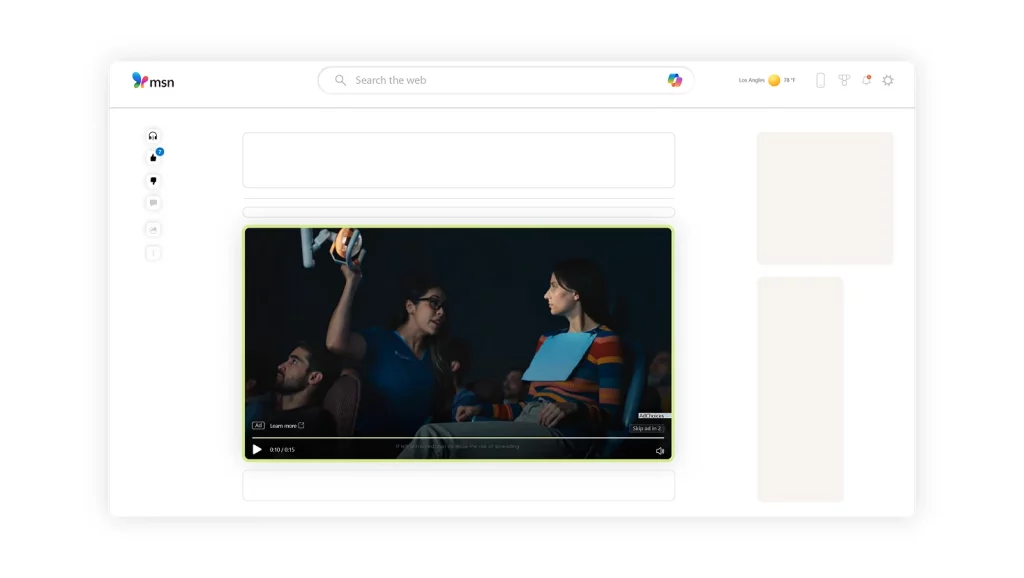
Outstream Video Ads
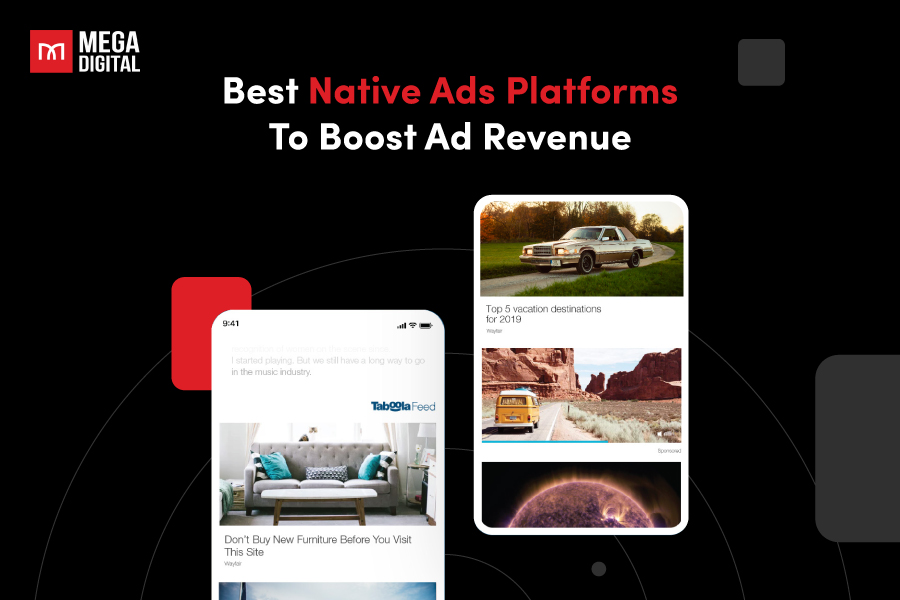
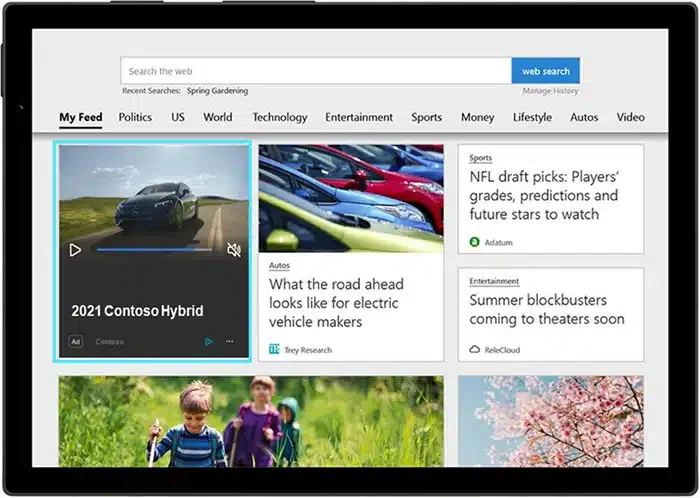
Outstream ads appear outside traditional video players, such as within articles, news feeds, websites, or apps. They allow advertisers to reach audiences while they browse content, helping expand campaign reach beyond video-focused platforms.
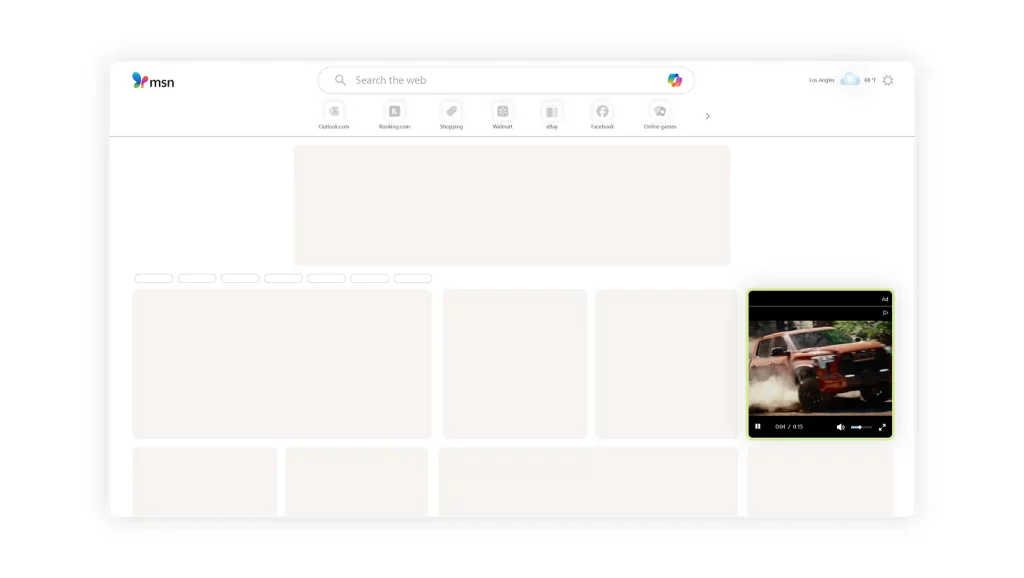
Microsoft Connected TV Ads
Microsoft Connected TV Ads are full-screen video ads shown across supported streaming services, smart TVs, and connected devices. They combine the impact of traditional TV advertising with Microsoft’s audience targeting and campaign controls. Depending on the market and campaign eligibility, inventory may include platforms such as Roku and discovery+.
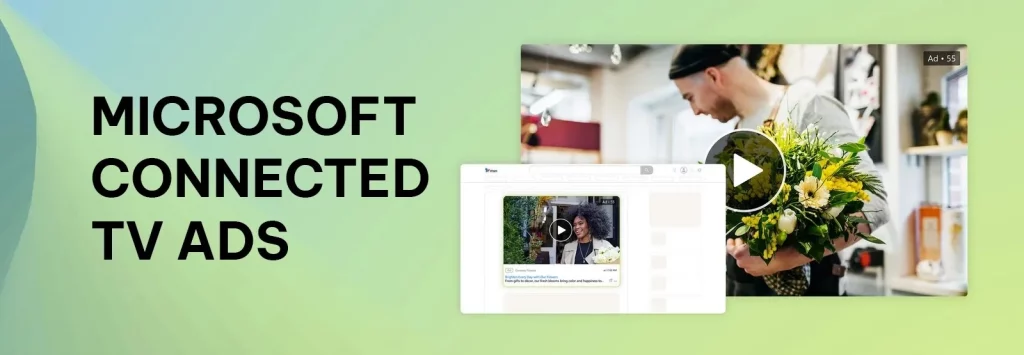
CTV ads are well suited to broad-reach, brand awareness, and product launch campaigns. In a Microsoft case study, children’s bicycle brand Woom generated more than 500,000 video views and achieved a 46% completion rate during a CTV product launch campaign. Actual results may vary by audience, creative, budget, and market.
What Are the Benefits of Microsoft Video Ads?
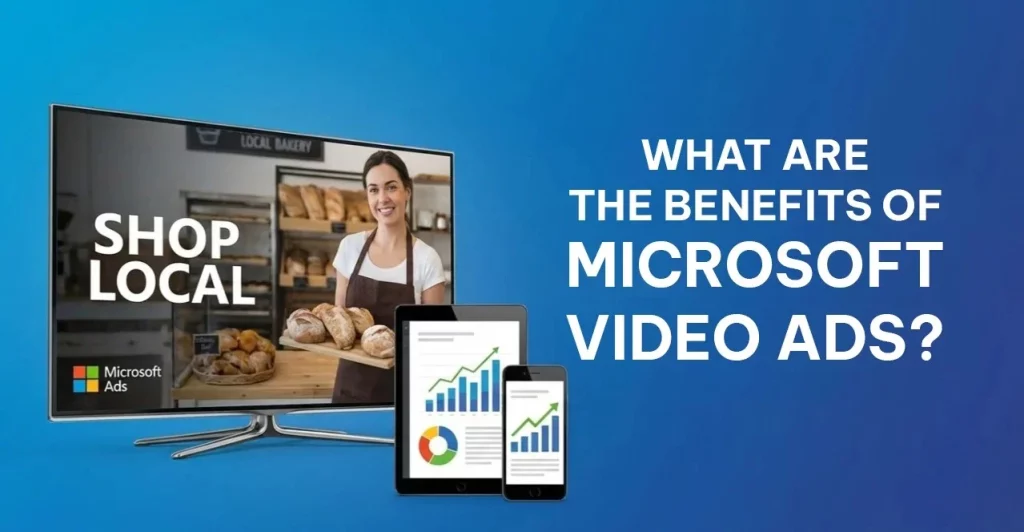
Microsoft Video Ads combine cross-screen reach, advanced audience targeting, and flexible campaign controls.
- Reach audiences beyond search: Connect with users across websites, apps, online video, streaming services, and Connected TV, not just Bing search results.
- Target high-value audiences: Use search intent, interests, demographics, remarketing signals, and LinkedIn profile data such as industry, job function, and company size.
- Support full-funnel campaigns: Build awareness, explain product value, increase consideration, and reinforce search or remarketing efforts that drive conversions.
- Improve cost efficiency: Lower competition than on larger advertising platforms may help brands access premium inventory at more competitive CPMs and CPVs.
- Control campaign delivery: Manage formats, audiences, budgets, bids, and frequency caps to control where, when, and how often ads appear.
- Simplify campaign management: Manage Video and Connected TV campaigns alongside other Microsoft ad formats, with bulk creation and editing available through Microsoft Advertising Editor.
Microsoft (Bing) Video Ad Specs and Requirements
Before launching your campaign, make sure your video meets Microsoft Advertising’s current technical guidelines.
- Aspect Ratio: 16:9 for standard video and CTV placements, or 9:16 for eligible vertical placements.
- File Format: MP4 or MOV is recommended.
- Resolution: At least 1280 × 720 for landscape or 720 × 1280 for vertical video. Use 1080p for premium placements.
- Video Length: Between 6 and 90 seconds.
- Max File Size: Check Microsoft’s current creative specifications before uploading.
- Audio: Use clear, high-quality audio that meets Microsoft’s current encoding guidelines.
How to Set Up Bing Video Ads
Follow these steps to create, target, and launch a Bing Video Ads campaign in Microsoft Advertising.
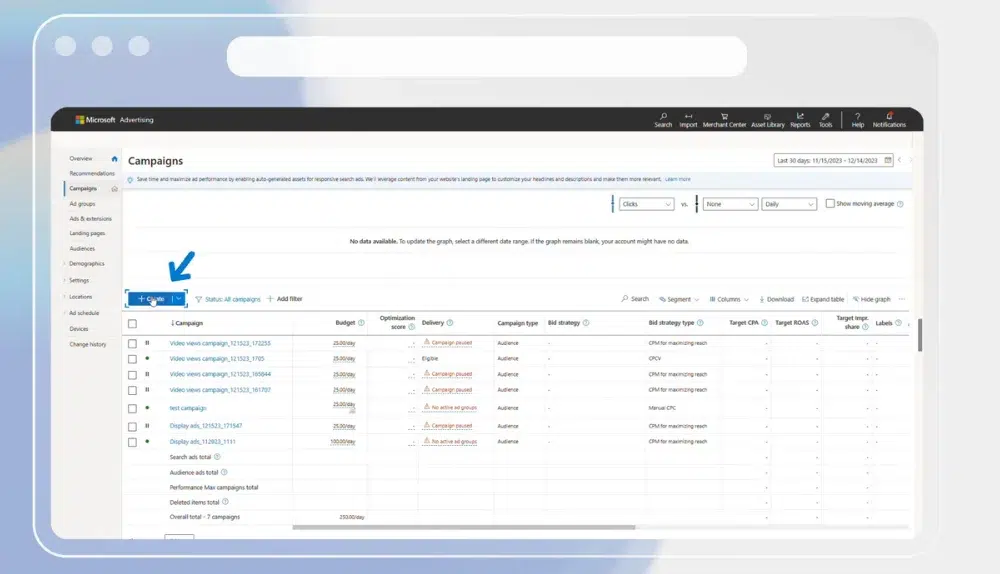
Step 1: Create a new campaign
In the Campaigns grid, click Create to start a new campaign.
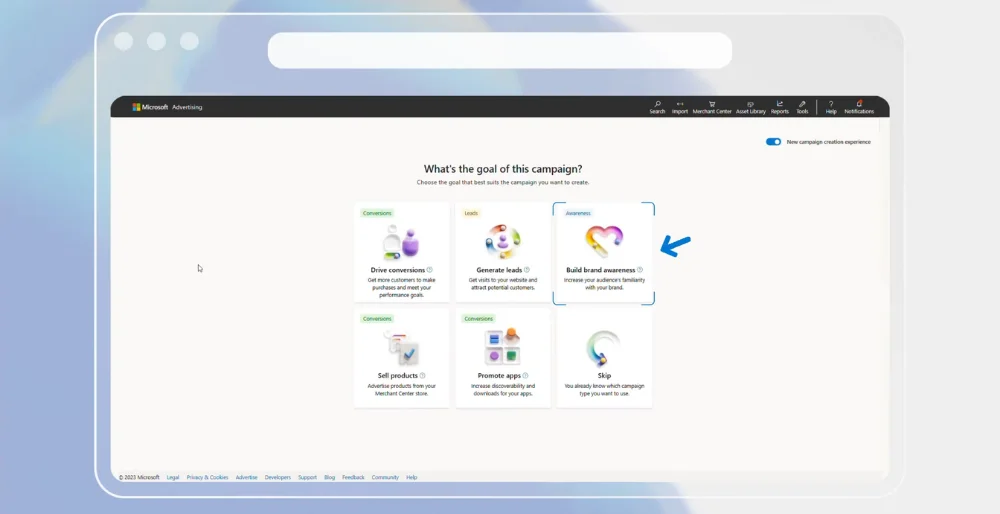
Step 2: Select your campaign goal and format
Choose Build brand awareness as your campaign goal.
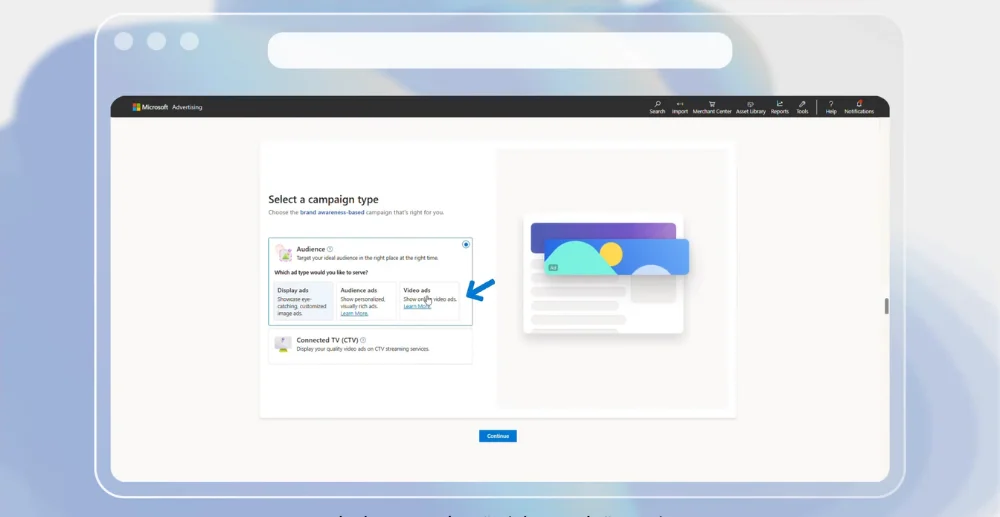
Then select either Video Ads or Connected TV (CTV), depending on where you want your ads to appear.
Step 3: Upload your video creative
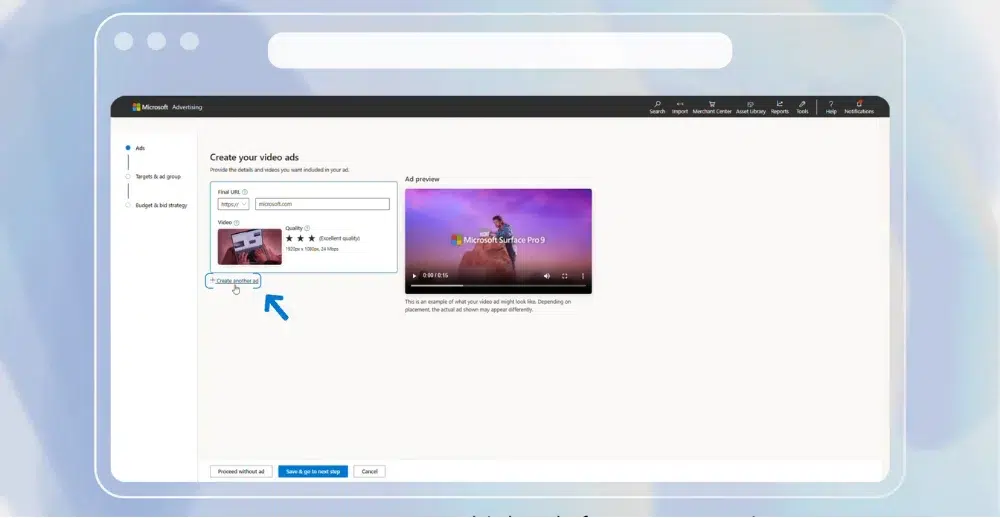
Upload your video asset and enter the Final URL for your landing page. To create multiple ads for your campaigns, click Create another ad.
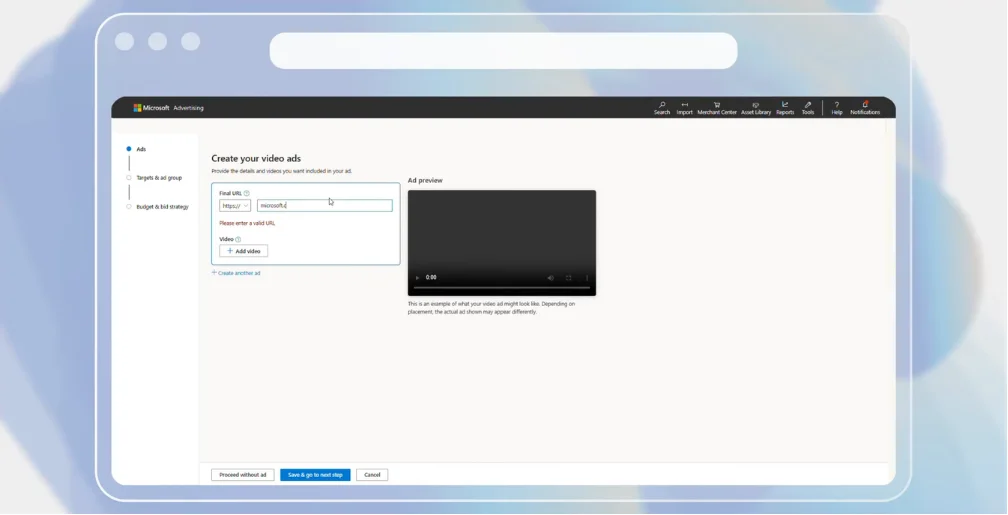
Make sure your video meets Microsoft Advertising’s current video ad specifications. After uploading your creative, click Save and go to next step.
Step 4: Configure your ad group and targeting
Enter a name for your ad group and apply the relevant targeting options. As you add targeting criteria, Microsoft Advertising will estimate the campaign’s potential monthly impressions.
When you have finished configuring the ad group, click Save and go to the next step.
Step 5: Set your campaign budget and bidding
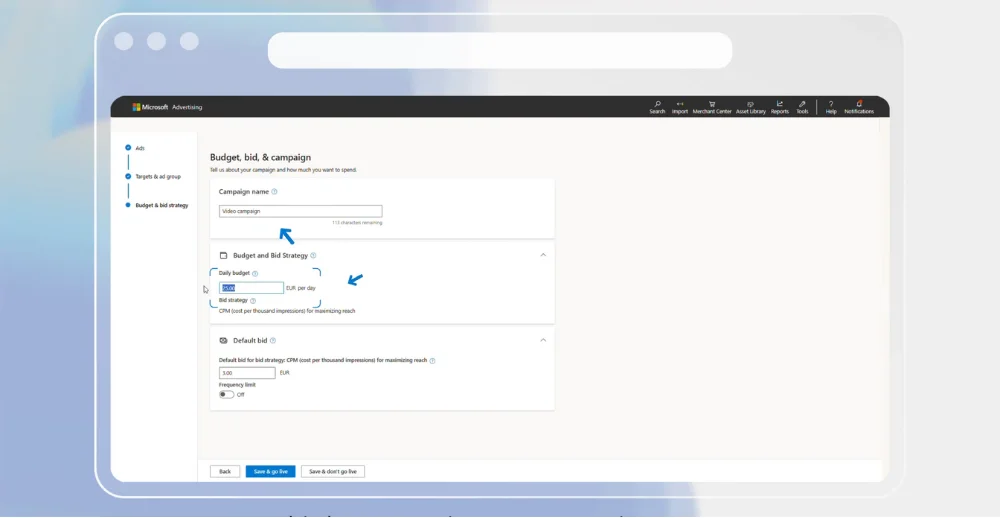
Enter a campaign name, set your budget, and specify your default bid. Video campaigns use a CPM bidding strategy by default to help maximize reach.
You can also set a frequency limit to control how often the same person sees your ads. The limit can be configured per hour, day, or week.
Step 6: Review and launch
Review your campaign settings, including the creative, targeting, budget, bid, and frequency limit. Once everything is ready, click Save to launch the campaign.
Best Practices for Microsoft Video Ads Campaigns
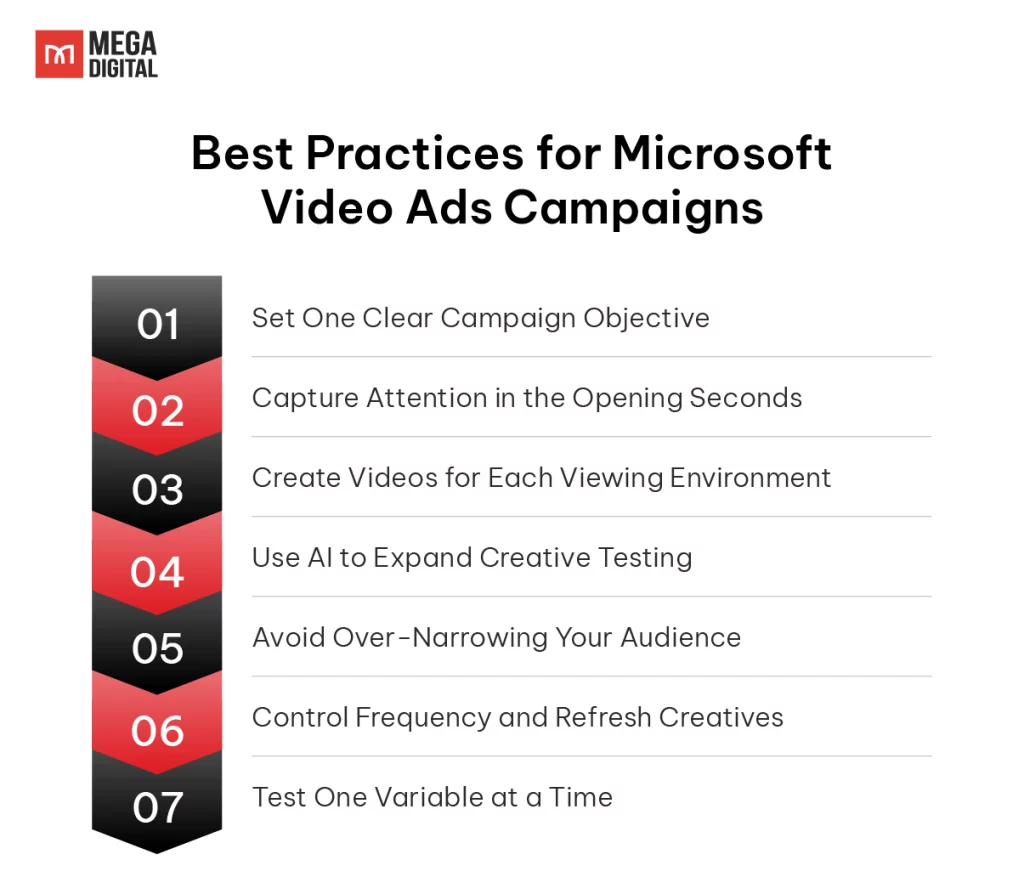
Apply these practical tactics to improve campaign delivery, creative performance, and measurement.
1. Set One Clear Campaign Objective
Choose one primary objective, reach, completed views, website traffic, or conversions, and assign a matching KPI before launch. Evaluate awareness campaigns through reach, frequency, CPM, and completion rate rather than relying only on clicks.
2. Capture Attention in the Opening Seconds
Show the brand, product, or main customer benefit within the first few seconds, then build the rest of the video around one message. Remove long introductions, excessive text, and multiple offers that may distract viewers from the core action.
3. Create Videos for Each Viewing Environment
Prepare separate creative versions for online video and CTV instead of using one video unchanged across every placement. Use captions and faster pacing for smaller screens, while keeping text larger and visuals simpler for TV viewing.
Tip: Microsoft currently supports video durations between 6 and 90 seconds. We highly recommend testing ultra-short 6-second bumper ads for retargeting, and 15-to-30-second videos for initial brand awareness.
4. Use AI to Expand Creative Testing
Use Copilot in Microsoft Advertising to generate and refine headlines, ad copy, images, and video assets more efficiently. Test AI-assisted variants against your original creative, then compare completion rate, CTR, and conversion performance before scaling them.
5. Avoid Over-Narrowing Your Audience
Start with one clear audience hypothesis and avoid stacking too many targeting filters, especially during the learning phase. Broader delivery provides more data, allowing you to exclude weak segments and refine targeting based on actual performance.
6. Control Frequency and Refresh Creatives
Set a frequency limit per hour, day, or week to prevent the same audience from seeing one creative too often. Refresh the hook, opening scene, or offer when frequency rises but completion rate and engagement begin to decline; Microsoft Advertising provides frequency controls for Video and CTV campaigns.
7. Test One Variable at a Time
Test one major element per experiment, such as the opening hook, video length, CTA, or audience segment, while keeping other settings unchanged. This makes it easier to identify what caused the performance difference and apply the insight to the next campaign.
Tip: Launch at least three creative variants using the same audience, bid, landing page, core message, and video length, while changing only the opening hook. This structure helps isolate creative performance from targeting and bidding differences.
FAQs About Bing Video Ads
Microsoft Video Ads have no fixed price. Costs vary by audience competition, location, inventory, bidding strategy, and campaign settings. CPM campaigns charge for every 1,000 impressions.
Yes. Small businesses can benefit from video ads with a clear audience, suitable creative, and enough budget to gather reliable data. Start with one location, one audience segment, and several creative variations.
UET is not always required for awareness campaigns, but it is strongly recommended. It tracks website actions such as leads, purchases, registrations, and other conversions after ad interactions.
Yes, provided they meet Microsoft’s technical and policy requirements. However, each video should be adapted to the placement, screen size, audience, and campaign objective rather than reused unchanged.
Conclusion
Bing Video Ads help advertisers extend their reach beyond search, engage relevant audiences across multiple screens, and support goals throughout the marketing funnel. With the right format, targeting, creative, and campaign structure, businesses can strengthen brand visibility and improve overall campaign performance.
As a Microsoft Advertising partner, Mega Digital can help you plan, launch, and optimize video campaigns aligned with your business goals.