
Are your video views suddenly dropping from thousands to single digits without warning? This silence is a characteristic of a TikTok shadowban, a significant issue for brands and dropshippers that turns weeks of campaign planning into lost revenue and wasted ad spend. Why does this happen, and more importantly, how do you recover your account’s reach? Here is your complete guide to surviving a TikTok shadowban in 2026.
QUICK SUMMARY
- A TikTok shadowban quietly limits your content’s visibility on the For You page and search results without sending any notification.
- Common triggers in 2026 often include posting low-quality AI content or violating copyright rules.
- These restrictions typically last around two weeks but can extend significantly if the violations continue.
- You can fix the issue by checking your Account Standing and deleting the flagged videos immediately.
- Switching to high-trust Agency Accounts offers businesses a safer alternative to avoid future algorithmic penalties.
What is TikTok Shadowban?
A TikTok shadowban occurs when the platform’s algorithm restricts the distribution of your content. Unlike a formal account suspension where you receive a notification, a shadowban is silent. Your videos simply stop appearing on the For You page (FYP) and Hashtag search results.
Pro Tip: TikTok officially refers to this status as “Ineligible for the For You Feed’. If your content falls under this category, it will only be visible to your current followers (if they visit your profile) but will not reach new audiences.
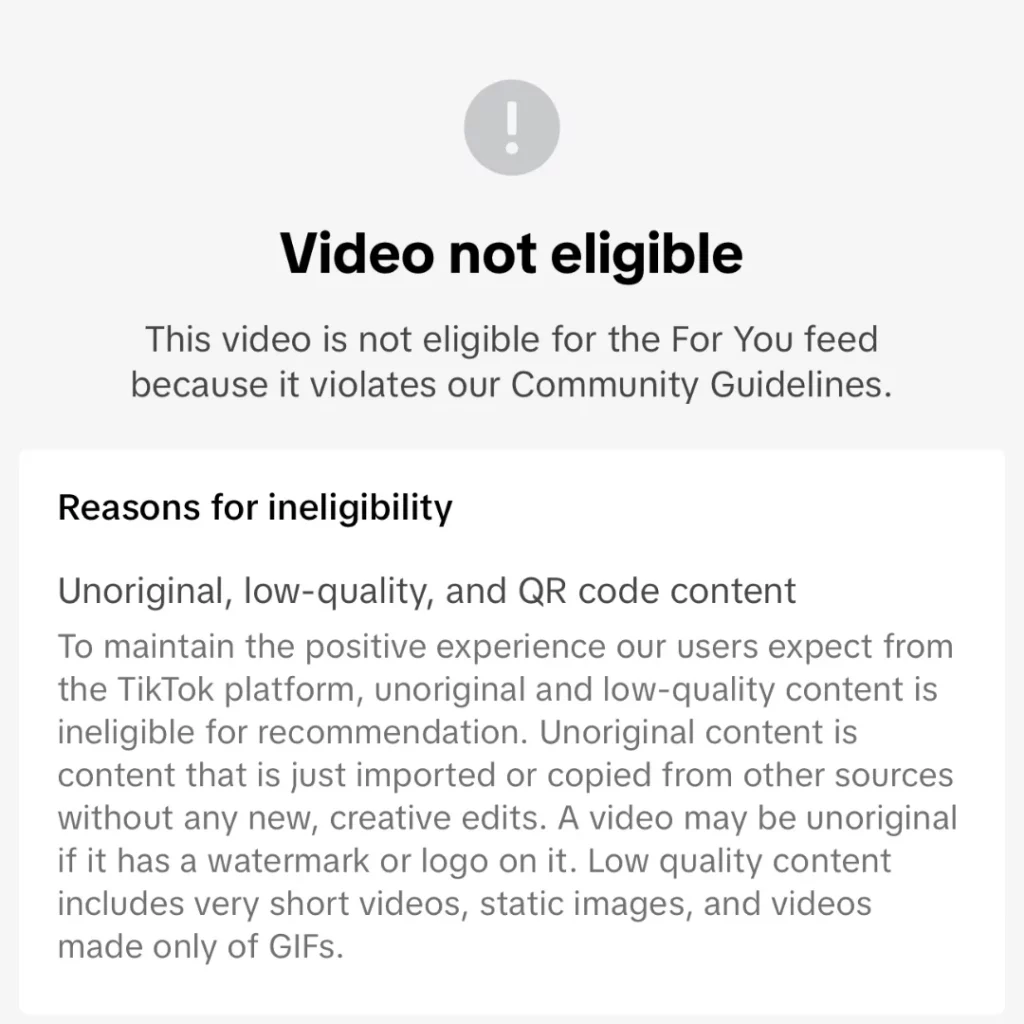
While the term shadowban isn’t officially used in TikTok’s support documentation, it is a widely recognized reality among marketers and creators to describe the sudden limiting of traffic due to algorithmic flags.
5 Key Reasons for a TikTok Shadowban
Why does the algorithm turn against you? In 2026, TikTok’s detection systems have evolved. They no longer just look for inappropriate content; they look for low-value content. Here is a detailed breakdown of the triggers:
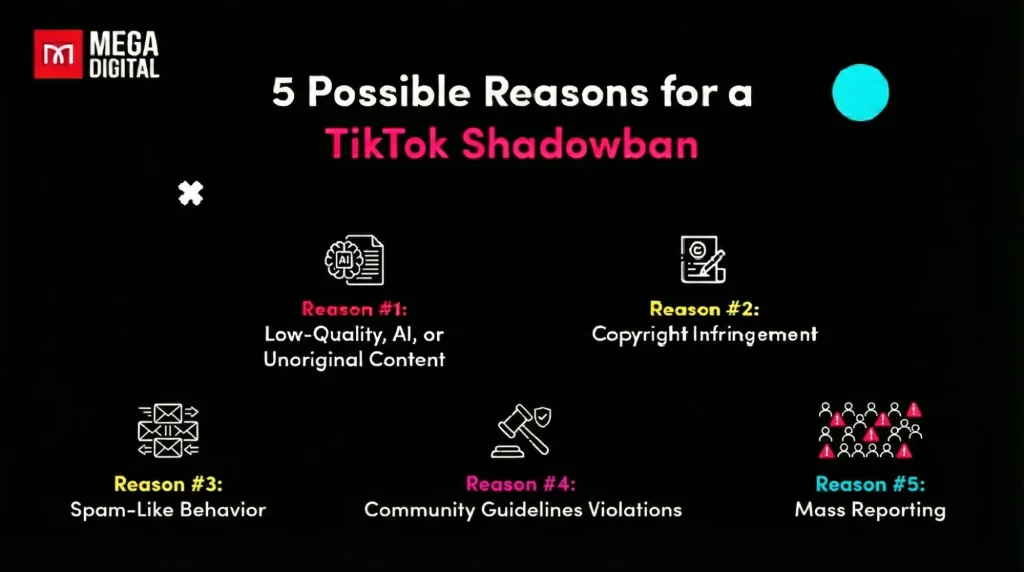
#1. Low-Quality, AI, or Unoriginal Content
This is the #1 reason for shadowbans in 2026. TikTok is aggressively filtering out content that it deems “Ineligible for the For You Feed” to maintain user retention.
- Unoriginal Content: Re-uploading videos from other platforms (Reels, Shorts) or other TikTok accounts without significant editing. If the metadata matches an existing video, your reach is reduced to zero.
- Low-Effort AI: TikTok can detect robotic text-to-speech voices and generic AI avatars. Videos that are simply AI-read Reddit stories or repetitive AI scripts are now flagged as low quality.
- Static & QR Code Content: Videos that are essentially static images (slideshows with no motion) or videos primarily designed to drive traffic off-app (e.g., displaying a giant QR code for 10 seconds) are suppressed.
TikTok Community Guidelines: Content that involves unoriginal or reproduced material without significant new creative elements is generally not recommended for the For You feed to ensure a positive user experience.
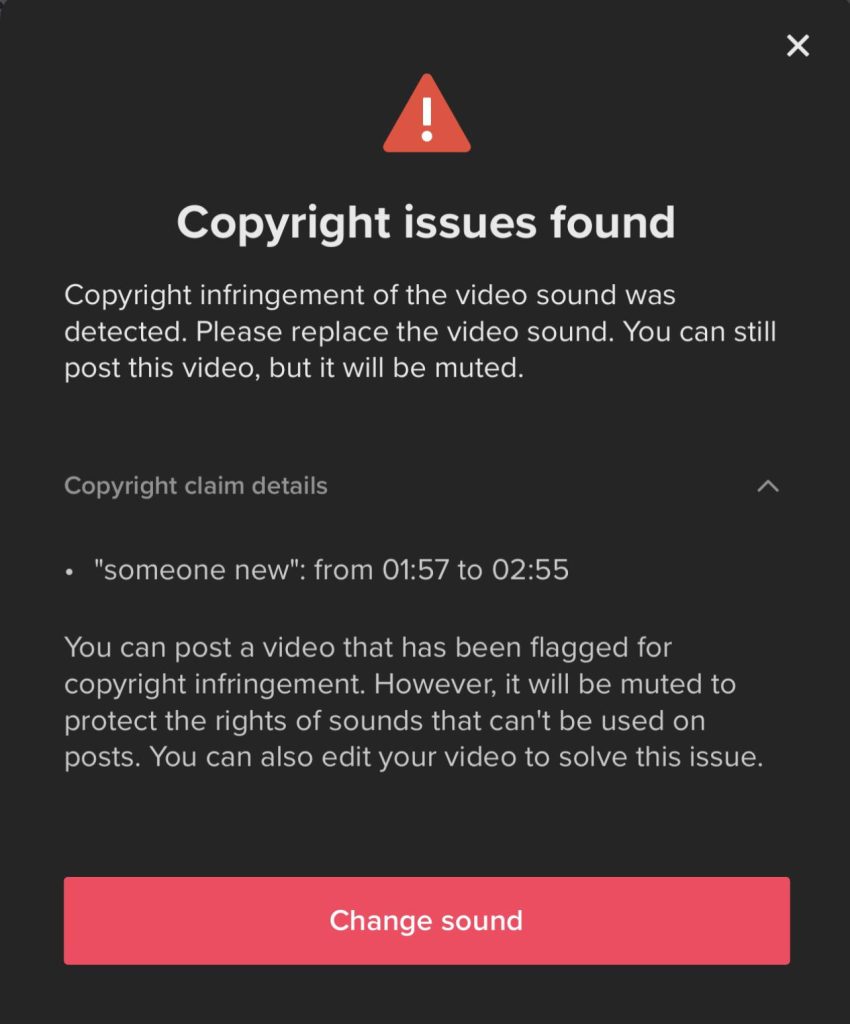
#2. Copyright Infringement
This is a major risk for Business Accounts.
- The Trending Sound Issue: If you use a Business Account, you cannot use mainstream pop songs even if they are trending. Using non-commercial audio on a business profile will result in the video being muted or shadowbanned.
- Visual Copyright: Using clips from movies, TV shows, or sports broadcasts without transformative editing will trigger an immediate flag.
#3. Spam-Like Behavior
The algorithm monitors the speed and pattern of your actions. If you act faster than a human, you are treated like a bot.
- Engagement Spikes: Liking 100 videos in 5 minutes or following 50 accounts in an hour triggers a temporary restriction period where your visibility is limited.
- Comment Spam: Copy-pasting the same generic comment like “Check DM” or “Great vid!” on multiple posts will flag your account as a spammer.
- Content Flooding: Posting 5-10 videos in rapid succession (within minutes of each other) often leads to the later videos getting 0 views.
#4. Community Guidelines Violations
Beyond obvious violations like nudity or violence, subtle infractions often trigger shadowbans:
- Regulated Goods: Promoting vapes, weight-loss supplements, or financial schemes is heavily restricted.
- Minor Safety: Videos showing dangerous acts (even minor ones like driving without a seatbelt or handling fireworks improperly) are often removed from the FYP to prevent imitation.
- Shock Value: Content that is overly graphic or disgusting (e.g., pimple popping without educational context) may be restricted to 18+ only audiences, killing its viral potential.
#5. Mass Reporting
Sometimes, you are the victim of a coordinated attack or a misunderstanding.
- If a video receives a sudden spike in user reports (e.g., for Misleading Information or Scams), the algorithm may temporarily pause distribution while a human moderator reviews it.
- Even if you are innocent, this pause looks and feels exactly like a shadowban. Frequent reporting can lower your account’s overall Trust Score.
How to Check If You Are Shadowbanned
Since TikTok won’t send you a “You are shadowbanned” email, you need to rely on specific symptoms and technical checks to confirm your account status.
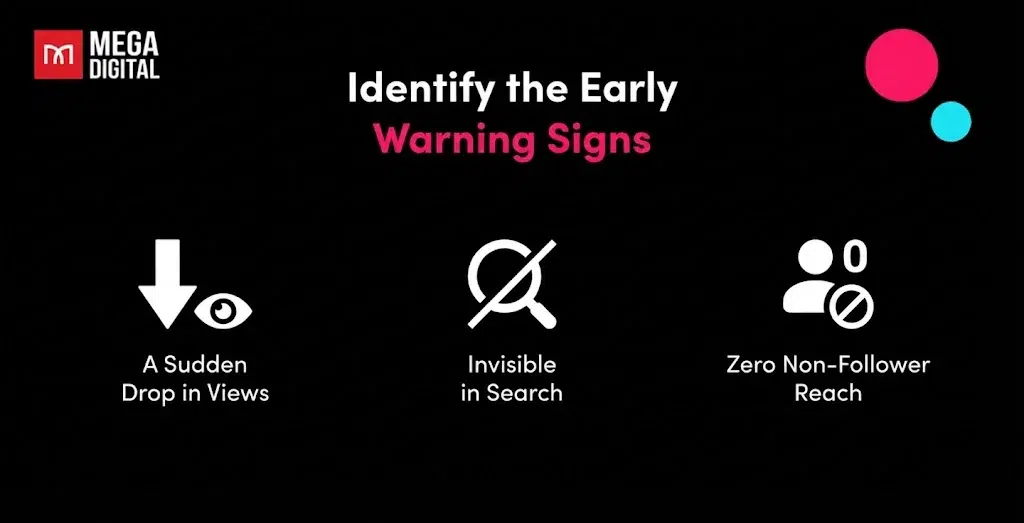
Identify the Early Warning Signs
Before diving into technical tools, pay attention to these immediate red flags in your account’s performance:
- A Sudden Drop in Views: It is normal for views to fluctuate, but a drop from 10,000 average views to under 50 views overnight is a clear indicator of a restriction.
- Invisible in Search: When you search for your unique username or specific hashtags you used, your videos are nowhere to be found, even in the Recent tab.
- Zero Non-Follower Reach: Your engagement is coming exclusively from people who already follow you. The algorithm has stopped pushing your content to strangers (the For You audience).
Confirm Your Status with Technical Checks
If you notice the symptoms above, use these three methods to confirm the shadowban.
Method A: Check Account Standing
TikTok now provides more transparency than before. You can often see exactly which video caused the issue.
- Go to your Profile and tap the Menu (three horizontal lines) in the top right.
- Select Settings and privacy > Support > Safety Center.
- Tap on Account Status.
- What to look for: Look for any banners stating “Ineligible for For You Feed”. If you see this tag on multiple videos, your account reach is being actively suppressed.
Method B: Analyze Traffic Sources
The analytics numbers don’t lie. A shadowbanned video has a very specific traffic fingerprint.
- Open the specific video you suspect is shadowbanned.
- Tap the More data button (bottom right) to open Analytics.
- Scroll down to the Traffic Sources pie chart.
- The Verdict:
- Normal: 70%–90% of views come from the For You feed.
- Shadowbanned: 0% to 5% of views come from For You. Almost all views will be from Following or Personal Profile. This confirms the algorithm has de-indexed the video.
Method C: The Incognito Search Test
This tests your public discoverability outside of your own device’s cache.
- Copy the link of your recent video.
- Open a Private Window (Incognito Mode) in your web browser or use a friend’s phone (make sure they don’t follow you).
- Go to the TikTok search bar and type a specific hashtag you used in the video (e.g., instead of #fyp, use something unique like #EcoFriendlyTips2026).
- Filter the search results by Sort by Date or look at the Recent tab.
- The Verdict: If your video exists on your profile but does not appear in the hashtag feed, it has been excluded or shadowbanned from search results.
Consequences of a TikTok Shadowban
Getting hit with a TikTok shadowban is not just about fewer likes; it is a systemic freeze on your account’s ability to grow and generate revenue. Here are the specific, critical consequences you will face:
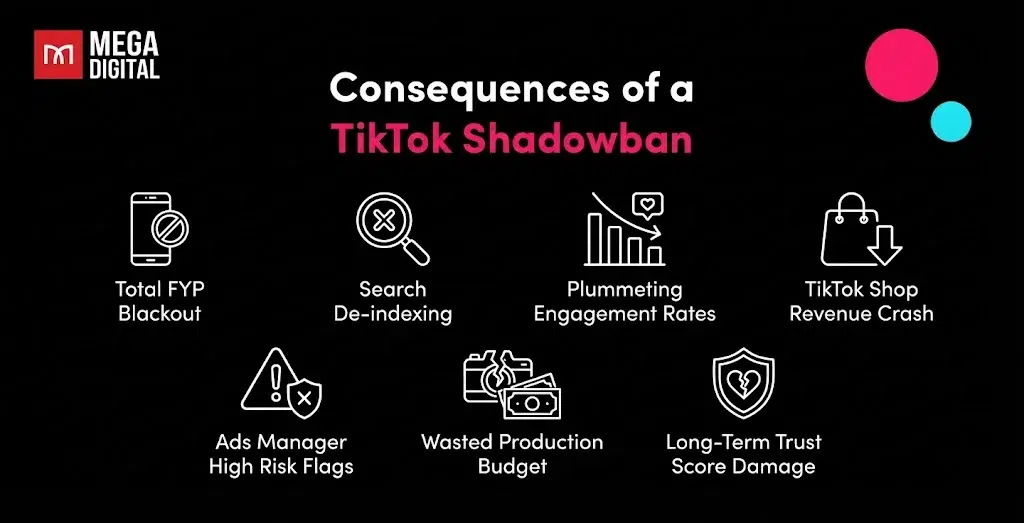
- Total FYP Blackout: Your content is completely removed from the For You page. Since 90-95% of TikTok growth comes from non-followers on this feed, your channel’s growth engine stops immediately.
- Search De-indexing: Your videos vanish from hashtag and keyword search results. Even if a user searches for your specific video title, they might not find it, killing your organic discoverability.
- Plummeting Engagement Rates: Likes, comments, and shares will freeze, often dropping by over 80% overnight as only your most loyal existing followers might see the post.
- TikTok Shop Revenue Crash: For sellers, product links attached to shadowbanned videos become invisible to new buyers. This causes an immediate and sharp drop in Gross Merchandise Value (GMV) and daily orders.
- Ads Manager High Risk Flags: Your organic profile is linked to your Business Center. A shadowban often triggers a High Risk flag on your ad account, leading to frequent ad disapprovals, lower daily spending limits, or slower review times.
- Wasted Production Budget: The time, money, and resources spent producing your content are effectively lost (zero ROI), as the algorithm refuses to distribute the asset to your target audience.
- Long-Term Trust Score Damage: Even after the ban is lifted, your account’s internal Trust Score remains low. The algorithm may be hesitant to push your future videos to a wide audience until you prove consistent compliance over several weeks.
How to Remove a Shadowban on TikTok?
Getting out of a TikTok shadowban requires no secret rituals or unusual actions. Here are 5 ways to restore your account:
Remove Flagged Content
First, identify the content that may have triggered the shadowban as content related to:
- Violence
- Hate
- Illegal activities
- Self-harm
- Harassment
- Nudity
- Hate speech
Or you can check which video is violated by following these steps:
- Go to your TikTok profile
- Tap the menu in the top-right corner
- Choose “Creator Tools” > “Analytics” to find out which videos might be suppressed.
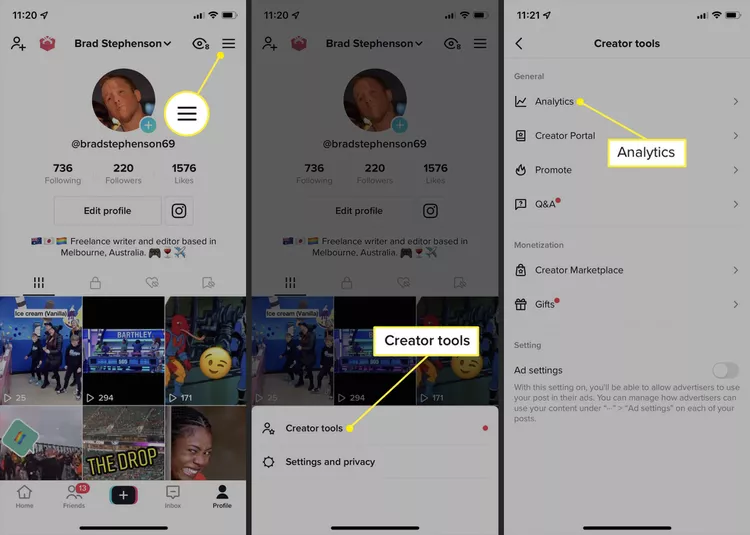
Once you’ve found it, delete that content and wait at least 14 days to get the ban lifted.
After that, refresh your page to check the status.
Reinstall the App
While deleting the problematic video often resolves the issue, you might need to take an extra step by uninstalling and reinstalling the app. This process clears the cache and ensures the app is up to date, helping it function properly again. In most cases, after doing this, you’ll be able to see your video engagements start to return.
Act Naturally
Avoid behaviors that might make TikTok’s algorithm think you’re a bot such as:
- Engage in excessive liking, following, or spammy comments.
- Buying fake followers or overusing hashtags.
Don’t engage in excessive following or posting, especially immediately after a shadowban. Act authentically and avoid spammy activities.
Expert Insight: Recovering from a shadowban isn’t just about deleting one video; it’s about proving to the algorithm over time that you are a human, not a bot. Consistent, authentic activity is your fastest route back to the FYP.
Send a Support Ticket
If you suspect you’re shadowbanned on TikTok, you can reach out for help by sending a support ticket through the app. Here’s how:
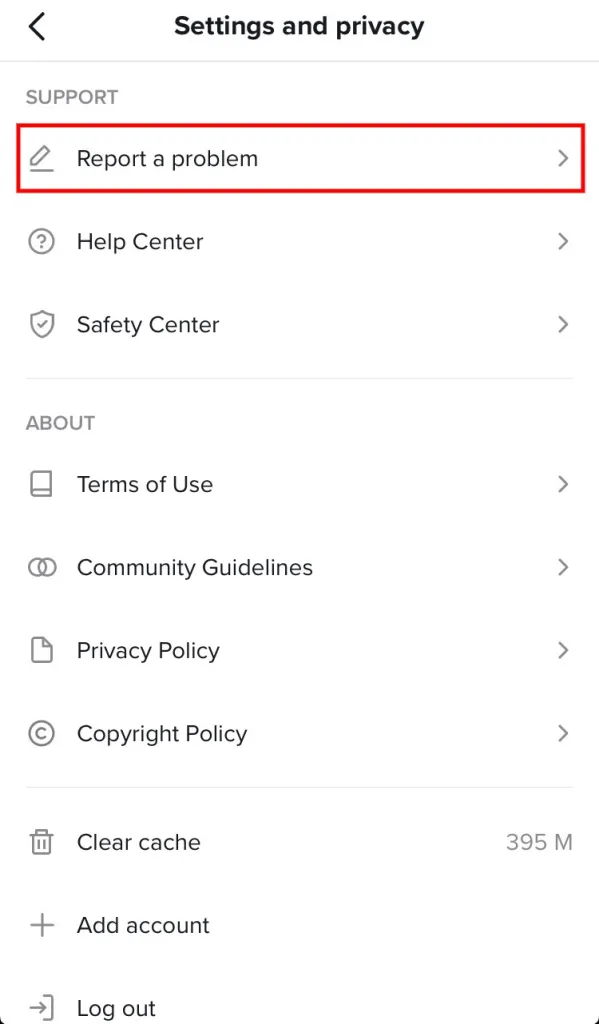
- Go to your TikTok profile.
- Tap on the triple-dots icon in the top-right corner of your screen.
- Scroll down to find the “support” section.
- Under “support,” select “Report a problem”
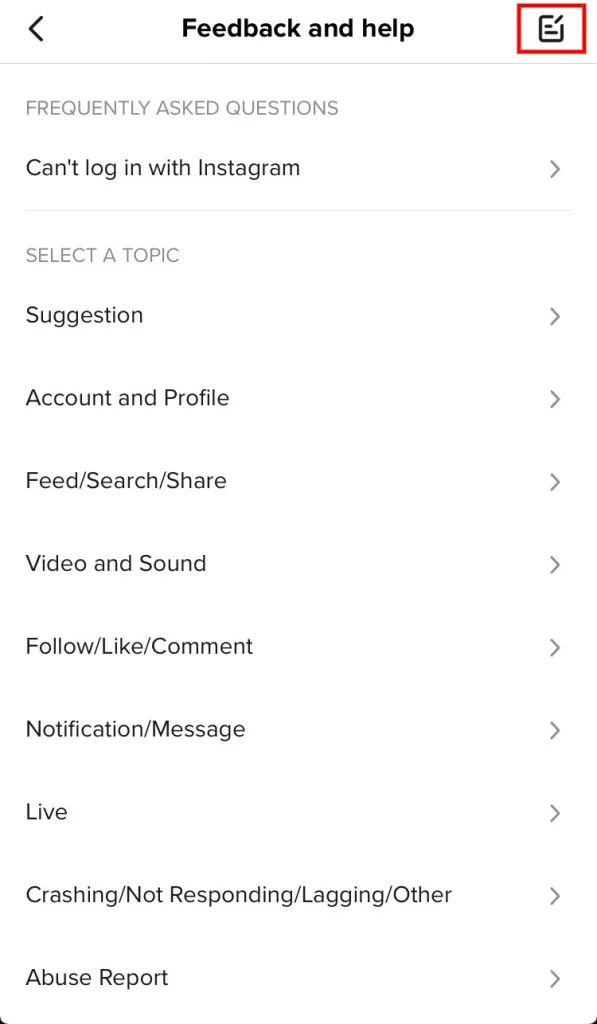
- Tap on the writing icon located in the top-right corner of your screen. This will open the feedback section where you can report issues.
- Explain your problem and describe the shadowban issue clearly.
- Provide evidence, such as screenshots showing a significant drop in your engagement.
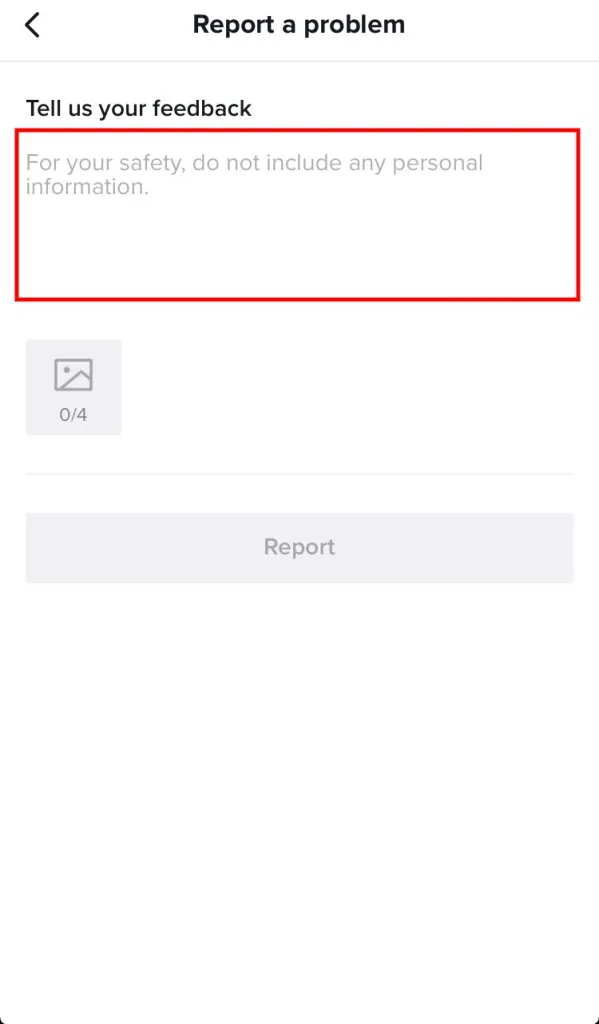
That’s it! Follow these steps to send a support ticket to TikTok. Remember to be certain that you’re shadowbanned before contacting them.
Update Your TikTok Profile to Avoid TikTok Shadowban
Make sure your TikTok profile description and username are free from curse words or language that could be misinterpreted. Also, check your profile picture. If it contains violent or sexual imagery, it could lead to a TikTok shadowban. To change your picture, click on the pencil icon on your profile photo.
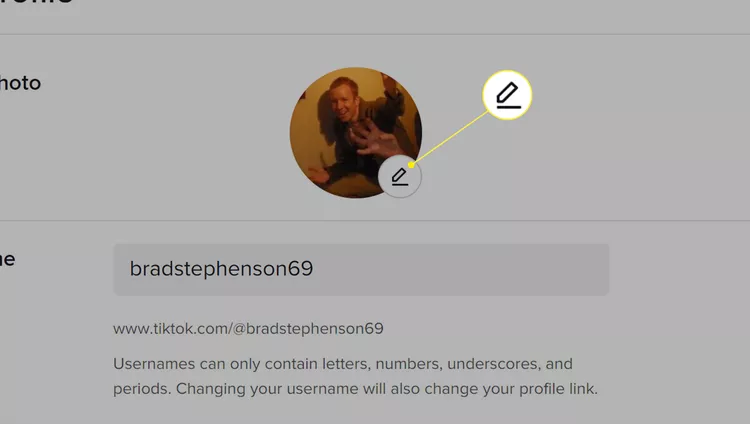
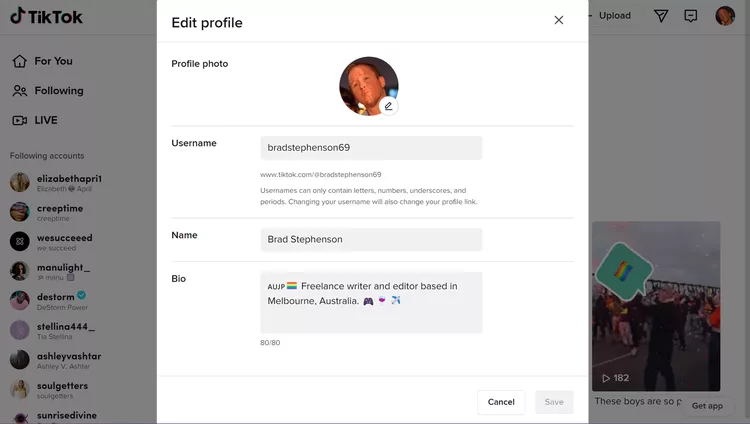
By following these tips and maintaining a respectful and authentic presence on TikTok, you can reduce the likelihood of encountering a shadowban.
Improve Video Quality
Recreate your videos using clear visuals, balanced lighting, and natural sound. Avoid relying on generic AI voices or reusing other creators’ scripts. High-quality and original content helps rebuild trust with the algorithm.
Use a TikTok Agency Account
If your personal ad account keeps getting flagged or shadowbanned, it might be time to switch.
TikTok Agency Accounts (provided by partners like Mega Digital) are whitelisted by TikTok. They have higher trust scores, unlimited spending caps, and are less likely to face random shadowbans compared to standard accounts.
>>> Read more: Unbanned TikTok Account: How to Get your Banned Account Back?
FAQs about TikTok Shadowban
Below are the most common questions about TikTok shadowbans and how to fix them.
Typically, it lasts 14 days. However, for minor infractions, it can be 24 hours. For severe or repeated violations, it can last up to one month (30 days).
Technically, a shadowban is temporary. However, if you continue to violate rules during the shadowban, it can escalate to a permanent Account Ban (suspension).
No. Spending money on Promote features will not fix the organic reach of a shadowbanned account. You must fix the core content issue first.
Yes. If your Account Standing shows a violation you believe is an error, click the notification and select Appeal.
Wrap-up
A TikTok shadowban is a reminder to improve your content quality and adhere strictly to Community Guidelines. Don’t try to cheat the system with bots or stolen content,TikTok’s AI is smarter than that in 2026.
If you are a business owner tired of navigating these algorithmic hurdles alone, consider upgrading your infrastructure.