

Managing hundreds of SKUs can make ad creation time-consuming and inefficient. Meta Advantage+ Catalog Ads helps e-commerce advertisers automatically show the right products to high-intent shoppers using machine learning. In this guide, you’ll learn how it works, what specs you need, how to set it up, and how brands use it in practice.
Quick summary:
- Meta Advantage+ Catalog Ads automatically generate personalized product ads based on a user’s browsing history and intent.
- This dynamic format saves immense time by eliminating the need to manually design individual ads for large inventories.
- Campaigns can improve ROAS when the catalog, tracking, and product data are properly set up.
- Successful setup requires a Meta Business Manager account, an active product catalog, and a properly configured Meta Pixel or Conversions API.
- Strategic segmentation of product sets and rigorous feed maintenance are crucial for optimizing budget distribution and maximizing conversions.
What are Meta Advantage+ Catalog Ads?
Meta Advantage+ Catalog Ads are an automated advertising solution that dynamically promotes your entire product inventory without the need to create individual ads for each item. You simply upload your product catalog, set up your campaign, and Meta’s algorithm automatically generates ads featuring the right products, delivered to the right people, at the right time.
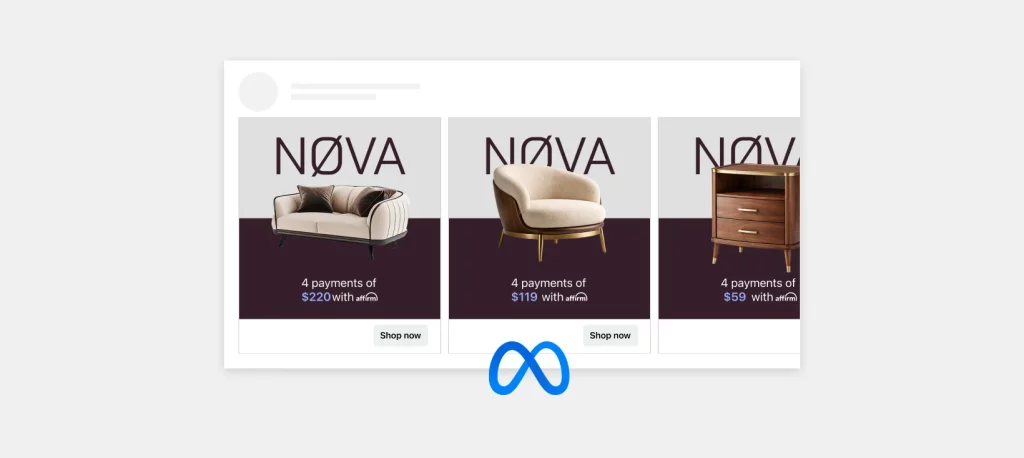
If you have used Facebook Dynamic Ads before, you will recognize the core concept. Meta now positions catalog-based dynamic ads under its Advantage+ solutions, with stronger automation across targeting, creative delivery, and product recommendations. Many advertisers still refer to this format as Facebook catalog ads or dynamic product ads.
How Do Advantage+ Catalog Ads Work?
The core mechanism relies on a continuous sync between your website data (via the Meta Pixel or Conversions API) and your product catalog.
When a user browses your website, views a specific product, or adds an item to their cart but doesn’t complete the purchase, the Meta Pixel captures this intent.
The Advantage+ system then dynamically pulls the exact product’s image, price, and details from your catalog to serve a highly personalized ad to that specific user across Meta’s platforms.
Furthermore, the system can prospect for new customers by analyzing user behavior across the Meta ecosystem and predicting which products they are most likely to buy, even if they haven’t visited your site yet.
Benefits of Meta Advantage+ Catalog Ads

Transitioning from manual campaign management to this AI-driven, automated approach unlocks several significant advantages for e-commerce brands looking to scale efficiently. Here are the key ways this ad format transforms your digital marketing strategy:
- Scale and Efficiency: Promote thousands of products simultaneously without creating individual creatives for each one.
- Hyper-Personalization: Deliver tailored product recommendations based on individual user behavior and interests.
- Automated Retargeting: Easily re-engage users who showed high intent (e.g., cart abandoners) with the exact items they left behind.
- Always Up-to-Date: Ads automatically reflect real-time inventory and pricing changes when synced correctly with your e-commerce platform.
- Cross-Device Reach: Seamlessly target users across mobile, desktop, and tablets on Facebook, Instagram, and Audience Network.
The Different Types of Catalog Ad Formats
There are a few different Meta product ad formats that e-commerce brands can use to drive results. Each serves its own purpose, and understanding how to leverage them is key to running successful campaigns.

Single Image Ads
This is the simplest format, where one product image is used to promote a specific item. It is best for direct promotions when you want to focus all attention on one particular product or offer. This format is incredibly easy to set up and highly effective for highlighting a key best-seller.
Carousel Ads
Carousel ads allow you to showcase multiple products in a single, swipeable format. Each card in the carousel features a different product, making it ideal for promoting new collections or showing off complementary items. Because it is an interactive format, people can engage with individual products, significantly increasing the chance they will find something that grabs their attention.
Collection Ads
This format is tailored strictly for mobile and is designed to create a highly immersive shopping experience. When users click on a Collection ad, they are seamlessly taken to a full-screen “Instant Experience” where they can browse through several products at once without leaving the app. This format is all about high visual impact and creating a frictionless browsing environment that encourages deep engagement.
Requirements & Setup Checklist
Before launching your campaign, you need to ensure your foundation is solid. Here is the essential checklist and the necessary meta catalog ads specs you must adhere to.

1. Essential Infrastructure
- Business Portfolio: An active Meta Business Manager account.
- Data Source: A functioning Meta Pixel installed on your website and/or the Conversions API (CAPI) set up to track standard events (ViewContent, AddToCart, Purchase).
- Product Catalog: A data feed containing your inventory, created within the Commerce Manager.
2. Product Data Feed Requirements
Your data feed must contain specific fields for the ads to function correctly. Required fields include:
- id (Unique SKU or identifier)
- title (Product name)
- description
- availability (in stock, out of stock)
- condition (new, refurbished, used)
- price (e.g., 9.99 USD)
- link (Product landing page URL)
- image_link (URL of the product image)
3. Image and Text Specs
To ensure your creatives look professional across all placements, follow these meta catalog ads specs:
Image Specifications:
- Ratio: 1:1 (Square) is highly recommended, especially for Carousel formats. 1.91:1 is accepted for Single Image ads.
- Resolution: Minimum 500 x 500 pixels. High-resolution images (1080 x 1080 pixels) are preferred.
- Content: Avoid excessive text on the product images (keep it under 20% of the image area).
Text Specifications:
- Primary Text: 125 characters recommended.
- Headline: 40 characters recommended (often uses the dynamic [product.name] tag).
- Description: 25 characters recommended (often uses the dynamic [product.price] tag).
Pro Tip: According to the Meta Business Help Center, you should ensure your product images have a clean, consistent background (preferably white or transparent) in your data feed. This allows Meta to dynamically add frames, overlays, or promotional text seamlessly during sales events.
How to Run Meta Advantage+ Catalog Ads
If you are wondering how to run meta advantage+ catalog ads, follow this streamlined process within the Meta Ads Manager:
Step 1: Campaign Level
- Click Create in Ads Manager.
- Select Sales as your campaign objective.
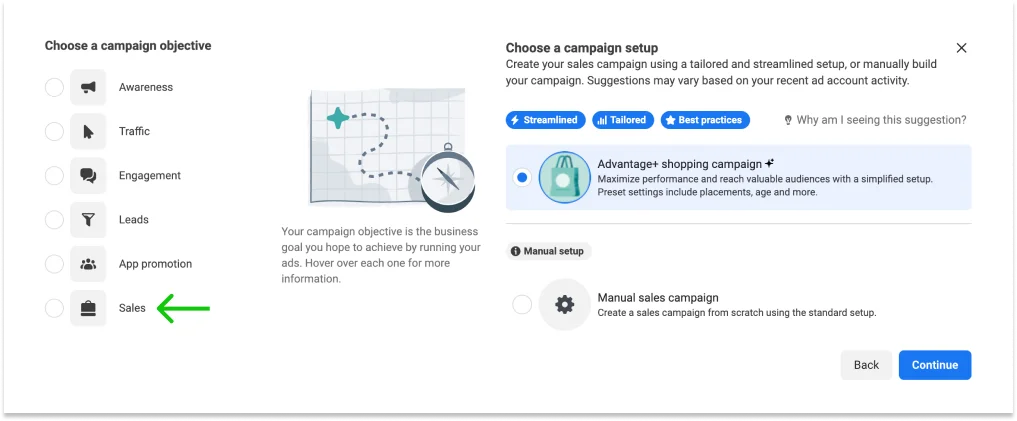
- Choose Advantage+ shopping campaign for a fully automated setup, or select Manual sales campaign if you want granular control over targeting and ad sets. If choosing manual, make sure to turn on the Catalog toggle at the campaign level.
Step 2: Ad Set Level
- Select your Catalog: Choose the specific product catalog you want to promote.
- Product Set: Choose whether to advertise all products or a specific subset (e.g., “Summer Collection” or “Items over $50”).
- Audience Targeting: This is crucial. Select your strategy:
- Retargeting: Target people who interacted with your products on and off Facebook (e.g., Viewed or Added to Cart but not Purchased in the last 14 days).
- Broad Audience: Target prospective customers who haven’t purchased from you yet, allowing Meta’s AI to find users interested in your products.
Step 3: Ad Level
- Ad Setup: Select your format (Carousel, Single Image, or Collection).
- Creative: Utilize dynamic placeholders. In the Headline field, insert [product.name]. In the Description, insert [product.price].
- Advantage+ Creative: Enable these options to allow Meta to automatically add catalog overlays (like “Free Shipping” or strikethrough pricing) or generate catalog videos.
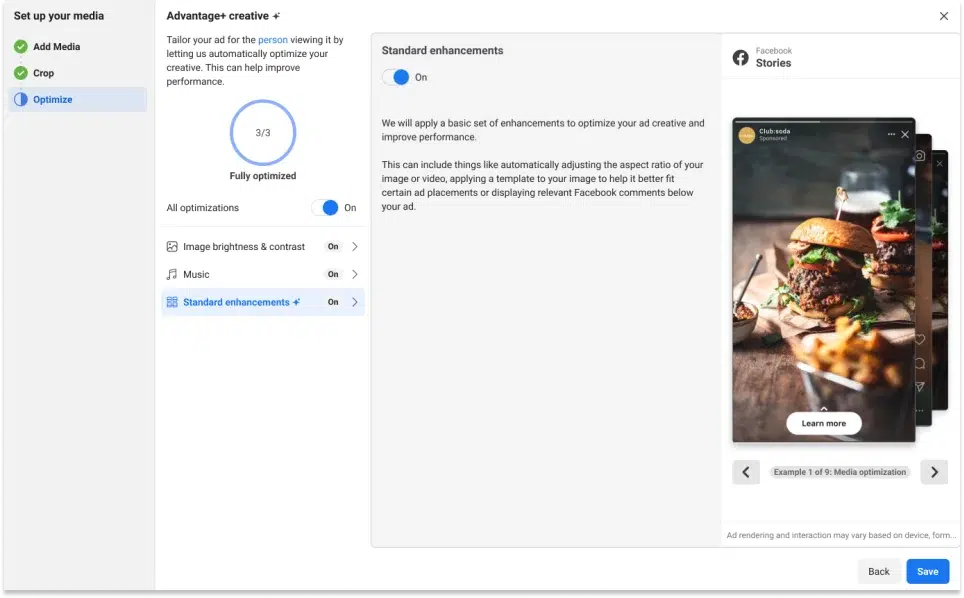
- Publish: Review your settings and launch the campaign.
Meta Advantage+ Catalog Ads Case Studies
To understand the practical impact, let’s look at how top brands are leveraging these dynamic campaigns to scale their sales and app growth.
Mango

Mango, a globally recognized Spanish fashion retailer, wanted to scale its video advertising across Meta platforms, particularly on Reels. Their primary goal was to drive online sales and stay competitive in a video-first ecosystem without the overwhelming manual effort of producing individual video creatives for their massive clothing inventory.
The Strategy:
- Transformed standard static Dynamic Product Ads (DPAs) into engaging Catalog Product Video ads using AI-driven creative tools.
- Integrated these dynamic video assets directly into Advantage+ catalog campaigns.
- Allowed Meta’s machine learning algorithm to automatically deliver the most relevant product video to users based on their specific browsing behavior and high-intent signals.
The Result:
- 65% increase in incremental purchases
- 49% lower cost per incremental add to cart
- Significant improvement in incremental ROAS
GoodShort

GoodShort is a rapidly growing global streaming app dedicated to vertical micro-dramas and short series. To capitalize on the booming short-drama market, the brand needed an automated advertising solution to drive app installs and increase in-app purchases by showcasing its vast content library to the right international audiences.
The Strategy:
- Utilized the Advantage+ catalog to dynamically showcase a wide variety of vertical video trailers directly from their extensive content feed.
- Leveraged automated broad audience targeting to identify and serve ads to high-intent users (primarily female audiences aged 25-44) who were most likely to download the app and pay for episode unlocks.
- Embraced a high-impact creative framework in their dynamic videos to instantly grab attention and stop the scroll in mobile feeds.
The Result:
- 4X increase in app downloads (vs usual photo ads)
- 67% lower cost per app download
- Strong performance in driving app installs via Advantage+ Catalog + Catalog Product Videos
Best Practices for Meta Advantage+ Catalog Ads
To maximize your ROAS and ensure long-term campaign stability, follow these battle-tested strategies to optimize your dynamic catalog ads.
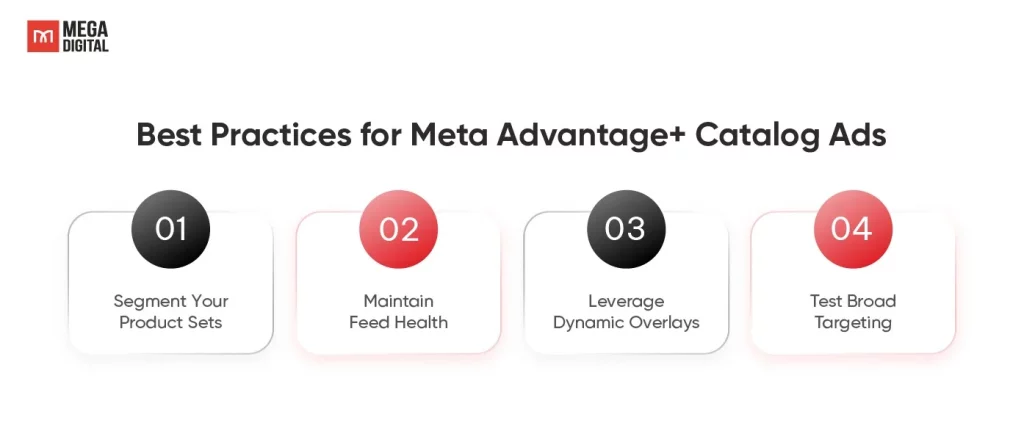
1. Segment Your Product Sets
While Meta’s algorithm thrives on large datasets, avoid running your entire catalog in a single campaign if you want strict control over your budget distribution. Instead, purposefully segment your product sets by profit margins, top-selling items, or seasonal relevance to strategically guide the system’s spend.
Pro Tip: Meta’s AI chases volume. To force it to prioritize profit margins over cheap conversions, always combine segmentation with Value Optimization (VO).
2. Maintain Feed Health
Consistently monitor your Commerce Manager for critical feed errors, such as broken image URLs or rejected items. Promoting out-of-stock products not only wastes your precious ad budget but also severely damages the customer experience.
Pro Tip: Use real-time API connections for high-volume stores to prevent ad spend on items that just sold out.
3. Leverage Dynamic Overlays
Utilize Meta’s built-in creative tools to automatically apply promotional frames, strikethrough pricing, or percentage discounts directly onto your product images. This visual enhancement is absolutely essential for capturing attention and increasing CTR during highly competitive periods like Black Friday or flash sales.
Pro Tip: Keep it clean. A simple “Free Shipping” badge converts better than a cluttered frame that hides the product.
4. Test Broad Targeting
While retargeting past visitors is highly effective, you must trust Meta’s algorithm to prospect for entirely new customers. Implement broad targeting and allow the AI to actively search for new, high-intent users based on the deep data signals collected by your pixel.
Pro Tip: Ensure your pixel has robust historical “Purchase” data before running broad targeting, so the AI knows exactly who to look for.
FAQs About Meta Advantage+ Catalog Ads
Yes. You can use catalog videos or generate dynamic videos from catalog assets for placements like Reels, Stories, and Feed.
Use broad audience targeting. Meta will use catalog, pixel, and user behavior signals to find people likely to be interested in your products, even if they have not visited your website before.
Yes. You can upload a product feed to Commerce Manager and direct users to shop through Facebook Shop or Instagram Shop, depending on your setup and market availability.
Usually, this comes from catalog or tracking issues. Check Commerce Manager for missing fields, broken image links, out-of-stock items, rejected products, or mismatched product IDs between your catalog and Pixel/CAPI events.
>> Read more: All Types of Facebook Ads – A Comprehensive Guide [2026]
Conclusion
Meta Advantage+ Catalog Ads can help e-commerce businesses promote products more efficiently, personalize ads at scale, and reconnect with high-intent shoppers. To get the best results, make sure your catalog is accurate, your tracking setup is reliable, and your product sets are well-structured. With the right setup and ongoing optimization, this ad format can become a strong driver of sales and revenue growth.