

Wonder how to make money with TikTok Live Gifts? These virtual gifts let viewers show appreciation during your livestreams. TikTok may allocate Diamonds based on viewer engagement, and eligible creators may receive Rewards under the platform’s applicable rules. In this guide, I’ll walk you through how TikTok LIVE Gifts work, who can receive them, how their value relates to creator rewards, and practical ways to encourage viewer support.
Quick summary:
- How LIVE Gifts work: Viewers purchase Coins to send virtual Gifts during livestreams, while TikTok may allocate Diamonds to eligible creators based on engagement.
- Who can receive Gifts: Creators must meet TikTok’s age, LIVE access, account standing, and regional eligibility requirements.
- How much Gifts are worth: Gift costs are displayed in Coins, but Diamonds don’t have a guaranteed cash conversion rate. Eligible creators may receive Rewards under TikTok’s applicable rules.
- How to encourage more Gifts: Build an engaged community through interactive livestreams, consistent schedules, genuine appreciation, and voluntary viewer support.
What are TikTok LIVE Gifts?
TikTok Live Gifts are virtual items that viewers can buy and send to creators during live streams. They’re a fun way for fans to show support while interacting in real time. When someone sends a gift, it pops up on the screen as a special animation, giving the sender a quick moment of recognition.
For creators, LIVE Gifts are a way to receive appreciation from viewers. When someone sends a Gift, TikTok uses gifting activity as one of the signals to measure a creator’s popularity and may allocate Diamonds accordingly. Diamonds are not money, and receiving them does not automatically guarantee a cash payment. Eligible creators may qualify for Rewards under TikTok’s applicable program terms.
Here’s how Coins, Gifts, Diamonds, and Rewards relate to each other:
| Term | What it means |
|---|---|
| Coins | Virtual items viewers purchase and use to activate Gifts on TikTok. |
| Gifts | Virtual items viewers activate to show appreciation and interact with creators during a LIVE. |
| Diamonds | Virtual items TikTok may allocate to creators based on popularity and engagement signals, including gifting activity. |
| Rewards | Benefits, potentially including Reward Payments, that TikTok may offer to eligible creators under applicable program rules. |
In short, viewers use Coins → activate Gifts → TikTok may allocate Diamonds → eligible creators may receive Rewards.
This is not a guaranteed cash-conversion process. The Coins spent on a Gift do not translate into an automatic or fixed payment to the creator.
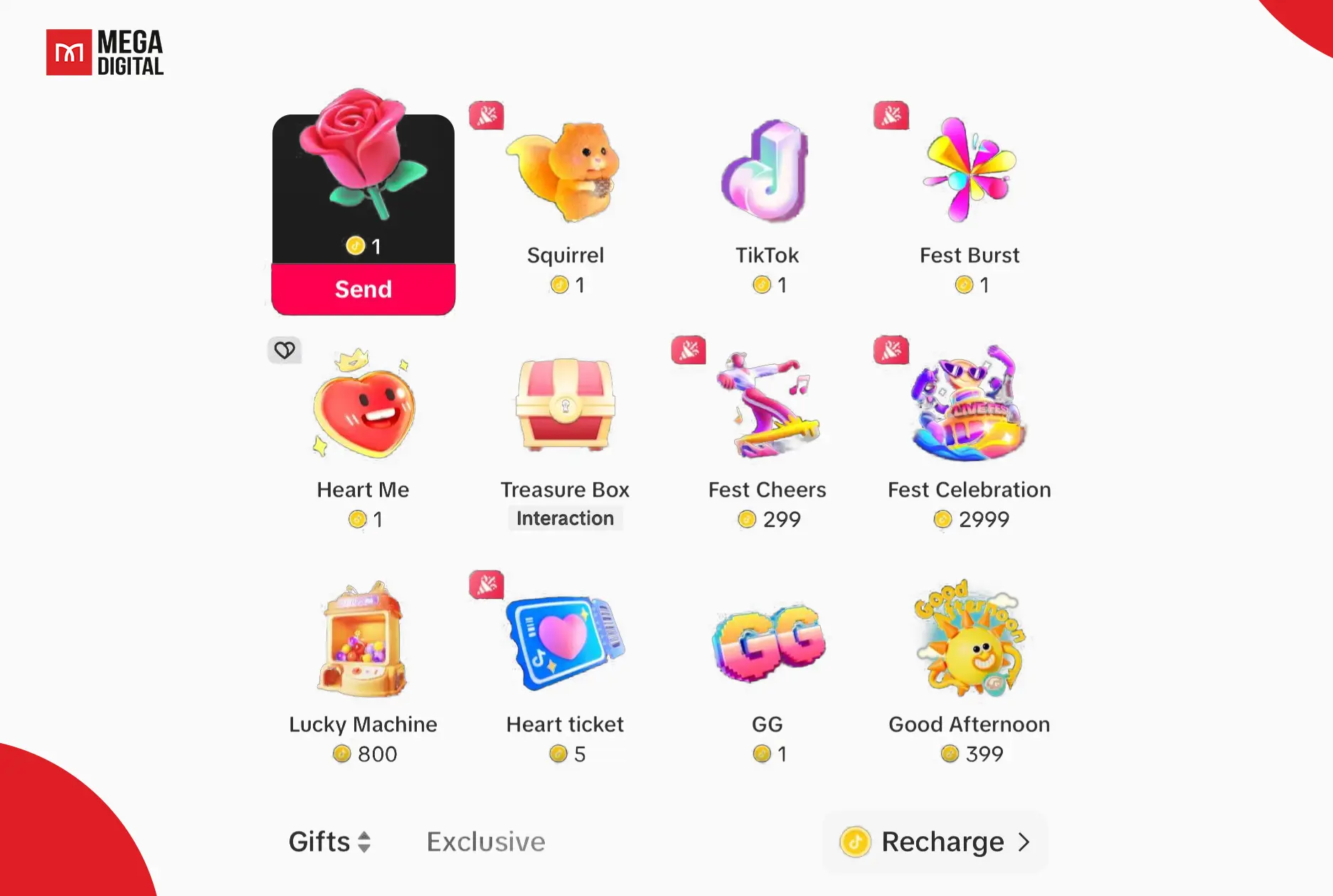
TikTok offers different types of virtual Gifts, from simple animations to more elaborate options. Each Gift requires a specific number of Coins, which viewers can see in the Gift panel before sending it. The available Gifts and their Coin requirements may change, so it’s best to check the current selection directly in the TikTok app.
Receiving more Gifts may contribute to a creator’s popularity signals and Diamond allocation, but it does not guarantee a specific amount of earnings.
TikTok regularly updates the gift catalog with new and exciting options to keep both creators and viewers engaged, so you can check it for more updates.
How to Qualify for TikTok Live Gifts?
However, not everyone on TikTok can receive Live Gifts. You’ll need to meet a few key requirements first. Here’s what it takes to unlock this feature:
- Meet the minimum age requirement: You must generally be at least 18 years old to receive LIVE Gifts, or 19 in South Korea. Additional local age requirements may apply.
- Be eligible to go LIVE: TikTok requires creators to meet its LIVE access requirements, including a minimum follower threshold that may vary by region. Being eligible to host a LIVE is a separate requirement from being eligible to receive LIVE Gifts.
- Live in a supported region: LIVE Gifts and Diamonds are not available in every country. Check whether these features are offered in your location.
- Keep your account in good standing: Your account must comply with TikTok’s Community Guidelines, Terms of Service, and applicable monetization rules.
- Meet account-type restrictions: Certain accounts, including government, politician, political party, and other public-interest accounts, may be ineligible to collect Diamonds through LIVE Gifts.
Meeting these conditions does not automatically guarantee access to every monetization feature. TikTok may apply additional eligibility checks depending on your location and account status. If LIVE Gifts is unavailable in your account, review the eligibility information shown in your LIVE settings.
How does TikTok LIVE Gifts work?
If you’re eligible to receive TikTok LIVE Gifts, you can check and manage the feature before starting your livestream:
- Open the TikTok app, tap the Add post (+) button, and select LIVE.
- On the LIVE setup screen, open Settings and look for the LIVE Gifts option.
- If the option is available, turn on LIVE Gifts, review your LIVE settings, and start your livestream.
The available controls may differ depending on your account, region, and app version. If you cannot find LIVE Gifts, check your eligibility and account status before assuming there is a technical problem.
Note: LIVE Gifts and Video Gifts are separate features. LIVE Gifts are sent during livestreams, while Video Gifts can be sent to eligible uploaded videos. Enabling one feature does not automatically enable the other.
Once LIVE Gifting is activated, you’ll see gifts popping up during your live video as viewers appreciate your content. After the stream, check your TikTok LIVE summary for the total number of gifts received.
How to Check Your TikTok LIVE Rewards
After your livestream, you can review the Diamonds associated with your LIVE activity. TikTok uses Diamonds to recognize creator popularity and engagement, but Diamonds are virtual items, not money that can be freely exchanged, sold, or transferred.
TikTok may offer Rewards, including Reward Payments, to eligible creators based on its applicable program terms. Receiving Diamonds alone does not guarantee a payout.
To check your Diamonds and LIVE rewards:
- Open the TikTok app and go to your Profile.
- Tap the Menu (☰) button and select Balance.
- Tap LIVE rewards to view your available information.
- Review any reward details, eligibility information, or payment instructions provided for your account.
Important things to know:
- Payment eligibility, available payment methods, and withdrawal requirements may differ by country and rewards program.
- TikTok may require additional account or payment verification before processing eligible Reward Payments.
- Do not assume that PayPal is required or that a fixed minimum withdrawal amount applies to every creator.
- Check your account’s current reward information and applicable terms before making decisions based on expected earnings.
How much are gifts on TikTok worth?
So, how much money can you actually make from TikTok Live Gifts? Estimating the worth of TikTok gifts can be difficult due to the multiple conversions involved.
To understand the value of TikTok LIVE Gifts, it’s important to distinguish what viewers spend from what creators may receive.
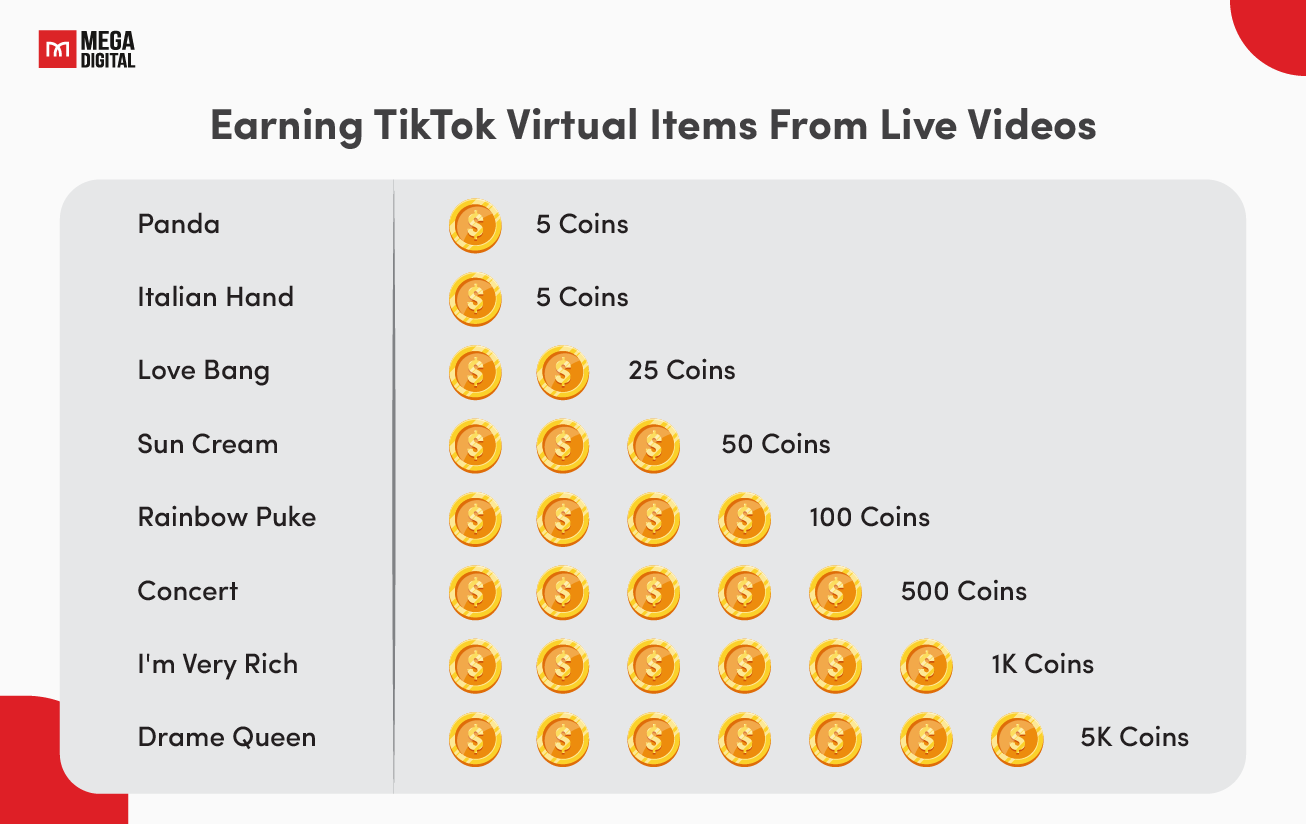
- Coins and Gift costs: Viewers purchase Coins and use them to activate virtual Gifts during a livestream. Each Gift has a Coin requirement displayed in TikTok’s Gift panel. Coin prices may vary depending on the purchase method, location, and package.
- Gifts and Diamonds: TikTok considers gifting activity when measuring creator popularity and engagement. Based on these signals, TikTok may allocate Diamonds to creators. This is not a direct transfer of the viewer’s Coins or a fixed conversion of Coins into Diamonds.
- Diamonds and potential Rewards: Diamonds can be one factor TikTok considers when determining whether an eligible creator may receive Rewards, including Reward Payments. The outcome depends on the applicable rewards program and its terms.
Can you calculate a Gift’s cash value?
Not reliably from its Coin cost alone.
For example, even if you know how many Coins a viewer spent on a particular Gift, that number does not establish how many Diamonds TikTok will allocate or how much money the creator might receive.
There is no universal Coin-to-Diamond-to-USD conversion rate that creators should use to estimate guaranteed earnings. Similarly, withdrawal thresholds and payment limits should be checked against the terms applicable to the creator’s country and rewards program.
Mega Digital recommends: Check the current Coin requirement for each Gift in the app, then review your own LIVE rewards information to understand your account’s potential reward eligibility. Avoid relying on unofficial Gift calculators that promise exact cash payouts.
5 Tips to Maximize TikTok Live Gift Earnings
As an expert in maximizing TikTok LIVE Gifts and earning money on the platform, here are five tips to enhance your audience engagement and boost your earnings:
Acknowledge Every Gift in Real-Time
Always acknowledge gift senders by name since it makes them feel valued and encourages others to join in. This personal touch builds loyalty and keeps givers coming back.
For larger gifts like a Lion or TikTok Universe, go bigger like:
- Thank the sender by name during your livestream when appropriate.
- Share a genuine message of appreciation with your community, while making sure viewers who don’t send Gifts still feel welcome.
Create Gift Milestones and Incentives During Your Live
Make your livestream more interactive by setting community milestones and inviting viewers to participate in activities. Focus on shared experiences rather than promising exclusive benefits in exchange for specific Gifts.
For example:
- “If we reach our comment goal, I’ll let the chat choose my next dance!”
- “Help me pick the next challenge by voting in the comments!”
Gifts should always be voluntary. Keep the experience enjoyable for everyone, whether or not they choose to send one.
Schedule and Promote Gift-Focused Livestreams
More viewers mean more gifts; therefore, build anticipation by sharing your live schedule.
For example, announce a themed livestream with a clear activity, such as a Q&A session, live tutorial, or behind-the-scenes discussion. Share the date and time on your TikTok Stories, Instagram, or pinned videos.
You could promote it with:
- Pinned TikTok video: “Join me Friday at 8 PM for a live Q&A. Bring your questions!”
- Instagram Stories: Use a countdown sticker and a short preview of what viewers can expect.
A consistent schedule helps your audience know when to join, while strong content gives them a reason to return.
Reward Top Gifters with Exclusive Perks
Show appreciation to viewers who support your livestream without creating pressure to spend or promising special access in exchange for Gifts.
Here are a few ways to recognize your community:
- Thank supporters naturally during the livestream.
- Invite viewers to share feedback, ideas, or questions, regardless of whether they send Gifts.
- Highlight memorable community moments in your next video, with permission from anyone featured.
Recognition should feel genuine rather than transactional. Avoid promising private access, personal services, or other exclusive benefits for particular Gift amounts unless you have confirmed that the arrangement complies with TikTok’s applicable rules.
Read more: Rewarded Video Ads: Pros, Cons & Best Tips To Get Started
Use CTAs with Urgency
Use time-sensitive calls to action to encourage participation in your livestream without pressuring viewers to send Gifts.
For example:
- “We’ve got five minutes left! Drop your questions in the chat before the Q&A ends.”
- “I’m revealing the behind-the-scenes story at the end of this LIVE, so stick around!”
If viewers choose to send Gifts, thank them sincerely. Avoid making entertainment, personal recognition, or access to content conditional on spending Coins.
Read more: TikTok Series: Monetization, Requirements & Optimization Guide
Final word
The TikTok LIVE gifts program might seem complex, but now you understand it better. Remember, Coins are used to activate Gifts, while Diamonds reflect creator popularity and may contribute to eligibility for Rewards under TikTok’s rules. Sending Gifts is voluntary, and the applicable refund terms differ between purchased Coins and activated Gifts.
If you’re a creator, focus on building genuine connections, creating entertaining LIVE content, and making your viewers feel welcome. Gifts can be one way for your community to show appreciation, but they don’t guarantee earnings.
Stay creative, enjoy the process, and give your audience a reason to keep coming back!