

Have you ever uploaded a perfect TikTok video only to see it stuck on “Under Review” for hours, or even days, while your views stay at zero? You are not alone. This issue frustrates thousands of creators daily, affecting reach and revenue.
This guide breaks down exactly why TikTok freezes your content, how the AI moderation queue works, and proven steps to get your videos approved and back on the For You Feed.
QUICK SUMMARY
- A video under review is temporarily paused while TikTok uses AI detection and human moderation to check for guideline violations.
- Common triggers for this status include explicit themes, violence, misinformation, copyright issues, and unlabelled AI-generated content.
- You can resolve the issue by checking your Account Status, editing flagged elements, appealing incorrect decisions, or switching to an Agency Account for priority support.
What does ‘TikTok video under review’ mean?
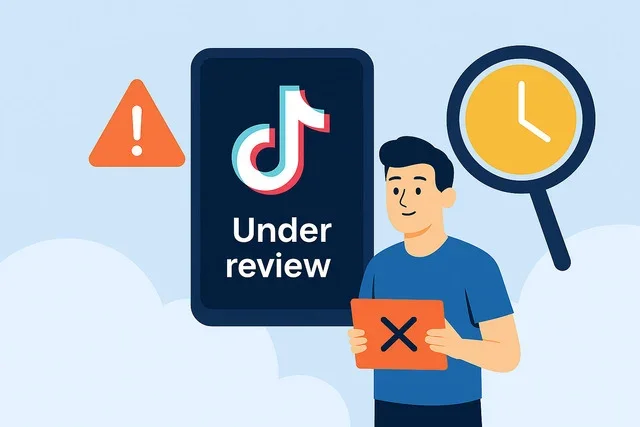
When your TikTok video is under review, it’s like a temporary pause. TikTok doesn’t put it in your video collection just yet because they want to make sure it follows the rules of the community. And for the status of videos you’ve already uploaded:
- The share button won’t work for now.
- Your video won’t get views or attention.
This checking part is done by a review process created by TikTok. Now let’s check out how this process works!
How does the TikTok video review process work?
TikTok cares deeply about creating a fun and safe environment for its users. To achieve this, every video uploaded undergoes a review process before it’s shared with the world.
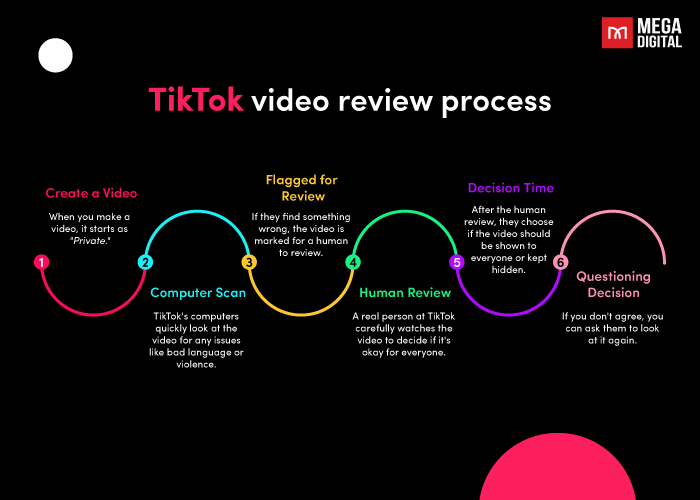
The process combines automated technology and human oversight:
- Automated Screening (AI): Upon upload, TikTok’s AI instantly scans frames and audio for illicit content (violence, copyright sounds, nudity). According to TikTok’s Transparency Reports, over 90% of violating videos are removed by automated systems before they receive a single view.
- Human Moderation: If the AI flags something ambiguous (like satire vs. hate speech) or if users report a video, it moves to the Trust and Safety team for manual review.
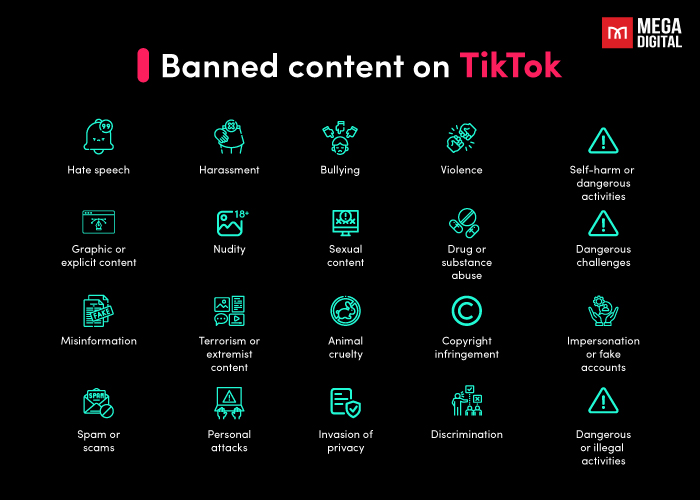
This practice is emphasized on their official website as well:
According to TikTok Community Guidelines, our algorithms are designed with trust and safety in mind. For some content, such as spam, videos under review, or videos that could be considered upsetting or depict things that may be shocking to a general audience, we may reduce discoverability…
So, it’s crucial to follow TikTok’s community guidelines when sharing content. Violations can lead to consequences such as your TikTok videos getting zero views or permanent account suspension.
Why is my TikTok video under review?
Are you wondering why your TikTok video is under review? No need to be concerned, there’s a straightforward explanation. It’s possible that something in your video raised a flag and triggered TikTok’s review process.
In many cases, TikTok videos might be under review due to any of these primary reasons:
- Content featuring adult themes or explicit material.
- Depictions of gratuitous violence (Note: Even fake blood or prop weapons can trigger this).
- Unlabeled AI Content: New in 2025/2026, if you use AI-generated realistic scenes (depicting real people or places) without toggling the “AI-generated content” label, your video may be withheld.
- Misinformation: Content flagged for potentially misleading information regarding health, elections, or safety.
- Instances of spam (e.g., posting too many videos in a short time).
- Unauthorized use of another TikTok user’s video or copyrighted music.
- Violation of community guidelines.
- Users’ report.
When a video is marked for review, it enters a queue where a staff member manually evaluates it for approval or rejection.
However, instances arise where videos are incorrectly flagged either by other users or TikTok’s algorithm. It’s worth mentioning because recently, with stricter AI updates, many users have reported receiving the “under review” message more frequently.
Who is most affected by long reviews?
Not all accounts are treated equally. In 2026, we observe that review times, which usually last instant to 1 hour for automated checks, can extend to 24-48 hours (or more) for specific groups during peak times:
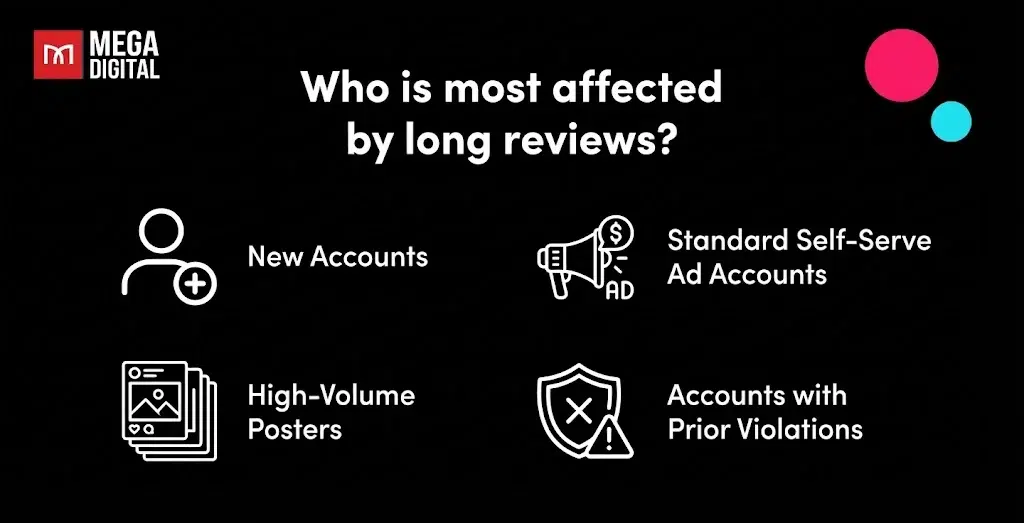
- New Accounts: TikTok has no “trust score” for you yet, so uploads are scrutinized more heavily.
- Standard Self-Serve Ad Accounts: Individual ad accounts often face stricter automated flags compared to Agency Accounts.
- High-Volume Posters: Accounts posting excessive content daily may be flagged for “spam review”.
- Accounts with Prior Violations: History matters. If you’ve had flagged content before, your new uploads undergo stricter manual scrutiny based on data from TikTok’s latest Transparency Reports.
How to fix the TikTok video under review issue?
As you can see, the TikTok video under review process heavily relies on both TikTok’s community guidelines and TikTok algorithm to identify the problem. To start fixing the issue, improve the odds of a favorable algorithmic review for your video and focus on crafting top-notch content that deeply connects with your viewers.
Here are 6 methods to fix this issue:
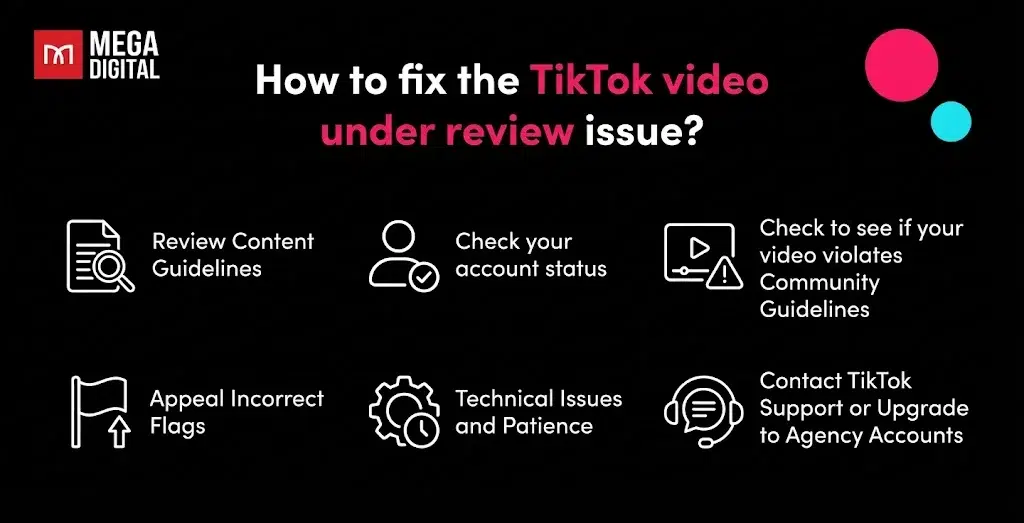
Review Content Guidelines
Carefully read and understand TikTok’s community guidelines (especially the 2025 updates). Familiarize yourself with prohibited content categories, such as violence, nudity, hate speech, and other forms of inappropriate material. This proactive step helps you create content that aligns with TikTok’s standards.
Check your account status
You can try checking to see if your account has been blocked or banned. This would make you unable to finish processing your video post. To check if your account has been banned, select your inbox from the bottom menu bar and then select the ‘from TikTok’ option at the top. If you have been banned, there should be a message in your inbox from TikTok detailing the specifics of the ban.
Mega Digital Expert Insight: Always check your “Account Status” in the Creator Tools before uploading. If you have a warning strike, your next few videos will likely face stricter scrutiny. In this case, let your account “cool down” for 24-48 hours before posting again.
>>> Read More: From Banned to Unbanned TikTok Account [Agency Guideline]
Check to see if your video violates Community Guidelines
If your video is still not uploading, double-check your video to see if there is anything in it that could violate Community Guidelines.
One of the most common guideline violations is copyright infringement. You can use CapCut’s built-in Copyright Check tool before exporting. It pre-scans your audio to warn you of potential music flags before you even upload to TikTok.
You also may want to check to see if your video includes any dangerous, sensitive, or mature themes. After noticing that your video violates any of TikTok’s guidelines, consider editing or removing the problematic sections before re-uploading.
Appeal Incorrect Flags
In cases where you believe your video was mistakenly flagged, don’t hesitate to appeal. Reach out to TikTok’s support team, providing context and explaining why your content should not have been flagged. You can submit an appeal or contact support via TikTok’s Help Center. This approach allows you to rectify unjust flags and maintain the quality of your content.
Mega Digital Pro Tip: Never spam the appeal button. Submit one detailed appeal with clear context (e.g., “This is a fictional skit for educational purposes”). Spamming appeals can actually push your request to the bottom of the manual review queue.
Technical Issues and Patience
Sometimes, technical glitches or bugs can cause videos to get stuck in review. In such situations, it’s advisable to wait and be patient. TikTok’s technical team is likely working to resolve these issues.
Note: While standard reviews take minutes, manual reviews can take up to 48 hours. If it exceeds this time, consider deleting and re-uploading with minor edits.
Expert Advice from Mega Digital: Our internal data shows that re-uploading the exact same file usually triggers the same flag. If you must re-upload, change the file’s MD5 hash by trimming the video length by 1-2 seconds or adding a slight color filter.
Contact TikTok Support or Upgrade to Agency Accounts
For persistent or recurring issues, contacting TikTok’s customer support is a common step. However, if you are running ads and facing constant reviews, the issue might be your account type.
Standard accounts often lack priority support. Switching to a TikTok Agency Account (available via partners like Mega Digital) is a proven way to minimize these disruptions. Due to their verified business status, these accounts hold a higher “trust score” with TikTok, which often results in fewer false flags and direct access to human support teams.
>>> Read more: Agency Guide: Learn Why and How to Unfreeze TikTok Account
FAQ
TikTok reviews your videos when its system detects possible violations of Community Guidelines, such as adult content, violence, spam, copyright issues, or user reports. Sometimes, normal videos are flagged by mistake for manual checking.
Automated reviews are often instant or take less than 1 hour. However, complex cases requiring human moderation can last 24-48 hours depending on review volume and content complexity.
Automatic reviews finish quickly (minutes), but videos needing human review may take several hours to a full day (or up to 48+ hours in complex cases).
Delays can happen due to technical bugs, heavy review traffic, or unclear content. If it takes over 48 hours, try re-uploading or contacting TikTok Support.
Wrap up
Dealing with the “TikTok video under review” status is a standard safety measure that typically lasts from 20 minutes to 48 hours. To minimize downtime, creators should proactively check their Account Status, use copyright scanning tools, and strictly adhere to community guidelines.
By understanding these triggers and avoiding immediate re-uploads, you can ensure your content gets approved faster and stays visible on the For You Feed. Follow Mega Digital for more expert TikTok tips and latest industry updates!