
Nothing is more demotivating than pouring effort into a video only to face the dreaded 0 Views status and zero engagement. Whether it’s a shadowban, a technical glitch, or the strict 2026 account sandbox, staying stuck at zero isn’t an option. In this blog post, let’s unravel the specific reasons behind this issue and explore effective solutions to bring your videos back to life!
Quick Summary:
- TikTok 0 views in 2026 often stem from the new account sandbox effect, strict content review (6-48h), private settings, or dupe detection (reused content).
- Common causes include new or private accounts, shadowbanning, spam-like posting, low Account Trust Score, or technical glitches like VPN conflicts.
- Fixes involve ensuring content follows TikTok’s community standards, verifying account details, ensuring 100% original footage, and waiting patiently for the trust filter.
- Avoid creating new accounts or repeatedly reposting the same video; instead, refine your content metadata and check for commercial disclosure errors if using TikTok Shop.
Understand the TikTok 0 Views Issue
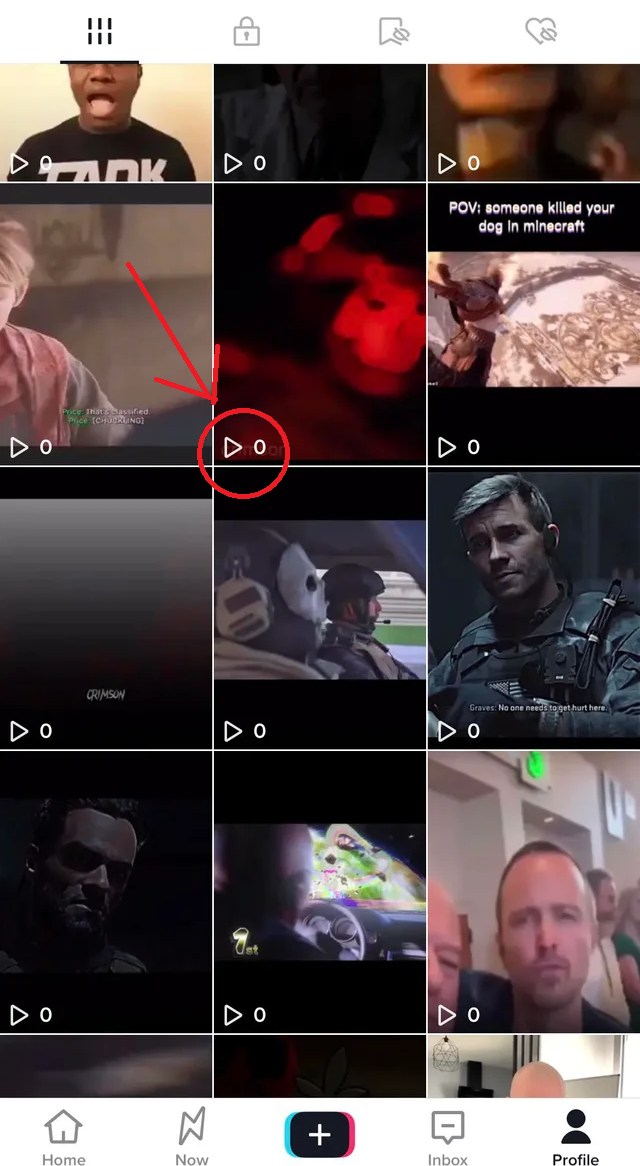
TikTok 0 views, as the name implies, refers to a situation where a video posted on TikTok receives no views at all after being published. This means that the video hasn’t been watched by anyone on the platform, indicating that it hasn’t gained any visibility or traction within TikTok’s algorithm or among users.
Who Faces It?
While any user can experience this glitch, the 2026 algorithm specifically scrutinizes three main groups:
- New Creators (Day 1-7): Accounts created less than a week ago often lack a sufficient Account Trust Score. The algorithm pauses distribution to verify the user is human and not a bot farm.
- Unverified Business Accounts: Brands that jump straight into posting commercial content without verifying their business documents often get flagged for policy checks. Once your business details are properly verified, eligible new advertisers can maximize their early reach by joining the TikTok Advertiser Activation Program to access exclusive advertising incentives.
- Dormant Accounts: If you haven’t posted in months and suddenly upload multiple videos in a short time, TikTok may flag this as unusual activity.
When Does It Happen?
The 0 view phenomenon usually occurs within specific timeframes depending on the cause:
- The Processing Window (0-6 Hours): It is normal for a video to sit at 0 views while TikTok’s AI scans for copyright and safety compliance.
- The Review Queue (6-48 Hours): If the AI detects potential issues (e.g., sensitive keywords or duplicate content), the video goes into a manual or deep review queue, halting views completely.
- The Suppression Zone (>48-72 Hours): If views remain at zero after 2-3 days, the video is likely being suppressed due to violations or ineligibility for the FYP.
Why Does My TikTok Videos Have 0 Views?
If your TikTok video is getting 0 views, there are several potential reasons why this might be happening. Before diving into details, check this Quick Diagnostic Table to identify your likely culprit:
| Symptom | Likely Cause | What to Check First |
| 0 Views (New Account) | Sandbox Effect | Did you verify email/phone? Did you post too fast? |
| 0 Views + Under Review | Content/Dupe Check | Is the video 100% original? Are you using banned words? |
| 0 Views (Old Account) | Shadowban / Glitch | Are you using a VPN? Did you spam posts recently? |
| 0 Views (Business) | Commercial Policy | Did you forget the Content Disclosure toggle? |
Recognizing your particular situation will assist in finding the right solution. Let’s dive into the three main categories: account issues, content issues, and technical glitches.
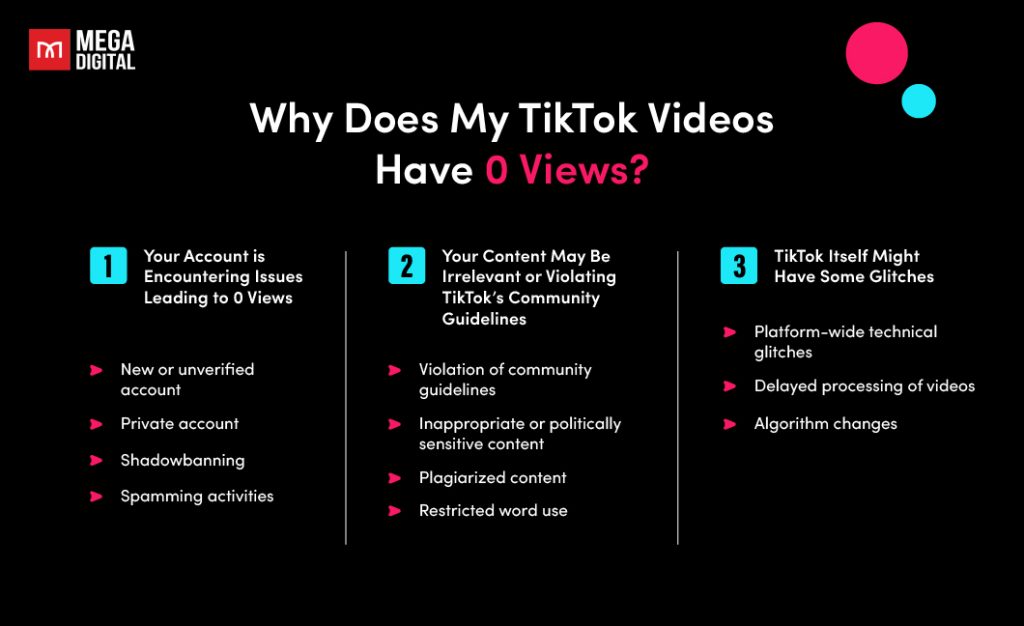
1. Your Account is Encountering Issues Leading to 0 Views
Your account might be facing specific problems that prevent your videos from reaching viewers. This can include:
- The New Account Sandbox Effect: In 2026, new accounts enter a 1-7 day warming period. The algorithm pauses distribution to verify human activity. Posting too frequently right after sign-up triggers bot-like behavior flags, halting views.
- New or unverified account: Accounts with unverified email or phone numbers have a low Account Trust Score. The algorithm treats these accounts with caution, often delaying video distribution to perform manual security checks before pushing content to the public test pool.
Mega Digital Expert Insight: Don’t panic if your first video hits 0 views. In 2026, TikTok treats new accounts like strangers. You need to build a relationship first. We recommend the 24-hour warm-up rule: engage as a user before you act as a creator to boost your trust score.
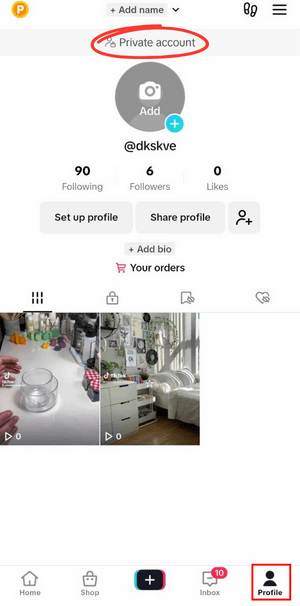
- Private account: This setting restricts visibility to followers only. The algorithm cannot push private content to the For You Page (FYP), resulting in 0 views from new audiences.
- Shadowbanning: Due to suspected violations (spam, banned hashtags), the algorithm silently hides the account. The video uploads successfully but is excluded from the FYP recommendation engine.
- Spamming activities: Rapid uploads (e.g., 5 videos/hour) signal spam behavior. The algorithm blocks these videos from the feed to prevent low-quality or automated content distribution.
- Device and Location Inconsistencies: A mismatch between IP address (VPN) and SIM card region triggers fraud filters. This may trigger a visibility restriction to prevent geo-spoofing and unauthorized cross-border activity.
2. Your Content May Be Irrelevant or Violating TikTok’s Community Guidelines
TikTok’s algorithm ensures only high-quality, appropriate content is distributed. If your content doesn’t meet these standards, it could be limited:
- Content review: In 2026, AI detection is stricter. Videos with potential copyright issues or low-quality metadata are held invisible during the review process, typically for 6 to 48 hours.
- Violation of community guidelines: Even subtle violations (copyrighted music, harmful behavior) trigger immediate suppression. TikTok often blocks these videos from the feed without sending a specific notification.
- Inappropriate or politically sensitive content: The algorithm caps views at 0 for content containing politically sensitive topics, copyright infringement, or offensive material to protect the community.
- Plagiarized content: TikTok’s new technology identifies if your footage (visual or audio) has been used on the platform before. Reposting unedited videos or watermarked content (Reels/Shorts) triggers this visibility block.
Mega Digital Expert Insight: The Dupe Detection AI is smarter than ever. Simply flipping a video or changing the speed doesn’t work like it used to. To break the 0-view curse on reposts, you need to add significant value, new commentary, reaction overlays, or substantial editing.
- Missing Commercial Disclosures (For Brands): Failing to toggle the Content Disclosure setting for branded content (TikTok Shop/Spark Ads) causes the algorithm to hide the video from the FYP to comply with ad regulations.
If you are actively running or planning to run Shop Ads, ensure compliance to scale smoothly and explore the TikTok Shop Activation Program by Mega Digital to access exclusive incentives available to eligible advertisers.
- Restricted word use: Using explicit, offensive, or blacklisted keywords in captions or hashtags results in the content being hidden from search and the feed.
3. TikTok Itself Might Have Some Glitches
Sometimes the issue isn’t you, it’s the platform. Check these technical possibilities:
- Platform-wide outages: Sometimes the TikTok servers go down, preventing views from updating. Check Downdetector to see if this is a widespread issue.
- Delayed processing: Videos may upload successfully but lag in backend processing. This is a temporary glitch where waiting a few hours usually resolves the issue.
- Algorithm updates: When TikTok rolls out a major update, the recommendation engine may temporarily pause or disrupt visibility for specific content pools.

How to Fix 0 Views Issue on TikTok?
Fixing the issue of TikTok 0 views can be challenging, but you can try the following solutions to improve your view count.
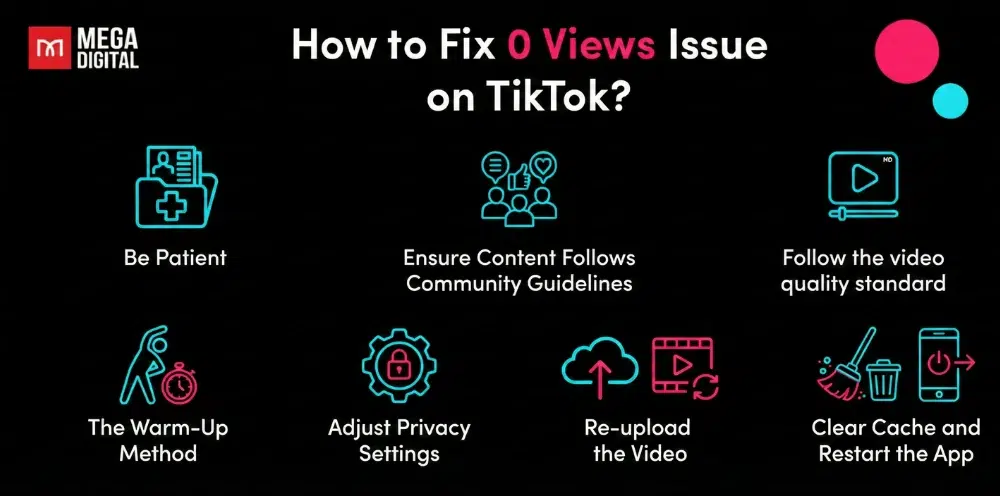
#1 The Warm-Up Method
For new accounts, do not post immediately after signing up. Instead: scroll the FYP for 15-20 minutes, like, comment, and engage with other creators in your niche. Verify your email and phone number in Settings. This builds your Trust Score before you post.
#2 Be Patient
If your TikTok account is going through a temporary glitch, there’s no need to stress. Just be patient and wait for TikTok to return to normal. Even if your TikTok video is under review, remain calm. TikTok’s AI detection will be reassessed by a human reviewer within 6 to 48 hours.
Mega Digital Expert Insight: The biggest mistake we see is Rage Deleting. Deleting a video stops the algorithm from gathering data and can flag your account as unstable. Instead, change the video privacy settings. We’ve recovered countless accounts simply by switching from deletion to optimization.
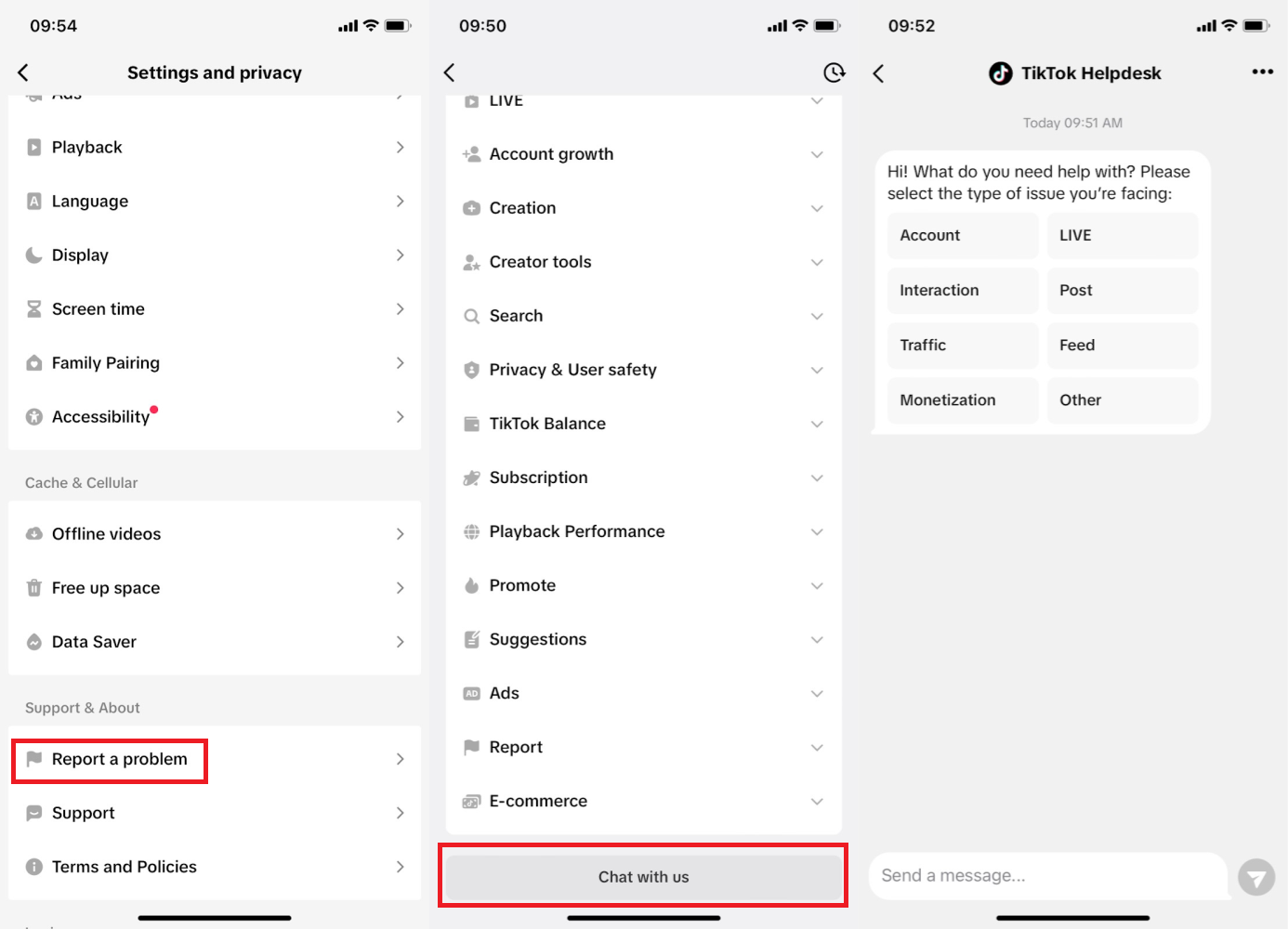
If you don’t see any positive signs, you should report a problem to TikTok to get further support. Also in Settings and Privacy, then tap on Report a problem. From here, you can:
- Select a topic and follow the instructions to resolve the problem. If the suggested steps don’t resolve your issue, tap No to the question “Is your problem resolved?”, then tap Need more help? to contact us with further details.
- Another way to report is to scroll down and tap Chat with us at the end of the screen.
#3 Adjust Privacy Settings
Go to your video and temporarily switch its privacy setting from Public to Only me or Private. Wait a few minutes, then switch it back to Public. This sometimes helps reset TikTok’s visibility status for the video and can trigger redistribution within the algorithm.
#4 Re-upload the Video
If the problem persists, try re-uploading the same video but make small changes to bypass Dupe Detection:
- Use different hashtags or on-screen text.
- Change the video length (trim 1-2 seconds).
- Replace the background sound or music.
- Adjust the thumbnail or video length slightly.
These tweaks can signal to TikTok’s AI that it’s a new piece of content worth testing again.
#5 Ensure Content Follows Community Guidelines
To avoid the issue from happening in the first place, you should review TikTok’s community guidelines and make sure your content doesn’t violate any of the following rules:
- Hate speech and hateful behavior
- Disordered eating and body image
- Dangerous activities and challenges (promoting physical harm)
- Nudity and sexually suggestive content
- Shocking or graphic content (human/animal blood, violence)
- Misinformation (conspiracy theories, unverified claims)
- Civic and election integrity
- Fake engagement (manipulating metrics like likes and shares)
- Gambling
- Alcohol, tobacco, and drugs
- Cosmetic surgery promotions without risk disclosure
- Harmful weight management content
- Unoriginal content (reposted without edits or credit)
- Severe violations (child exploitation, human trafficking)
- Commercial content without proper disclosure
Note: Also, you should avoid reposting content that is heavily recycled or copied. Original and engaging videos perform better and avoid being flagged as low-quality.
#6 Clear Cache and Restart the App
A simple but effective technical fix:
Go to Settings → Clear cache, then restart TikTok. This can resolve minor bugs or sync errors that may affect view counts or upload processing.
#7 Follow The Video Quality Standard
Before uploading your content to TikTok, ensuring that your video adheres to certain quality standards is crucial. Here’s a breakdown of the essential video quality factors:
- Resolution: Always upload videos in high resolution, ideally in 720p or higher. Low-resolution content tends to be less engaging and may not be promoted by TikTok’s algorithm.
- Aspect Ratio: Use the correct aspect ratio for TikTok, which is 9:16 (vertical). Videos that don’t fit the platform’s preferred format might appear distorted or less visually appealing, reducing their chances of being featured on the “For You” page.
- Lighting: Proper lighting can significantly enhance the clarity and appeal of your content. Well-lit videos grab attention and make it easier for viewers to engage. Avoid dark or overly shadowed clips, as they may appear unprofessional.
- Clear Sound: Ensure your videos have clear, high-quality audio. Whether it’s music or voiceovers, unclear or distorted sound can turn viewers away, leading to less engagement and fewer views.
>>> Read more: How to promote TikTok Videos: Detailed Explanation from A to Z
Common Mistakes to Avoid When Encountering TikTok 0 Views
When your TikTok videos are stuck at 0 views, some common mistakes can make the situation worse. Avoid these mistakes and follow the correct approach to increase your chances of success.
Don’t Make New Accounts to Repost Content
It might be tempting to create a new TikTok account to start fresh and repost your content, hoping for better results. However, this is a mistake. TikTok links these accounts via your Device ID and may flag all of them as unoriginal or spam.
What to do instead: Instead of making a new account, stick with your current one and focus on improving the content you already have.
Avoid Reposting the Same Video Multiple Times
Reposting the same video multiple times in a short period can hurt your chances of success. If you’ve already reposted it after 24 hours and it still hasn’t gained traction, there’s likely an issue with the video itself.
Continuing to repost the same content will signal to TikTok that your content isn’t performing well, and the algorithm may push it further down in visibility. It’s important to recognize when to move on from a video that isn’t working, even if you spent a lot of time creating it.
What to do instead: If a video isn’t performing well after a repost, analyze why it might not be working. Check if the content aligns with trends, whether the sound is appropriate, or if the video is engaging enough.
Instead of reposting the same video, use the lessons learned to create new, fresh content that aligns better with TikTok’s trends and audience preferences.
FAQs
Typically 20 minutes to 6 hours. However, for new accounts or sensitive topics, it can take up to 48 hours.
No. A shadowban usually results in low views (10-50 views from followers only). Absolute 0 views is usually a technical processing error, a privacy setting issue, or a review status.
Yes. Free/low-quality VPNs are often blacklisted. If TikTok detects a proxy, it restricts reach to 0 to prevent spam.
Key Notes
TikTok 0 views can result from account restrictions, irrelevant content, content violations, shadowbans, or technical glitches. But don’t let TikTok 0 views hold you back! Identify these root causes and take the right steps to resolve them. Remember to stay consistent, align with community guidelines, and follow video quality standards. With time and effort, your content will gain traction and reach the audience it deserves!