

Scaling TikTok Ads for IAP games often triggers an immediate spike in CPI as algorithms exhaust niche audiences and penalize low conversion rates caused by the disconnect between high-energy creatives and generic store pages. In this blog post, we break down how to optimize CPI with ASO to synchronize your ad visuals with store assets, boosting conversion rates and signaling higher quality to the algorithm to lower your acquisition costs.
Quick Summary:
- Optimizing store conversion rates directly lowers your paid acquisition costs by signaling higher quality to the TikTok ad algorithm.
- Custom Product Pages that visually match your winning ad creatives prevent user drop-off and maximize the value of your ad spend.
- Strategic store assets should showcase gameplay depth to attract users willing to make in-app purchases rather than just chasing the lowest possible install cost.
- Updating your store metadata to reflect seasonal events and trends keeps your game relevant and improves performance during high-traffic periods.
How ASO Helps Reduce CPI in Paid Campaigns
Many marketers view ASO solely as a tool for organic growth, but for IAP games scaling on TikTok, it is the hidden engine behind efficient paid campaigns.
The mechanism works on a dual track. First, optimizing your store assets directly improves the Quality Score of your ads by ensuring relevancy between the click and the destination. Second, a higher conversion rate means you generate significantly more installs for the same ad spend.
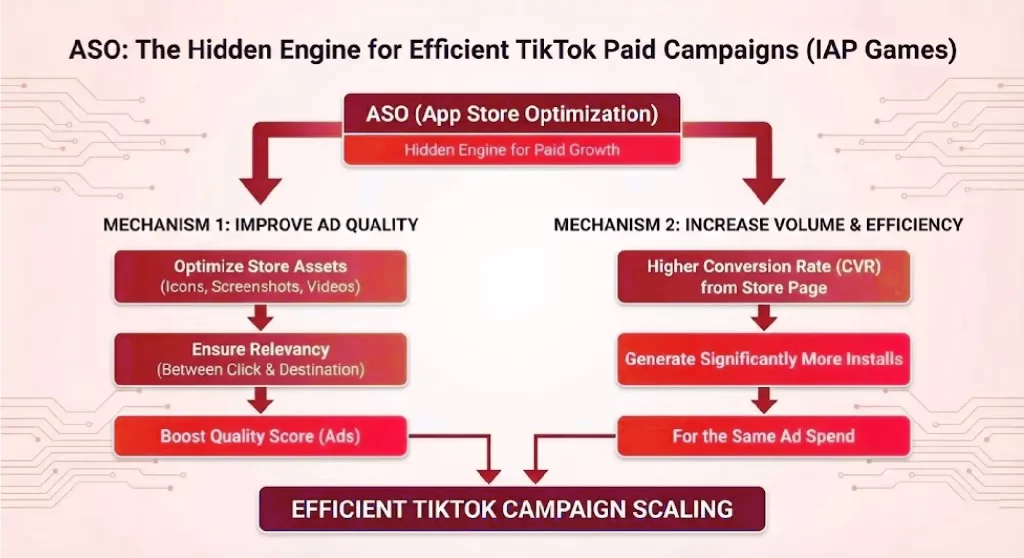
For example, when scaling an RPG game, if your TikTok ad promises “Epic Boss Battles” but your store page only shows “Inventory Management,” users bounce. This bounce signals irrelevance to the algorithm. By fixing this disconnect via ASO, you align user expectations, increasing the likelihood of install and lowering the effective cost of that acquisition.
Why ASO Reduces Paid CPI
The mechanism behind why ASO reduces paid CPI is rooted in the algorithmic logic of ad networks like TikTok (Pangle/ByteDance), which prioritize Ad Quality Scores and IPM (Installs Per Mille).
Ad networks calculate the winner of an auction based on Total Value:
Total Value = Bid x Estimated Action Rate (EAR) + User Value
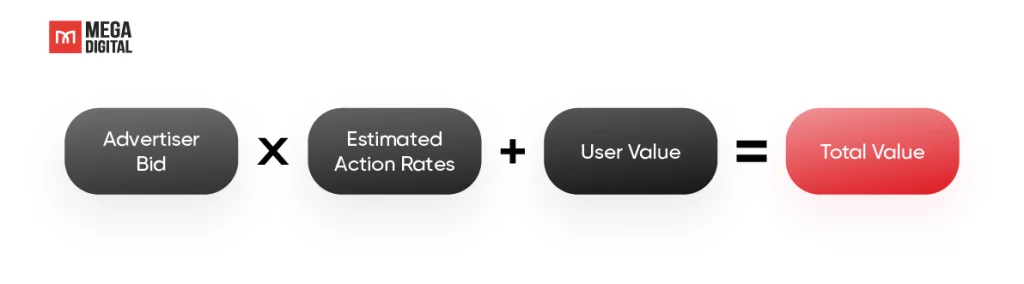
In this equation, the Estimated Action Rate is heavily influenced by your Store Conversion Rate.
- The IPM Factor: IPM stands for Installs Per 1,000 Impressions.
IPM = CTR x CVR x 1000
- The Discount Effect: If you cannot lower the market CPM (determined by competition) and your Creative CTR is maxed out, the only variable left is CVR.
- Higher CVR = Higher IPM.
- Higher IPM = The algorithm sees your game as High Quality.
- Result: The algorithm gives you a “discount”, allowing you to win impressions at a lower CPI.
According to AppTweak benchmarks, optimizing store pages via Custom Product Pages can lift Conversion Rates by an average of 3.5% for games, with top-performing strategies reaching up to 8%. For an IAP game spending $50k/month, that CVR lift can translate to thousands of dollars in saved CPI.
Practical Strategies to Optimize CPI with ASO
Optimizing CPI requires specific execution that synchronizes your UA team and your Creative team. Below are the key strategies for the scaling phase.
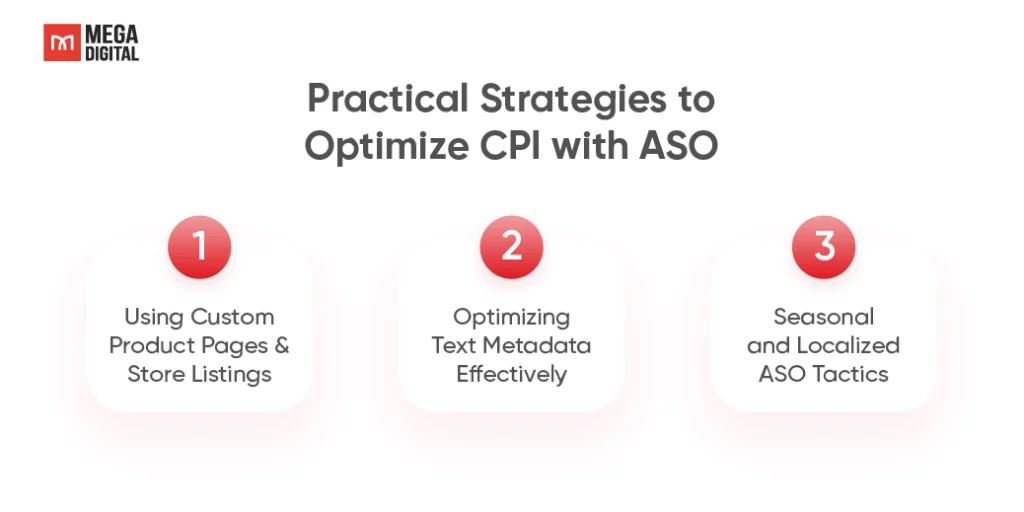
1. Using Custom Product Pages & Store Listings
The most powerful strategy is utilizing Custom Product Pages (CPP) to create a seamless “Message Match” between the ad and the store. This ensures that the user’s journey from the ad click to the install button is consistent and frictionless.
When to Use
- Scaling Winner Creatives: When a specific ad concept like a specific gameplay mechanic, character,… is driving >50% of your spend. You need a store page that mirrors this exact concept.
- Broad Targeting: When targeting broad audiences on TikTok, CPPs help filter and convert users by reinforcing the specific hook that caught their attention, which might be different from your general value proposition.
- Re-engagement Campaigns: When targeting lapsed users, use CPPs to highlight new features (e.g., “Welcome Back Rewards” or “New Season Content”) rather than the generic store page they have already seen.
When Not to Use
- Low Traffic Volume: If an ad group generates fewer than 100-200 installs per week, the data will be statistically insignificant, and you won’t be able to validate the performance of the CPP.
- Brand Awareness Campaigns: If the goal is general brand exposure rather than specific feature adoption or immediate ROAS, the Main Store Listing is often sufficient.
- During Core ASO Updates: Avoid running CPP tests simultaneously with major Main Store Listing metadata updates to prevent data pollution; you won’t know if the lift came from the CPP or the main keyword changes.
Common Mistakes
- Inconsistent Visuals: Showing a 3D cinematic in the ad but 2D static screenshots in the CPP. This visual shock causes immediate drop-off.
- Ignoring the First Impression: Failing to change the First Screenshot or Preview Video. Users rarely scroll past the first fold, if the hook isn’t visible immediately, the CPP fails.
- Over-Segmentation: Creating 50 different CPPs for 50 different ads. This dilutes data. Group ads by “Concept” (e.g., Gameplay vs. Cinematic vs. UGC) and create one CPP per concept group.
Pro Tip: Don’t overthink the production quality of your CPP Preview Video. You don’t need new assets, just crop the first 3 seconds of your winning TikTok ad and upload it as the Preview Video. This visual continuity prevents the “cognitive disconnect” that kills conversion rates instantly.
Step-by-Step Execution
- Audit Creative Winners: Identify the top 3 visual hooks in your TikTok ad account (e.g., “Boss Fight”, “Gacha Pull”, “Character Customization”).
- Asset Production: Design a specific Screenshot set and Preview Video for each hook. Ensure the first asset mirrors the last frame of the ad or the main hook.
- Setup: Configure the CPP in App Store Connect (iOS) or Custom Store Listing in Google Play Console.
- Integration: Generate the unique URL (CPP link) and implement it at the Ad Group level in TikTok Ads Manager.
2. Optimizing Text Metadata Effectively
TikTok users are “scanners”, not readers. Unlike organic search users who might read descriptions to compare features, paid traffic from TikTok wants instant gratification. Your text metadata must act as a conversion hook, not an SEO container.
When to Use
- High Click Volume, High Bounce Rate: You are getting cheap clicks from TikTok, but users leave the store page immediately without installing. This often means your Short Description is boring or unclear.
- Scaling to New Markets: When you start running ads in a new country. Direct translation often fails, you need “transcreation” to match the local TikTok slang and tone.
- Targeting Specific Trends: When your ads are leveraging a specific trend, your text needs to reflect that vocabulary to confirm relevance.
When Not to Use
- Brand Guidelines Conflict: If your IP is a major global brand like Disney or Marvel with strict legal guidelines that prohibit “salesy” or colloquial language.
- Organic Traffic Dominance: If 90% of your installs come from organic search for a specific high-volume keyword like Chess, do not change your text to be purely “clickbait” for ads if it removes that critical keyword.
Common Mistakes
- Keyword Stuffing: Writing “Best RPG Game Strategy Battle Online” looks spammy to a human. TikTok users hate inauthenticity.
- Too Long/Complex: Using complex sentences in the Short Description. On mobile, you have milliseconds.
- Mismatching Tone: Your TikTok ad is funny/meme-based, but your Store Description is serious and corporate. The disconnect kills conversion.
Step-by-Step Execution
- Analyze TikTok Comments: Go to your best performing TikTok ads. Read the comments. What words do users use? “Satisfying”? “Hard”? “Cute”?
- Rewrite Short Description: Use those exact user words. Structure it as: [Benefit/Hook] + [Call to Action].
- Before: “Play this puzzle game with many levels”.
- After: “Satisfying puzzles. 5 minutes to solve. Play now”.
- Update Promotional Text: This field can be updated without a new app version. Use it to highlight limited-time offers mentioned in ads.
- A/B Test: Use Google Play Experiments to test the new “Ad-Style” text against the “SEO-Style” text to ensure you don’t hurt organic growth.
Mega Digital Pro Tip: Use TikTok’s Creative Center to identify trending slang or hashtags, then weave them into your Promotional Text. If users see the same specific words in the Store as they heard in the Ad, trust is established immediately.
3. Seasonal & Localized ASO Tactics
For IAP games, “LiveOps” (events, battle passes, new seasons) are the lifeblood of revenue. They should also be the lifeblood of your ASO. This strategy leverages “Trend Jacking” to lower CPI by increasing relevance.
When to Use
- Major Holidays: Christmas, Lunar New Year, Halloween, Ramadan. Users expect games to be alive and participating in these global events.
- Game Anniversaries: A massive “Anniversary Update” signals to lapsed users that the game is successful and worth returning to.
- Viral TikTok Trends: If a specific visual aesthetic is trending on TikTok, temporarily theming your store assets can boost relevance.
When Not to Use
- Minor Holidays: Don’t update your entire store page for “World Pizza Day” unless you have a major in-game event for it. It creates confusion.
- Short Trends: If a TikTok trend lasts only 3 days, don’t update the store. By the time Apple/Google approves the update, the trend is dead.
- Resource Scarcity: If you don’t have the design resources to make high-quality seasonal assets. Badly designed Christmas icons look worse than a polished standard icon.
Common Mistakes
- The “Zombie” Store Page: Leaving Christmas assets up until March. This is the fastest way to kill conversion. It tells users the game is abandoned.
- Assets Don’t Match Game: Updating the Icon to be “Halloween themed” but having no Halloween content inside the game. This leads to immediate uninstalls and hurts retention.
- Lazy Localization: Using Google Translate for seasonal text (e.g., translating “Merry Christmas” literally in languages where that phrase isn’t used naturally).
Step-by-Step Execution
- Calendar Planning: Map out the next 3 months of LiveOps events.
- Asset Creation: Create “overlays” for your Icon and Screenshots (e.g., snow borders, lanterns, party hats) rather than redesigning from scratch. This saves time.
- Submission Timeline: Submit metadata updates 3-5 days before the ad campaign starts. You want the store to be ready when the ads turn on.
- Promotional Text: Update the Promotional Text (iOS) and Short Description (Android) to mention the event explicitly: “Join the Winter Festival! Free legendary skin”.
Mega Digital Pro Tip: Never launch a seasonal update on the same day as your ad spend spike. Update your store assets 48 hours in advance. This gives the algorithm time to re-index your page quality score so you don’t overpay for the first 2 days of the campaign.
FAQs
No, not directly. Changing the icon impacts the Store Page, not the Ad Creative. However, if the new icon drastically clashes with your winning ads, CVR might dip. Test icon changes via CSL/CPP first.
You will see CVR changes immediately. However, the impact on CPI (the bid adjustment) usually lags by 3-7 days as the ad algorithm “re-learns” the new conversion probability.
For paid campaigns, prioritize Conversion Rate 100%. Keywords are for organic discovery. When spending money, your primary goal is to get the user to install once they land on the page.
>>> Read more: CPI Mobile Game 2026: Benchmarks & ROAS Optimization Guide
Conclusion
CPI acts as the core metric determining sustainable scaling for IAP games, especially on TikTok Ads where algorithms prioritize conversion quality over low bids. To fully grasp how CPI interacts with ROAS and LTV in a broader performance framework, explore our detailed pillar guide on Cost Per Install (CPI). Scaling IAP games on TikTok demands treating ASO as a direct performance lever, not just an organic tool. Synchronizing Custom Product Pages with winning creatives signals quality to the algorithm, boosting IPM and significantly lowering CPI.
If you are facing CPI spikes during scale, contact Mega Digital now to optimize your campaign performance.