

Getting a Google Ads account suspended while running a Google Ads campaign is something that no advertisers want to experience. However, if you are struggling and want to discover why Google Ads suspended your account, this blog is the solution you’re looking for.
Quick summary:
- This guide explains the immediate consequences of an account suspension on your active campaigns.
- We break down the most common reasons behind Google’s strict policy violations.
- You will learn practical steps to audit your account and resolve the root cause of the ban.
- The article provides a clear blueprint for submitting a successful appeal to the Google support team.
- We introduce an alternative solution using an Agency Account to keep your business running without interruption.
What happens when Google suspends your Ads account?
When a Google Ads account was suspended, all ads stopped running. This indicates that each campaign, ad group, and individual ad no longer shows on the Google network and cannot direct potential consumers to your landing page, website, or app. The suspension applies to all ads, regardless of whether they violated policies. Furthermore, merchant accounts can also be suspended in such cases.
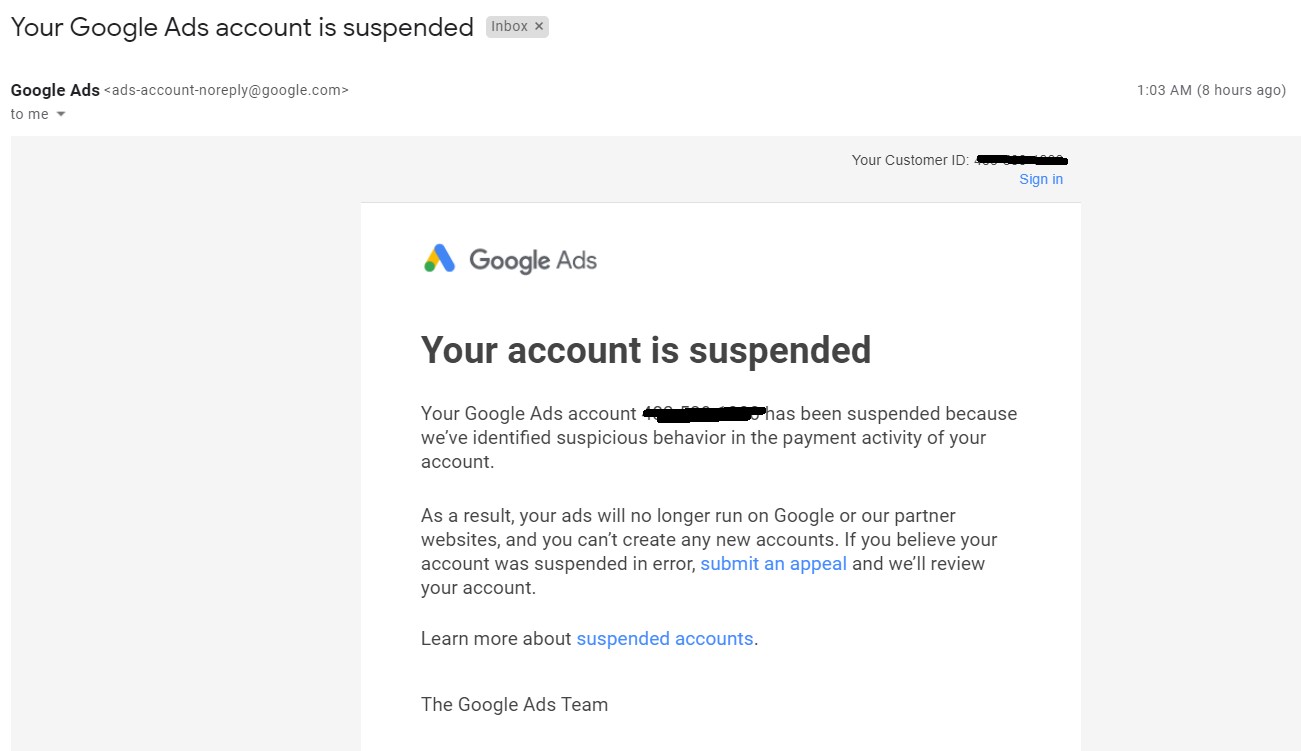
Despite this flurry of suspensions, it didn’t affect your organic traffic. Advertisers frequently experience panic because they fear losing their customers and revenue. We wish to ease this concern by informing you that this won’t impact organic traffic unless your website has malware.
How Google Ads suspended accounts?
Google devotes to providing its users with the safest experience possible. They want to ensure that consumers only see appropriate and positive advertisements. As Google’s machine learning and AI systems become more advanced, their automated bots are scanning accounts more strictly than ever before.
According to Search Engine Land, Google suspended a staggering 12.7 million advertiser accounts in a single year – nearly double the previous year – driven heavily by aggressive automated AI and machine learning enforcements.
The platform has created strict conditions and policies for advertising to follow. It’s leading to many Google account suspensions due to suspicious activity:
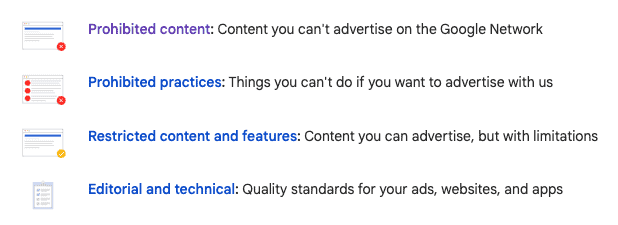
- Prohibited content: Content that Google doesn’t allow advertisers to use on their platform. Such as illegal products and services, hazardous items, counterfeit goods, any content that might support unlawful activity or hurt others, and content that is discriminatory or incites hatred.
- Prohibited practices: This category is anything that aims to deceive or manipulate consumers. This can involve cloaking websites or directing users to a temporary landing page. Your ads must match what is on your website or landing page. Otherwise, Google considers it a misrepresentation.
- Restricted content and features: Any content that is not generally accepted or perhaps heavily regulated. This covers various topics, from drugs to adult entertainment and gambling. Political content, such as campaign advertisements or issue advocacy, is protected under restricted content.
- Editorial and technical: Of 4 categories, the editorial and technical policy is the most subjective and susceptible to interpretation. One of the requirements is that the websites offer a positive user experience, but it might be challenging to define “not irritating” advertisements.
Note: Our explanations are only suggestive and not intended to be all-inclusive. Violations don’t always have to be your fault, but keeping the platform safe for users is ultimately your responsibility. Remember, you must not use advertisements to redirect clients to other deceptive websites.
Why is my Google Ads account suspended?
The above information might point out why your Google Ads account was suspended. However, if you need clarification about what precisely the case that you are struggling with, here are some common mistakes that advertisers usually suffer.
Common reasons for the suspension are:
- The website is hacked
- Misrepresentation content
- Prohibited practices
- Payment issues
and all the other reasons are included in the free ebook below by Mega Digital. We have collected the most common reasons and solutions for each reason from our 1000+ customers. Check this out!
The website is hacked
Your website, landing page, or app has malware and misleading material that harm users. In most cases, website owners are unaware of the presence of malware. This is one of the most common reasons your Google Ads account has been suspended.
Misrepresentation content

Circumventing Systems
If Google notices anything suspicious, inappropriate, or misleading about your account’s content, activity, or click trackers, Google may get your Google Ads account banned for Google Ads circumventing systems.
- Cloaking
- Ads being denied multiple times
- Creating violate ads, using text manipulation
- Violating policy multiple times
Suspended by circumventing systems is a severe violation of Google Ads policy. In this situation, you must send an appeal to Google Ads Team.
- Go into your Campaign or check your email
- Check your violation reasons in Google circumventing systems policy
- Fill in the details
- Submit your Google Ads suspension appeal
- Check your email
Discover solutions by clicking here: Circumventing Systems – Google Ads Suspension Solving Guide
Deceptive practices
Trademark infringement
If your product seems to copy another from other brands, Google will believe you are selling counterfeit goods. You can not use a trademark or logo almost identical to another trademark.
Prohibited practices
Selling drugs via unauthorized pharmacies
Drugs are highly regulated substances. Therefore, your account may be suspended if you sell prescription drugs without a prescription or try to sell them in places where you don’t have a license. You can send your license to Google’s partners, like Mega Digital, to allow advertising on Google.
Violating local laws
Your ads need to obey local laws. For instance, paternity testing cannot be advertised in the UK. In this case, researching where your advertisements may be lawfully shown is a matter of researching.
Other unacceptable business practices
Displaying advertisements to attract users and then deceiving them into giving medical, financial, or personal information, or misrepresenting your business, product, or service, will result in your account being banned.
Payment issues
- Unpaid balance: Google Ads account suspended unpaid balance if your payment fails even once.
- Abuse of the promotional code: If you accidentally use Google Ads promotional codes more than once or sell them to others, this constitutes a policy violation.
- Requesting a chargeback: If you have asked your bank to reverse the payment, your account will be suspended.
- Suspicious payment activity: Google may occasionally flag your account if it believes your credit card is stolen. Additionally, they view it suspicious when you use the same billing information for several accounts. Follow these steps to recover your Google account suspended due to suspicious activity:
- Review Google Ads policies
- Address the issue
- Provide updated information
- Appeal to Google Ads Team
Find out details about recovering Google Ads suspended for suspicious payments.
How to recover a suspended Google Ads account?
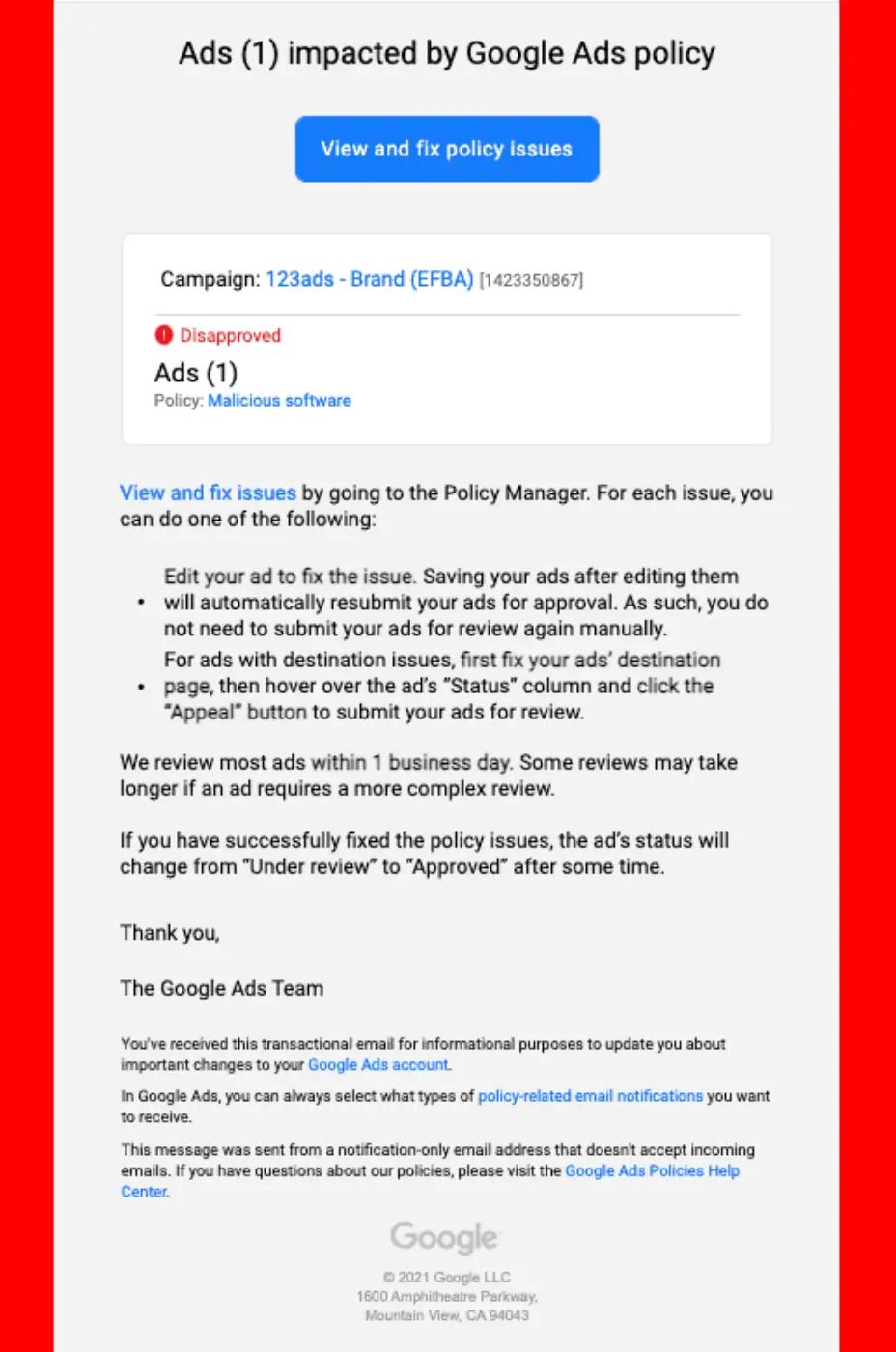
Google will send you an email explaining the broad reason for the suspension. The remedies will vary depending on the type and cause of the ban.
Here is a practical, step-by-step framework to help you resolve almost all issues:
Fix the suspended issues first
Do not submit an appeal before actually fixing the root cause. Google’s support team will reject your appeal instantly if the violation still exists.
Disapproved ads or Malware issues
If your campaigns were flagged for malicious software or policy violations, do the following:
- Run a full site audit: Use tools like Sucuri or Wordfence to scan your website for hidden malware or unauthorized redirects.
- Remove the offending code: Delete any suspicious plugins or malicious codes in your website’s backend (e.g., header or footer files).
- Clean up the Ads account: Go to your Ads and Extensions page. Pause or completely remove the flagged ads.
- Edit the remaining ads so that they strictly follow the policies set by Google.
Payment issues
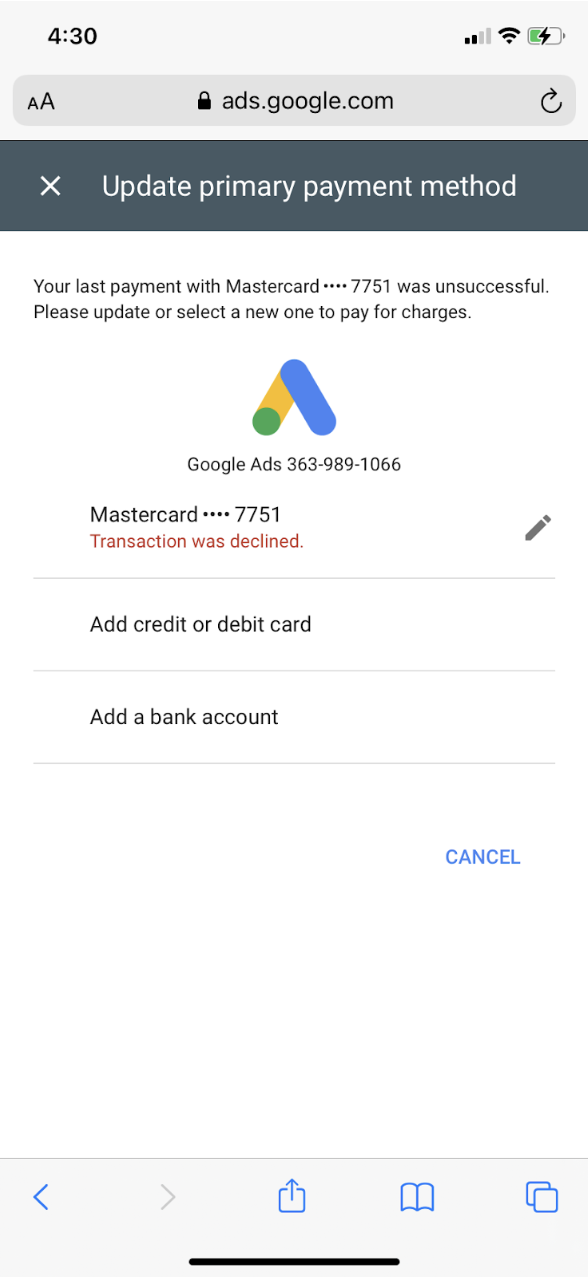
Check with your bank to ensure there were no suspicious transactions blocking Google’s charges.
- Navigate to the Billing section in your Google Ads account.
- Pay any outstanding balances immediately.
- If your previous payment method was flagged, remove it entirely. Link a new, valid credit card where the Cardholder Name exactly matches the Admin name on the Google Ads account.
Appeal to the Google team
In the past, advertisers could call Google support directly. However, Google has recently phased out phone support for suspension issues. The only effective way to recover your account is by filing a highly detailed Google Ads suspension appeal form.
Here is how to write a winning appeal:
- Don’t just apologize, provide proof: Google reviewers want to see action. Figure out exactly why they suspended your account based on the policy link provided in the red banner.
- Use a clear framework in your form: When filling out the “Summary of the issue” section, use this exact structure:
- The Problem: “My account was suspended for [Insert Policy Reason, e.g., Circumventing Systems].”
- The Discovery: “After auditing our site, we found [Insert what was wrong, e.g., a third-party plugin causing unauthorized redirects].”
- The Solution: “We have completely uninstalled the plugin, cleaned our website cache, and removed the flagged ads in our account.”
- Attach evidence: Always include supporting documentation. Take screenshots of your clean malware scan, your updated billing dashboard, or a PDF statement from your bank proving the card is legitimate.
- Submit your appeal: Fill out the official form in your dashboard. Do not submit multiple appeals while waiting, as this resets your position in their queue.
Use Google Ad Agency Account
When you submit an appeal, if you’re lucky enough to pass the automated bot system, you must wait anywhere from a few days to several weeks for a human reviewer. In the worst-case scenario, your account remains suspended with a vague, automated reply.
Therefore, renting a Google Ads Agency Account is the most practical solution for advertisers to continue operating adverts without waiting endlessly for a suspension appeal. Here are a few reasons you should choose this route:
- Various payment methods: Overcome suspicious payment hurdles easily.
- Highly trusted: Agency accounts have a trusted history with Google, making them much harder to get suspended.
- Run campaigns safely: You get to work alongside a Google Partner consultant who reviews your assets before launching.
- Prioritized support: Agencies have direct lines to Google representatives to solve issues in hours, not weeks.
- Cost-effective: Keeps your business revenue flowing while your main account is being appealed.
Note: If violations continue, do not attempt to create a new, normal Google Ads account using the same domain or billing info, as it will be banned instantly. Using an Agency Account backup is the safest fallback strategy.
FAQs
No. Don’t create a new Google Ads account, even if Google support suggests it, as it violates Google’s policies to open a new account for the same entity with a suspended Google Ads account.
Google usually takes around two weeks to review reinstatement requests for a suspended Google business.
When Google suspends your Google Ads account, you will lose temporary or permanent access to it. Google takes this action if they find any violations of its policies that could negatively impact users’ online experience.
Please note: Suspended accounts will continue to incur charges at the regular rate, regardless of whether you are on the Annual billing plan or the Flexible plan. If you no longer require a user account and want to avoid charges, you can delete it.
>> Read more: Reasons Why Google Ads Not Showing and How to Fix It
Final words
We hope this sharing has helped you discover why your Google Ads account was suspended and how to resolve it. Please don’t hesitate to contact us if you need additional support from Mega Digital – The leading Google partner in APAC.