

You set a daily budget expecting predictable costs, only to find Google Ads has spent more than planned. These sudden spikes can make advertisers feel they have lost control of their campaign expenses. This guide explains why Google Ads daily budget overspend happens, how spending limits work, and what you can do to manage costs more effectively.
Quick summary:
- The algorithm can spend up to double your daily limit on specific days to capture high-converting traffic.
- Your total monthly spend will never exceed your average daily budget multiplied by the average number of days in a month.
- Modifying your budget in the middle of a billing cycle completely resets your monthly spending limit.
- Adopting automated rules and portfolio bid strategies can effectively prevent your campaigns from exhausting funds too early.
Google Ads daily budget & How it works
Google Ads daily budget is the average amount you’re willing to spend on a specific campaign per day. You can set and edit your average daily budget at any time.
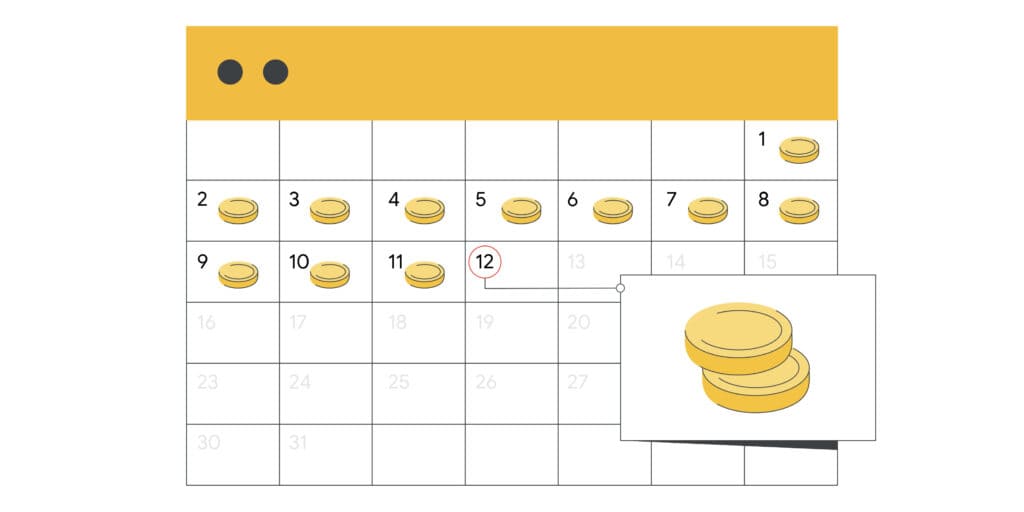
Here’s how daily budget works in Google Ads:
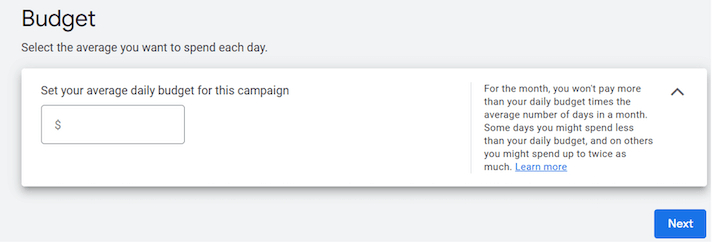
Every campaign in Google Ads can have its own budget. Rather than just inserting your annual or monthly budget directly into the campaign, Google asks you to calculate how much you’d like to spend each day. Divide your monthly budget by 30.4 (that’s the average number of days in a month) and set that as your daily budget for your campaign.
Google will optimize your campaign spending for days of the month when you’re more likely to get clicks and conversions. This means that on some days you might not reach your average daily budget, and on others, you might exceed it.
Why Does Google Ads Exceed Your Set Daily Budget?
Google Ads treats your daily budget as an average rather than a strict daily cap. For most campaigns, the platform may spend up to twice your average daily budget on higher-opportunity days, while keeping costs within the applicable monthly spending limit.
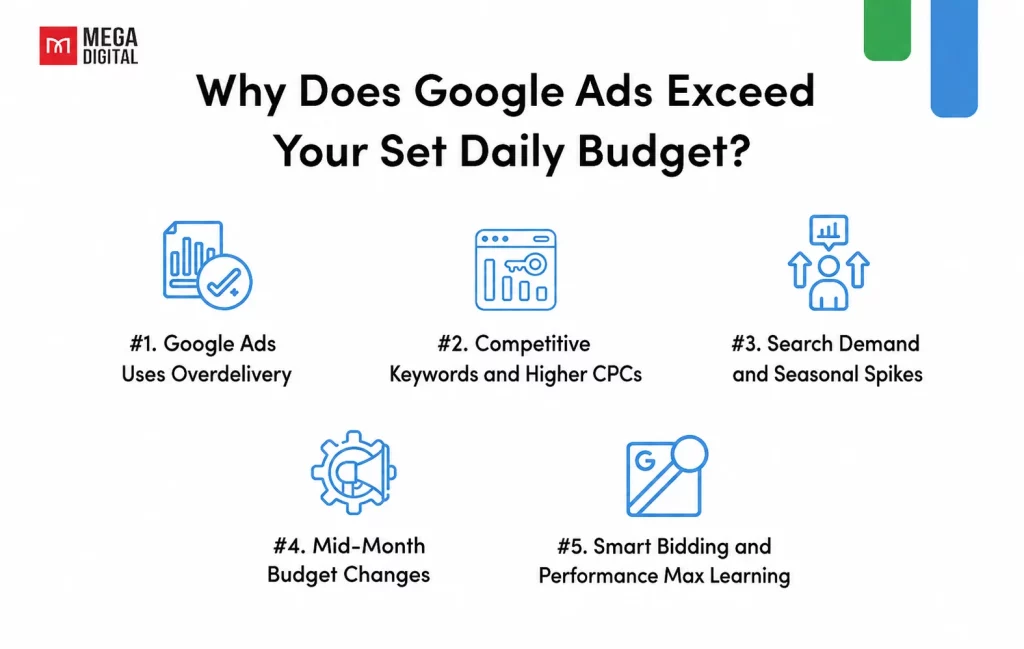
#1 Google Ads Uses Overdelivery
Search demand and advertising opportunities change each day. When Google identifies more potential clicks or conversions, it may increase delivery and spend above your average daily budget to capture that demand.
For most campaigns, daily spend can reach up to twice the average daily budget. Lower-spend days are intended to balance these increases over the month.
#2 Competitive Keywords and Higher CPCs
Competitive keywords often cost more per click, meaning fewer clicks can consume your available budget quickly. However, higher CPCs cause faster budget depletion, not a higher daily spending limit.
According to WordStream’s 2026 Google Ads Benchmarks, the average CPC for US search ads reached $5.42 across industries. Actual costs vary by industry, location, keyword, and competition.
#3 Search Demand and Seasonal Spikes
Traffic can rise suddenly because of seasonal demand, promotions, trends, or news events. Google may respond by entering more auctions on these high-traffic days, causing spend to rise above your daily average.
High CTR or stronger conversion opportunities may also accelerate delivery, but spending must still remain within Google’s daily and monthly limits.
#4 Mid-Month Budget Changes
Changing your average daily budget during the month also changes your monthly spending limit. Google does not reset the month or ignore what you have already spent.
The updated limit is generally calculated as:
Cost accrued before the change + new daily budget × remaining calendar days
On the day you edit the budget, the daily spending limit may be based on the highest budget set during that day. Review the Budget Report before making changes to understand the updated monthly forecast.
Pro Tip: Avoid frequent budget changes based on one or two days of performance. Review longer-term trends and use the Budget Report to monitor projected monthly spend.
#5. Smart Bidding and Performance Max Learning
Smart Bidding and Performance Max may show fluctuations in spend while Google’s system learns which auctions are most likely to achieve your conversion goals. Significant changes to budgets, bids, goals, or assets can extend or restart this adjustment period.
Learning may take several days or multiple conversion cycles, but it does not create a separate overspending allowance. The campaign remains subject to the same daily and monthly spending limits.
How much can Google Ads overspend?
For most campaigns, Google Ads may spend up to twice your average daily budget on days with higher traffic or stronger conversion opportunities. However, your monthly spending limit is generally capped at 30.4 times your average daily budget.
This system is called overdelivery. Google balances higher-spend days with lower-spend days to maximize campaign opportunities while keeping costs within the applicable monthly limit.
If your served costs exceed the daily or monthly spending limit, Google automatically applies an overdelivery credit so you are not charged for the excess amount. You can learn more in Google’s official guide to overdelivery and average daily budgets.
Note: Overdelivery credits are monetary billing adjustments, not free clicks, impressions, or conversions. Check the Served cost and Billed cost columns to see whether a credit has been applied.
Consequences of Google Ads Daily Budget Overspend
While Google Ads daily budget overspending might seem beneficial at first glance, as it could lead to more clicks and potentially more conversions, it’s important to understand the potential downsides because it might hurt your campaign (and your wallet) in the long run.

Rapid Budget Exhaustion
One of the most immediate consequences of daily budget overspend is that your budget might be exhausted faster than anticipated. If Google spends more than your daily budget on certain days, you might find that your budget for the month runs out before the month ends. This could lead to your ads not being shown for a period of time, potentially missing out on valuable clicks and conversions.
Inconsistent Ad Delivery
With your budget being used up more quickly on certain days, your ad delivery might become inconsistent. Your ads might show more frequently on some days and less on others. This inconsistency can lead to unpredictable performance and make it harder to measure and analyze your campaign results.
Increased Costs
While Google assures that you won’t be charged more than your monthly charging limit, daily budget overspend can still lead to increased costs. If your ads perform well and lead to conversions, the overspend could be a good investment. However, if the extra clicks are not leading to conversions, overspending could lead to increased costs without a corresponding increase in results.
Difficulty in Budget Management
If your daily budget is consistently overspent, it can make budget management more challenging. It becomes harder to predict how much you’ll spend each month, which can make it difficult to manage your marketing budget and calculate your return on investment.
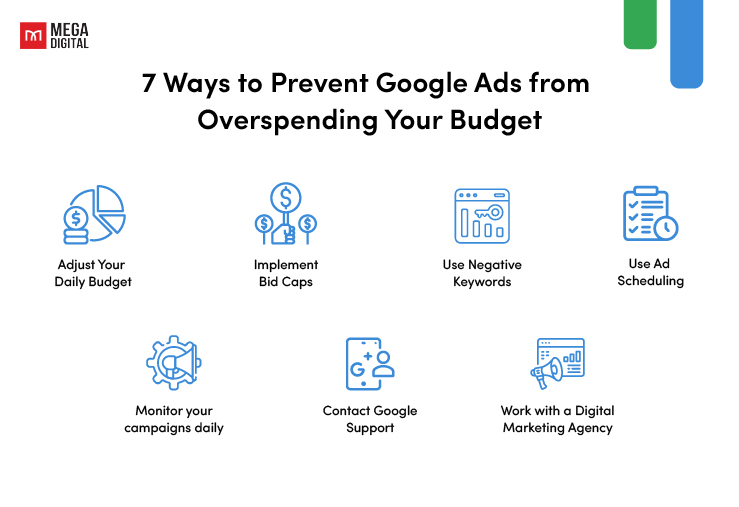
7 Ways to Prevent Google Ads from Overspending Your Budget
If you’re already experiencing overspending, don’t panic. Here are some steps you can take:
Adjust Your Daily Budget
If your ads are performing well and leading to conversions, it might be worth considering increasing your daily budget. This will allow Google to continue capturing high-quality clicks without exceeding your budget. However, it’s crucial to ensure that the increased spending is leading to a proportional increase in results.
Implement Bid Caps
If you’re in a position where you cannot possibly overspend on a daily basis, you may want to consider setting a lower daily bid cap.
Bid caps can be a useful tool for controlling your costs. By setting a bid cap, you’re limiting the maximum amount you’re willing to pay for a click. This can prevent Google from overspending your budget on expensive clicks that might not necessarily lead to conversions.
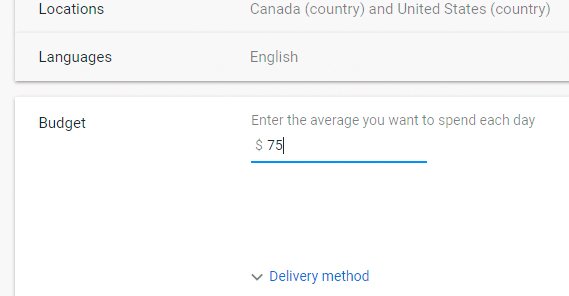
For instance, if your financial capacity allows for a maximum spending of $50 per day, it would be prudent to set your daily bid cap at $25. This arrangement allows Google the flexibility to spend anywhere from $0 to $50 on any given day. While this approach might halve your monthly limit, it ensures that you won’t exceed your daily spending limit.
Use Negative Keywords
Negative keywords are specific terms you specify in your Google Ads campaign to instruct Google not to display your ad for certain search queries. Utilizing negative keywords helps prevent your ad from being shown for unrelated searches, thereby preventing unnecessary expenditure on ineffective campaigns.
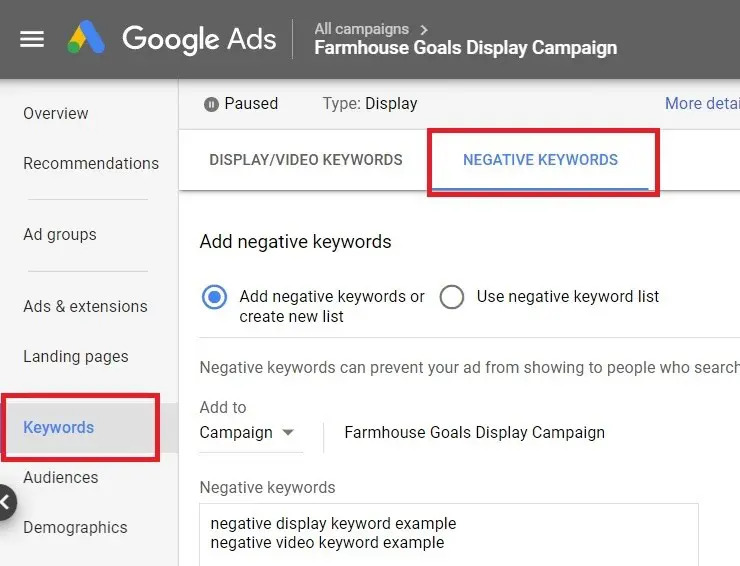
Let’s say, you’re selling fresh apples and use “apples” as your keyword. Your ad might show up for search queries like “apple recipes” or “apple news”. If these aren’t relevant to your business, you’re wasting your budget on clicks that are unlikely to convert. By adding “recipes” and “news” as negative keywords, you can prevent your ad from showing up in these searches.
Use Ad Scheduling
Ad scheduling allows you to control when your ads are shown. By running your ads during specific hours or days of the week, you can ensure that your budget is being spent when it’s most likely to lead to conversions. This can help prevent overspend during less optimal times.
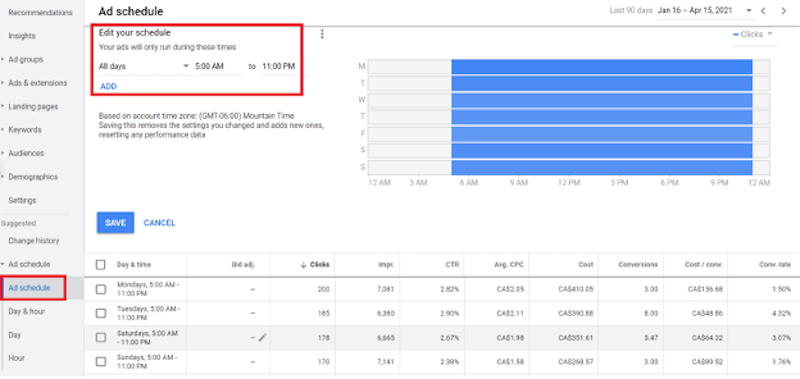
For instance, if you’ve noticed that your ads get the most clicks and conversions during business hours on weekdays, you can schedule your ads to run only during these times. This way, your budget is spent when it’s most likely to yield results, thereby maximizing your return on investment.
Monitor your campaigns daily
Worried about how much Google spends on your campaigns each day? Then watch them closely to see what’s being spent daily.
Monitoring your campaigns daily involves checking your ad performance, tracking your spending, and analyzing the effectiveness of your keywords. This can help you identify trends, spot issues early, and make informed decisions about your ad strategy.
Contact Google Support
If you notice that the over-delivery charges exceed twice your daily budget, you may be eligible for an over-delivery credit. You can contact Google Ads Support for assistance with this. They can review your account and apply for any eligible credits.
Work with a Digital Marketing Agency
Working with a digital marketing agency like Mega Digital can also be beneficial. As a leading Google Partner in APAC, we have the expertise to help you manage your Google Ads campaigns effectively. We can provide guidance on budget management, bid strategies, ad scheduling, and more to help prevent overspending and optimize your return on investment.
FAQs about Google Ads Daily Budget Overspend
Not automatically. Google may spend up to twice your average daily budget on some days. If served costs exceed the applicable spending limit, an overdelivery credit is applied for the excess.
Not always. Large budget changes may cause temporary fluctuations or require Smart Bidding to recalibrate, but there is no fixed 20% reset rule. The spending limit will also adjust based on the new budget.
Performance Max may spend faster when traffic or conversion opportunities are stronger. New campaigns can also fluctuate during the learning period, though they still follow Google’s spending limits.
Pausing stops new ad delivery and spending. It does not reset the budget or carry unused spend into the next month, and charges from activity before the pause may still appear later.
Wrap-up
Understanding why Google Ads daily budget overspend and knowing the consequences can help you make informed decisions about your Google Ads strategies. While overspending can sometimes be beneficial, it’s essential to monitor your accounts regularly and take necessary actions to avoid or solve Google Ads daily budget overspend.