


Google Ads automated bidding can save time and improve performance, but only when the right strategy is used. Relying on default settings may waste budget, while constant manual bid adjustments are difficult to scale. This guide breaks down eight automated bidding strategies and the key insights you need to use them more effectively.
Quick summary:
- Automated Bidding leverages advanced machine learning to optimize your ad spend and improve overall conversion rates.
- Choosing the right strategy depends entirely on whether your primary goal is maximizing visibility or driving revenue.
- Advertisers must feed the algorithm sufficient historical data to avoid the common pitfalls of machine learning.
- Regular monitoring and clear objective setting remain essential even when the actual bidding process is completely automated.
What is Automated Bidding?
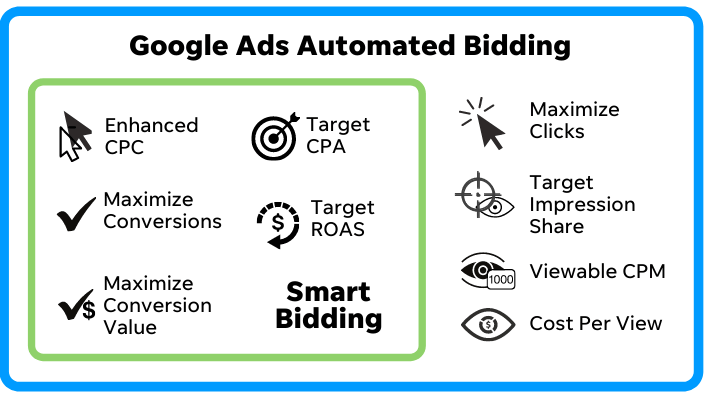
Google Ads Automated Bidding refers to a set of machine learning-driven strategies and tools offered by Google within its advertising platform. These strategies are designed to help advertisers optimize their bidding strategies and maximize the performance of their ads. Automated Bidding uses various data points and signals to adjust bids in real-time for each ad auction, aiming to achieve specific performance goals set by advertisers.
The aim is to optimize the efficiency of your advertising budget by getting the most out of your return on investment (ROI).
To put it in simpler words, it’s like having an intelligent assistant that automatically determines the ideal bidding amount for your ads, all in pursuit of achieving the finest outcomes for you.
Core benefits of Google Ads Automated Bidding
Google Ads automated bidding helps advertisers save time, reduce manual work, and optimize campaign performance based on specific goals.
- Align bids with campaign goals: Choose strategies designed to maximize conversions, conversion value, clicks, visibility, or ROAS.
- Reduce manual errors: Automated systems use performance data and auction signals to make more consistent bidding decisions.
- Improve bidding efficiency: Bids are adjusted automatically for each auction instead of being managed keyword by keyword.
- Save time: Less manual bid monitoring allows you to focus on creatives, targeting, landing pages, and overall strategy.
- Use budgets more effectively: The system directs spend toward auctions with stronger performance potential within your budget settings.
- Respond faster to changes: Real-time signals help campaigns adapt more quickly to shifts in user behavior, competition, and demand.
6 Core Google Ads Automated Bidding Strategies
We will now explore each Automated Bidding strategy extensively and comprehend how they enhance the performance of your ad campaigns.
1. Maximize Clicks
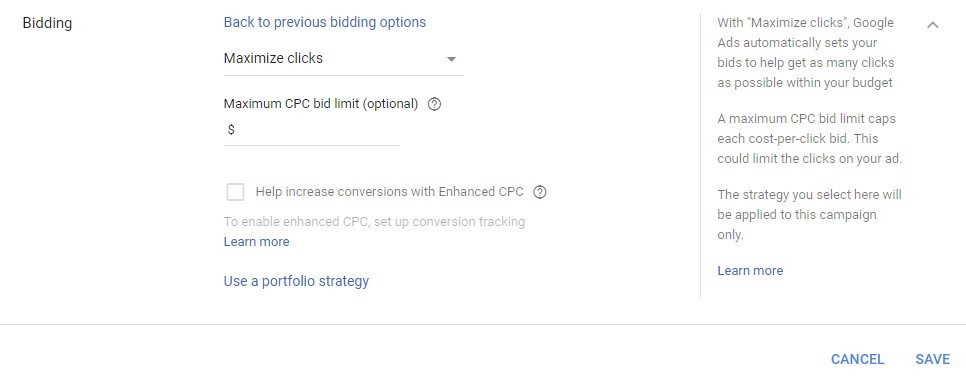
- Goal: Drive as much website traffic as possible.
- What it does: Automatically sets CPC bids to generate the most clicks within your average daily budget.
- Best used when: You want to build traffic, gather search-term data, or expand your remarketing audience.
- Hidden secret: This strategy optimizes click volume rather than lead or sales quality. Set a reasonable maximum CPC limit and regularly review search terms to control inefficient traffic.
2. Target impression share
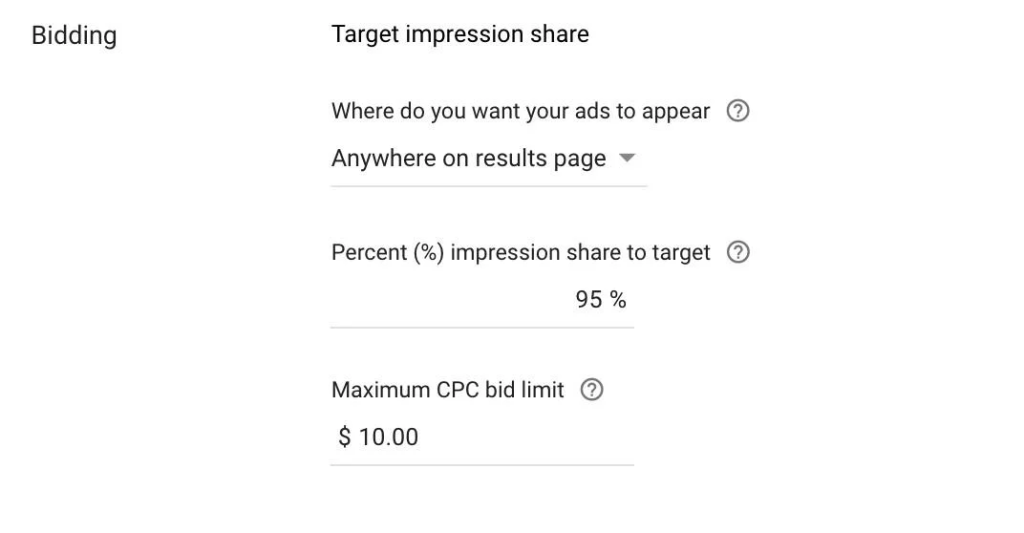
- Goal: Increase visibility on Google Search.
- What it does: Adjusts bids to show your ad anywhere on the results page, among the top ads, or as the first ad above organic results.
- Best used when: You need strong visibility for branded, defensive, or strategically important keywords.
- Hidden secret: Aggressive impression-share targets can raise CPCs without improving conversions. Use a maximum CPC limit and reserve this strategy for keywords where visibility has clear business value.
Read more: What is Impression Share in Google Ads and How to Increase It?
3. Maximize conversions
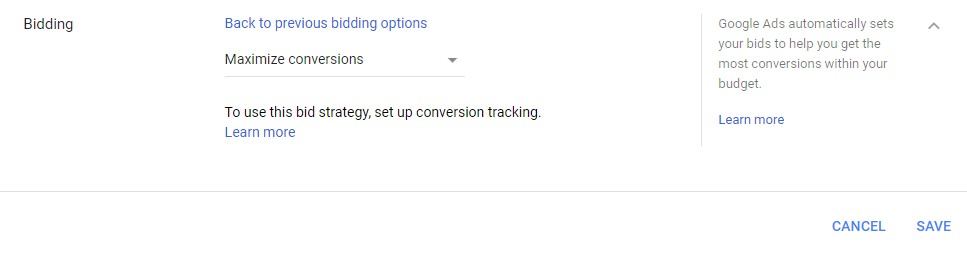
- Goal: Generate the highest possible number of conversions within your budget.
- What it does: Uses auction-time signals to set bids based on how likely each interaction is to convert.
- Best used when: You have reliable conversion tracking and want to increase leads or sales without setting a fixed CPA target.
- Hidden secret: The strategy may significantly increase spend if the campaign previously used only part of its budget. Set a realistic daily budget and optimize only for meaningful primary conversion actions.
4. Target CPA
- Goal: Generate conversions around a target cost per acquisition.
- What it does: Automatically adjusts bids to maximize conversions while aiming to maintain your average CPA near the selected target.
- Best used when: You have a clear acquisition-cost benchmark and want greater control over conversion costs.
- Hidden secret: Setting the target far below your recent CPA can restrict traffic and conversion volume. Start near historical performance and allow one to two conversion cycles before evaluating major changes.
5. Maximize conversion value
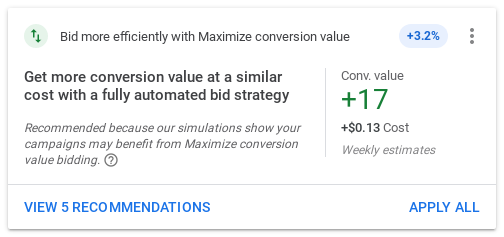
- Goal: Generate the highest total conversion value within your budget.
- What it does: Prioritizes auctions expected to produce greater revenue or business value rather than simply maximizing conversion volume.
- Best used when: Products, purchases, or leads have different values and accurate value tracking is available.
- Hidden secret: The strategy depends heavily on the quality of your conversion-value data. Incorrect revenue, profit, or lead-quality values can direct budget toward the wrong products or customers.
Read more: Conversion Value in Google Ads: Meaning, Calculation & Setup Guide
For those new to Google Ads, Automated Bidding may appear simpler, but it still requires campaign setup, management, and monitoring. Google Ads agencies like Mega Digital provide expertise in tracking metrics and strategic insights beyond Automated Bidding’s scope.
How to set up Automated Bidding
Requirements:
To use Automated Bidding, you must have conversion tracking enabled (unless you are using Enhanced CPC with Display campaigns). Additionally, Google recommends that advertisers have at least 30 conversions in the past 30 days before using Target CPA and at least 50 conversions before using Target ROAS.
To establish an Automated Bidding plan:
- Log in to your Google Ads account.
- Select Tools and Settings from the top menu.
- Click on Shared Library.
- Choose Bid Strategies.
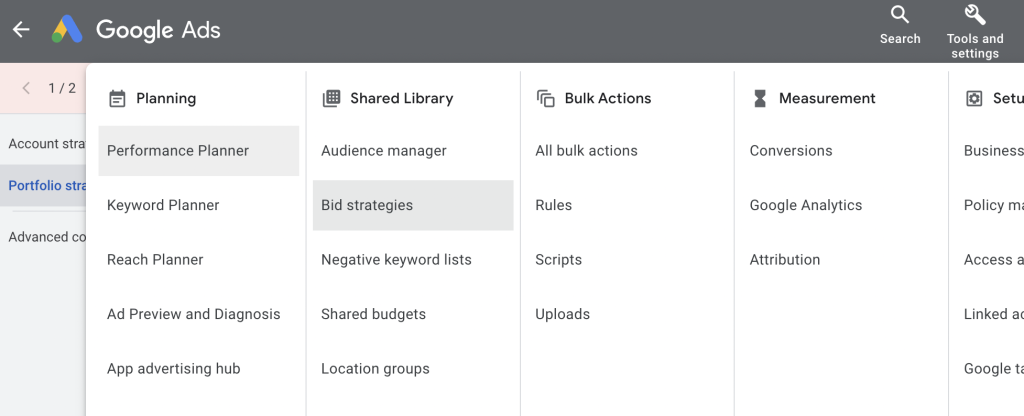
Starting here:
- Click “Create new bid strategy.”
- Choose the Automated Bidding strategy you prefer.
- Input your bidding strategy’s settings.
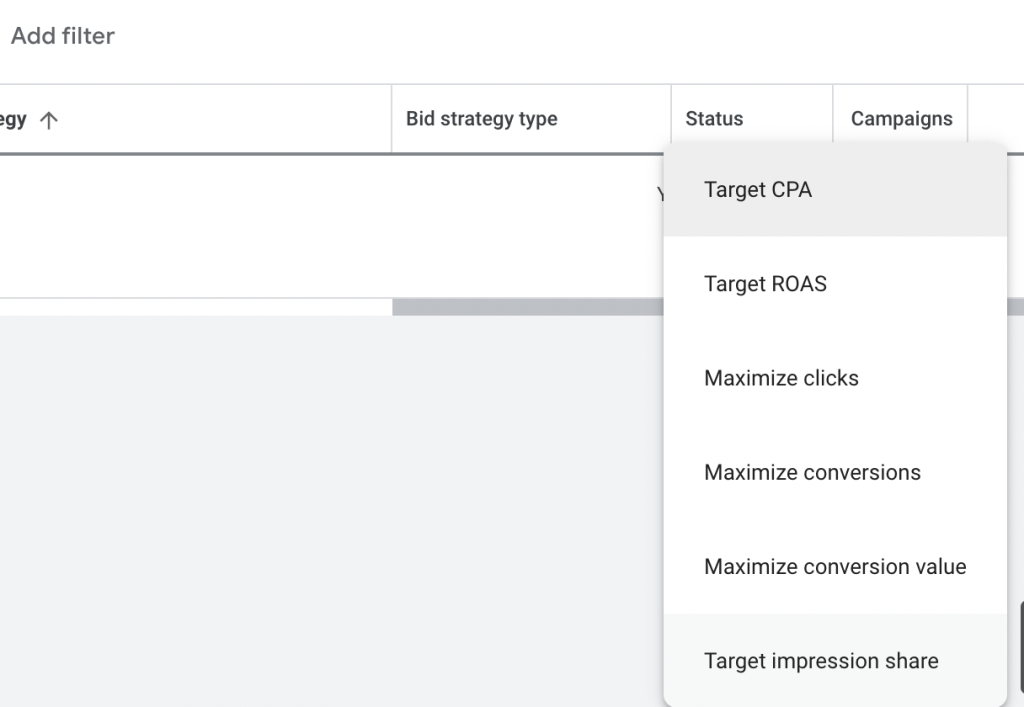
Click on Create. Now you’re done!
How to choose the right bidding strategy
Know your goals
The first step in selecting an Automated Bidding strategy is understanding your campaign’s goals. Do you want to increase website visits, generate sales, or boost brand awareness? Your goal will shape your bidding strategy. For instance, if your focus is on driving sales, you might consider a strategy that optimizes for Return on Ad Spend (ROAS), while aiming for more clicks could lead you towards a Maximize Clicks strategy.
Check past performance
Take a look at your campaign’s historical performance. Review metrics like conversion rates, click-through rates, and cost per conversion. Identify which strategies worked well in the past. This analysis can provide valuable insights into the bidding approaches that resonate with your audience and yield positive results.
Measure conversions properly
Accurate data is crucial for Automated Bidding. Ensure to set up your conversion tracking correctly. If your goal is to track purchases, ensure that every sale is being counted accurately. Proper tracking ensures that the bidding system has reliable information to make smart decisions.
Understand competition
Consider the competitiveness of your industry. If you’re operating in a highly competitive space, it might be more challenging to stand out. In such cases, you might opt for bidding strategies that are more aggressive in order to win valuable ad placements and clicks.
Test and learn
Experimentation is key. Allocate a portion of your budget to test different bidding strategies. Run parallel campaigns using different strategies and compare their performance. Monitor metrics such as cost, conversions, and revenue. Over time, you’ll gather insights into which strategy aligns best with your goals and audience.
Remember that selecting the right bidding strategy is an ongoing process. Campaigns can evolve, and market conditions change. Regularly review your campaign’s performance, adjust your strategy as needed, and stay updated on the latest developments in Google Ads Automated Bidding options.
Common Google Ads Automated Bidding Problems and Fixes
Automated bidding can underperform when campaigns lack reliable data or use targets that do not reflect actual performance. Here are three common problems and practical ways to resolve them.
Performance Fluctuates During the Learning Phase
Performance may become unstable after applying a new bidding strategy or making significant changes to conversion goals. The learning period is not fixed at 7 – 14 days and depends on conversion volume, conversion delay, and the campaign’s conversion cycle.
How to fix: Avoid changing several major settings at once. Wait one to two conversion cycles and include delayed conversions before evaluating results.
Campaign Traffic Drops After Setting a Target
An overly restrictive Target CPA or Target ROAS can reduce impressions, clicks, and spend because fewer auctions are expected to meet the target. However, a complete traffic loss may also indicate conversion-tracking, eligibility, budget, or campaign-status issues.
How to fix: Check tracking and campaign status first, then compare the target with recent CPA or ROAS. Loosen it based on historical data or bid simulator estimates and reassess after one to two conversion cycles.
Conversion Volume Is High but Lead Quality Is Low
Automated bidding optimizes toward the primary conversion actions you provide, even when those actions only represent form submissions rather than qualified customers. If low-quality leads are counted as successful conversions, the system may prioritize volume instead of deeper business outcomes.
How to fix: Import qualified and converted leads from your CRM using enhanced conversions for leads. Optimize toward deeper funnel actions or assign values that reflect actual lead quality and revenue.
FAQs about Google Ads Automated Bidding
Automated bidding covers strategies that optimize for clicks, visibility, conversions, or conversion value. Smart Bidding is a subset that uses auction-time AI to optimize specifically for conversions or conversion value.
Conversion tracking is required for Smart Bidding strategies such as Target CPA, Target ROAS, and Maximize Conversions. Traffic- or visibility-focused strategies like Maximize Clicks and Target Impression Share can work without it.
There is no fixed testing period because performance depends on conversion volume, conversion delay, and recent campaign changes. Allow at least one to two conversion cycles before evaluating results or making major adjustments.
It can increase spending, especially when using Maximize Conversions without a target, which aims to generate as many conversions as possible within the budget. Set a realistic daily budget and monitor spend, CPA, and conversion quality after switching strategies.
Final words
In the dynamic world of online advertising, Google Ads Automated Bidding is your ally in the quest for efficiency, precision, and results.
But to truly take advantage of these strategies, you need a stable, policy-compliant account and expert support to fine-tune your approach. That’s why renting a Google Ads agency account is a smart starting point. With Mega Digital, you will have access to verified accounts and guidance from Google-certified consultants to optimize your ad campaigns!