

Finding new customers who are likely to buy can be challenging, especially when your Facebook ads keep reaching people with little interest in your products. Facebook Lookalike Audiences help you discover potential customers who share characteristics with your existing buyers. In this article, I’ll explain everything you need to know about Facebook Lookalike Audiences, including how they work, how to create them, and best practices for better campaign performance.
Quick summary:
- Facebook Lookalike Audiences reach new potential customers who share key characteristics with your existing buyers or high-value leads.
- Audience sizes range from 1% to 10%, where smaller percentages offer higher similarity and larger percentages provide broader reach.
- Setup requires 3 steps: Select a high-quality seed source, set the similarity percentage, and configure campaign targeting settings.
- Best practices: Prioritize valuable seed data, run A/B tests on audience sizes, and leverage Custom Audiences alongside Lookalikes for retargeting.
What is a Facebook Lookalike Audience?
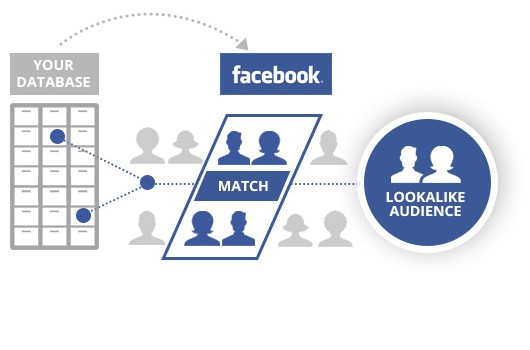
Facebook Lookalike Audience is a targeting feature that allows advertisers to reach new users who share similarities with their existing customer base. This audience is created by analyzing a business’s current audience’s characteristics, behaviors, and interests and then identifying other Facebook users who exhibit similar traits.
The size of a Facebook Lookalike Audience depends on the selected similarity percentage and the eligible audience in your target locations, not directly on the number of people in your seed audience. In Meta Ads Manager, advertisers typically choose a Lookalike percentage from 1% to 10%, balancing audience similarity and reach.
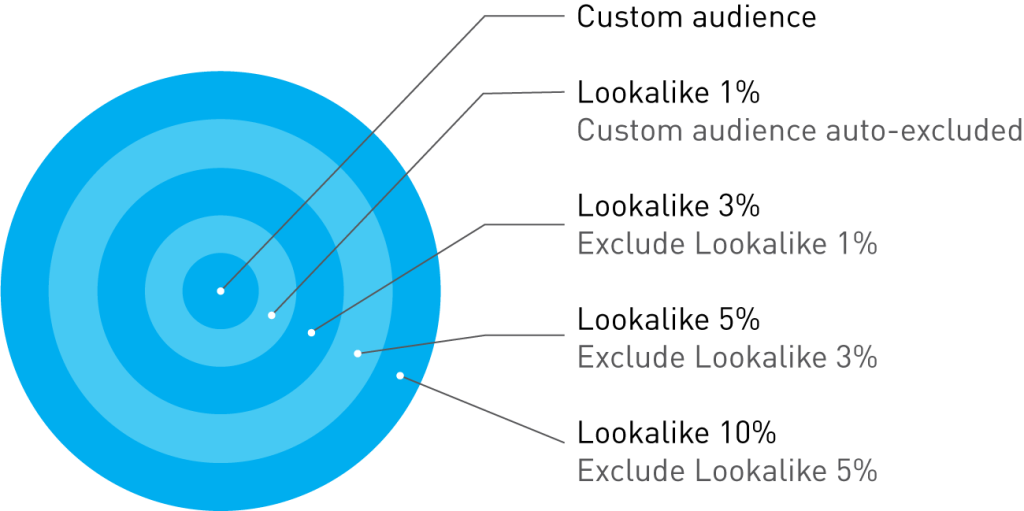
| Lookalike Size | Audience Similarity | Potential Reach |
|---|---|---|
| 1% | Highest similarity to the source audience | Smallest |
| 3% | High similarity | Moderate |
| 5% | Broader similarity | Larger |
| 10% | Broadest audience among these options | Largest |
Smaller Lookalike percentages generally provide closer matches to your source audience, while larger percentages increase potential reach. However, a smaller audience does not automatically guarantee better conversion performance.
How Does Lookalike Audience Work?
Facebook Lookalike Audience works by analyzing the data from a seed audience to identify common traits and patterns. This analysis creates a new audience that is statistically similar to the seed audience.
Lookalike Audiences on Facebook refresh automatically every 3-7 days, as long as you are actively targeting ads to them. This means that the audience is constantly being updated with new individuals who are similar to your seed audience.
Over time, the characteristics and behaviors of your seed audience may change, and the Lookalike Audience needs to be updated to reflect these changes.
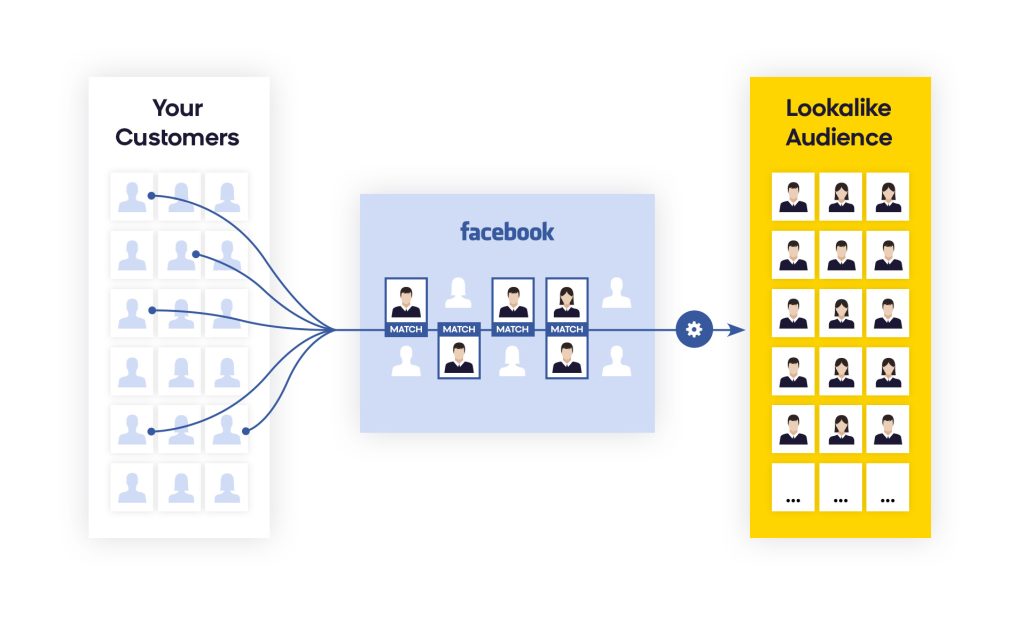
Example: Suppose a business has a list of customers’ emails. By uploading it to Facebook Ads Manager, they can create a Lookalike Audience. Facebook analyzes this list for common traits, then builds a new audience with similar demographics, interests, and behaviors, helping the business reach new potential customers with targeted ads.
Benefits of Using Facebook Lookalike Audiences
With the main goal of helping businesses to reach ideal audiences similar to the existing ones, Facebook Lookalike audience feature offers many benefits, including:
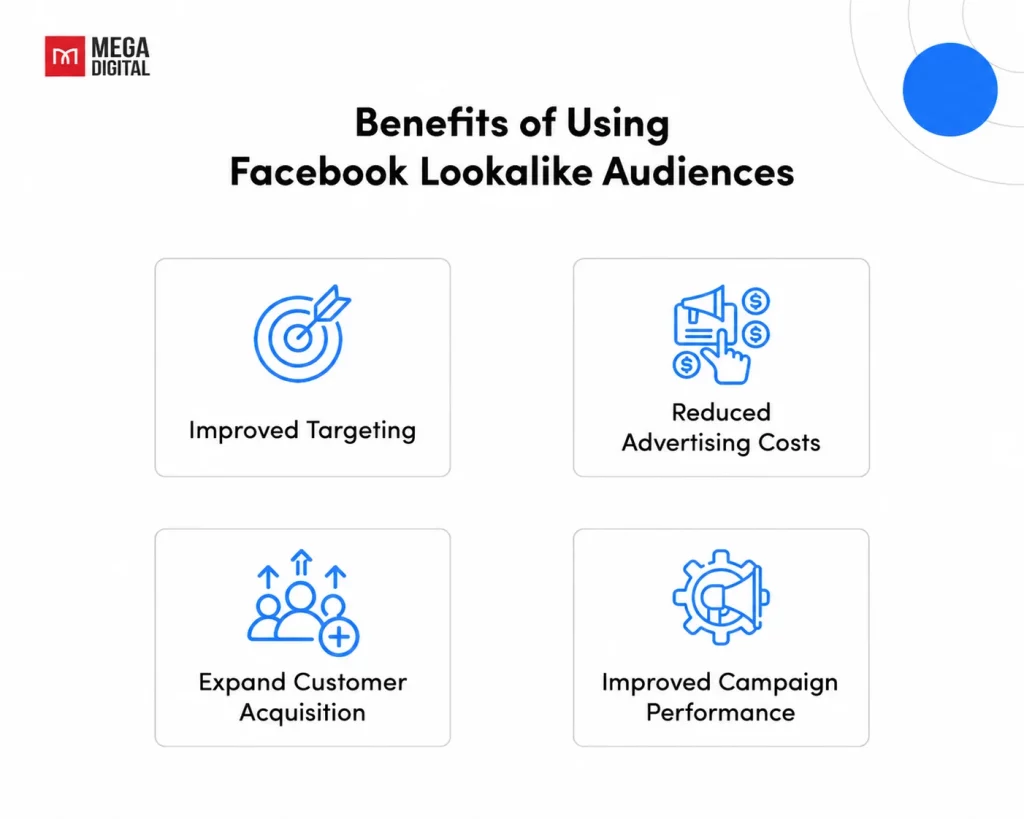
Improved Targeting
By creating lookalike audiences based on specific demographics, interests, and behaviors, businesses can refine their advertising campaigns to target individuals who are more likely to be interested in their products or services. This leads to more relevant and effective advertising.
Reduced Advertising Costs
Lookalike audiences help businesses target individuals who are more likely to convert, reducing wasted ad spending on irrelevant audiences. This can lead to lower overall Facebook advertising costs and a higher return on investment.
Expand Customer Acquisition
Lookalike Audiences help businesses reach new potential customers who share characteristics with their existing buyers or qualified leads. This allows advertisers to expand beyond their current customer base and explore new opportunities for customer acquisition without relying solely on broad targeting.
Improved Campaign Performance
By targeting lookalike audiences, businesses can improve the overall performance of their Facebook advertising campaigns. This includes metrics such as click-through rates, conversion rates, and return on ad spend.
When Should You Use a Lookalike Audience?
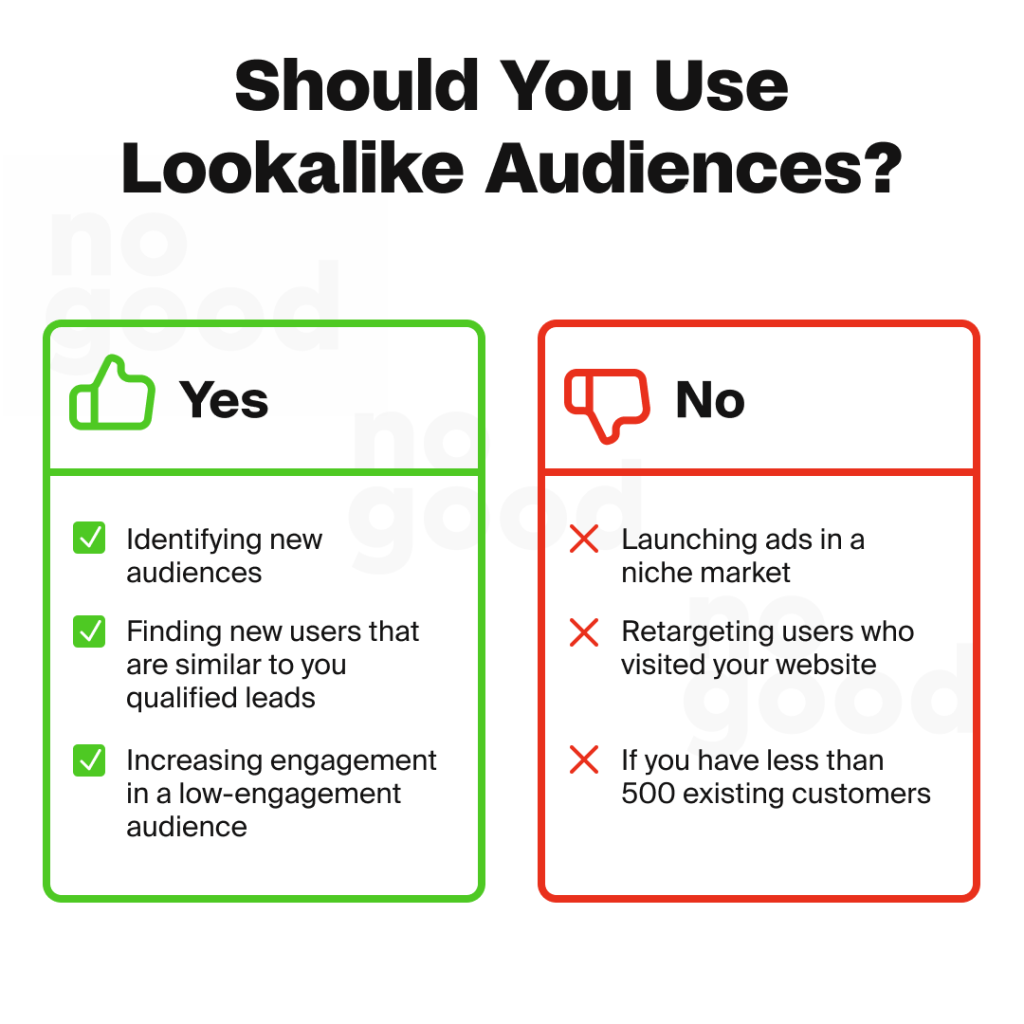
Using Facebook Lookalike Audiences can be highly effective, but it’s important to know when they’re most beneficial:
- Expand your reach: Lookalike Audiences help you find new potential customers who share traits with your existing customers, making it easier to grow beyond your current followers or email list.
- Target high-quality leads: If you have a list of engaged customers, a Lookalike Audience can connect you with similar users likely to convert, helping to scale your campaigns.
- Boost engagement: Use Lookalike Audiences to improve engagement in underperforming campaigns by reaching users more inclined to interact with your ads.
While Lookalike Audiences are great for broadening reach, they’re less effective for niche markets. This targeting option is also not ideal for retargeting website visitors.
How to Create Facebook Lookalike Audience?
To create a Facebook Lookalike Audience, open Meta Ads Manager and follow these five steps:
Step 1: Go to Meta Ads Manager
Open Meta Ads Manager and navigate to Audiences under All Tools.
Step 2: Select Create Audience
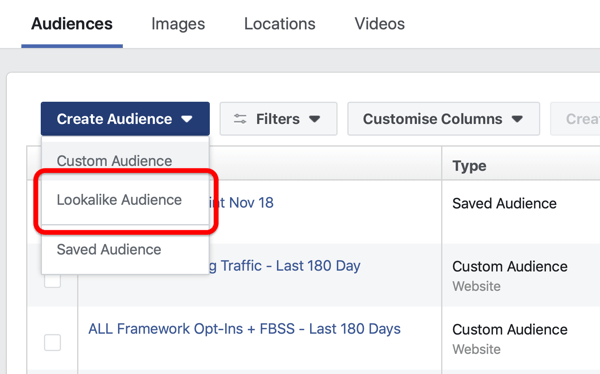
Click Create Audience and select Lookalike Audience from the available options.
Step 3: Choose a Source Audience
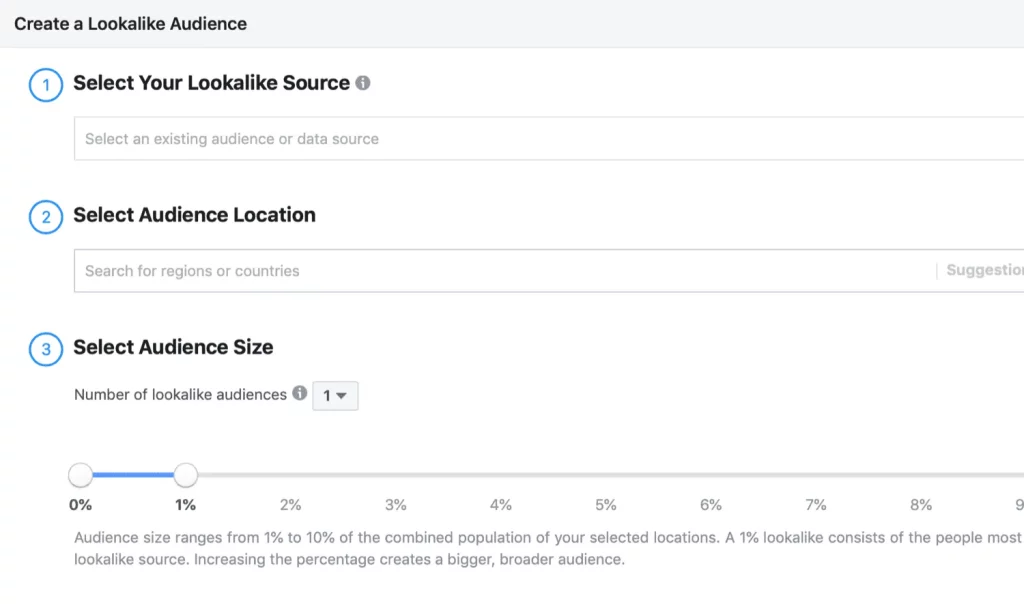
Select an eligible source audience, such as a Customer List Custom Audience, website purchasers, or Facebook Page engagement audience. Your source generally needs at least 100 people from a single country.
Step 4: Set Audience Size
Choose a Lookalike percentage, typically between 1% and 10%. Smaller percentages produce closer matches to your source, while larger percentages provide broader potential reach.
Step 5: Create and Use Your Lookalike Audience
Click Create Audience and allow Meta to populate your new audience. When configuring your campaign’s Ad Set, select the appropriate target locations and check whether your Lookalike Audience is being used as an audience suggestion or a targeting restriction.
Differences Between Lookalike and Custom Audience
Facebook offers 2 distinctive options: Lookalike and Custom Audience. Let’s take a look at the major differences between Facebook Lookalike Audiences and Custom Audiences:
| Facebook Lookalike Audiences | Facebook Custom Audiences | |
|---|---|---|
| Data Source | From Facebook data | From Business data |
| Audience Quality | Larger in size and create similar to an existing audience | Based on specific criteria and easier to control |
| Purpose | Expanding reach, targeting new potential customers | Retargeting, highly targeted advertising |
| Creation Method | Machine learning algorithms | Manual selection |
| Use Cases | Reaching new audiences, growing customer base | Retargeting campaigns, personalized ads |
Which One to Use?
The best choice between a Lookalike Audience and a Custom Audience depends on the specific marketing goals and available data.
- Use a Lookalike Audience when expanding reach and targeting new potential customers who are likely to be interested in a business’s products or services.
- Use a Custom Audience when retargeting existing customers, reaching individuals who have interacted with a business in the past, or creating highly targeted advertising campaigns based on specific criteria.
Learn more: Retarget your Potential Buyers with Facebook Custom Audience
Best Practices to Use Facebook Lookalike Audiences
Here are Mega Digital’s recommendations for using this targeting option more effectively to reach potential customers and improve campaign performance.
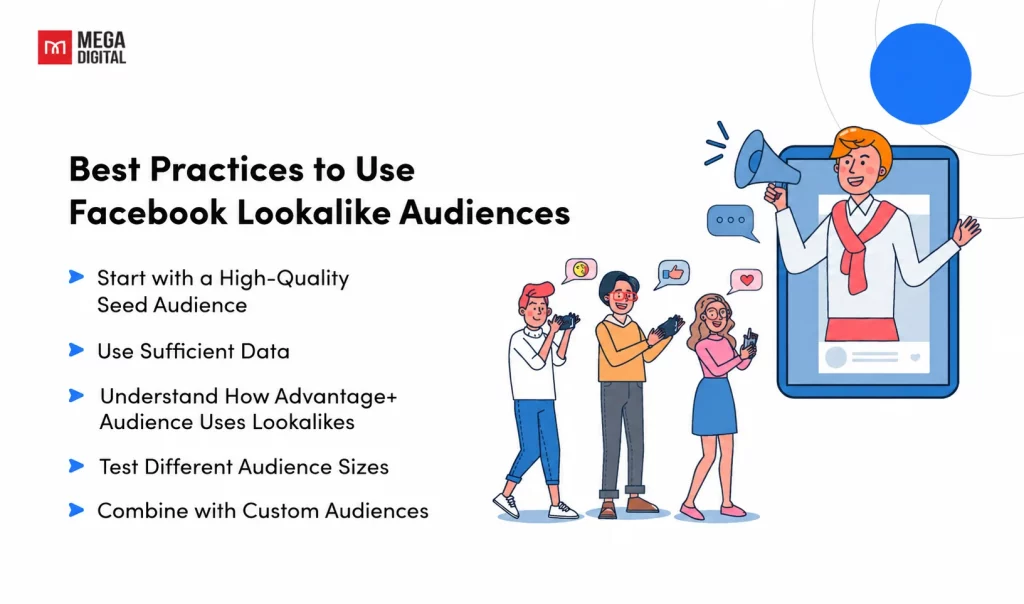
Start with a High-Quality Seed Audience
Prioritize source audiences built from actual purchasers, repeat customers, or qualified leads rather than all website visitors, as these groups better represent the customers you want to acquire. For ecommerce campaigns, Mega Digital recommends testing separate Lookalikes based on high-value buyers and regular purchasers to identify which source produces more profitable conversions.
Use Sufficient Data
Meta generally recommends a source audience of 1,000–5,000 people, although the documented minimum is 100 people from a single country. If your purchaser audience is too small, consider extending its retention window or combining related high-intent customer segments without sacrificing source quality.
Understand How Advantage+ Audience Uses Lookalikes
When using Advantage+ Audience, Meta may treat your Lookalike Audience as a suggestion and deliver ads beyond the selected group. Check your audience settings and test Lookalike-based targeting against Advantage+ Audience without suggestions, keeping your conversion objective, creatives, and budget comparable to identify which approach performs better.
Test Different Audience Sizes
Use Meta’s A/B testing tools to compare a 1% Lookalike with a broader 3 – 5% audience built from the same source, while keeping campaign settings and creatives consistent. Evaluate cost per acquisition (CPA), return on ad spend (ROAS), and conversion volume before scaling, rather than assuming the smallest audience will always perform best.
Combine with Custom Audiences
Use Lookalike Audiences to acquire new customers while building separate Facebook Custom Audiences for retargeting website visitors, cart abandoners, and previous buyers. For acquisition campaigns, exclude recent purchasers where supported and monitor new-customer acquisition costs to avoid spending unnecessarily on existing customers.
FAQs about Facebook Lookalike Audiences
Facebook Lookalike Audiences typically take several hours to populate, but the process can take up to three days. You can generally use an audience while its status is still “Populating.”
Your Lookalike Audience may still be populating, have an insufficient source audience, or face account permission or advertising restrictions. Check its availability status and any error messages in Meta Ads Manager to identify the cause.
Yes, Lookalike Audiences can be used for eligible Instagram ad campaigns through Meta Ads Manager. Select Instagram placements or use Advantage+ Placements to allow delivery across supported Meta platforms.
Yes, you can reuse an eligible Lookalike Audience across multiple campaigns within the same ad account. However, monitor audience overlap and campaign performance to avoid unnecessary competition between similar ad sets.
Read more: Master Facebook Ad Targeting with These 6 Pro Strategies
Wrap-up
Facebook Lookalike Audiences offers businesses a powerful tool to expand their reach, optimize their advertising efforts, and drive meaningful results. With the right strategy and implementation, Lookalike Audiences can be a game-changer for businesses looking to maximize the impact of their Facebook advertising campaigns and achieve their marketing objectives.