

Running out of Facebook ad ideas or unsure how your competitors are positioning their offers? Meta Ad Library lets you see the creatives, messages, formats, and campaigns other brands are currently testing, giving you a useful starting point for your own research. In this guide, I’ll explain everything you need to know about Facebook Ad Library and how to use it to uncover useful advertising insights without simply copying competitors.
Quick summary:
- Meta Ad Library lets you search ads currently running across Meta technologies.
- You can analyze competitor creatives, messaging, offers, formats, and campaign duration for free.
- Ad Library does not reveal performance metrics such as CTR, CPA, conversions, or ROAS for standard commercial ads.
- Long-running ads and repeated creative patterns can provide useful signals, but they do not prove that an ad is profitable.
- The best way to use Ad Library is to identify patterns across multiple competitor ads and turn those insights into your own creative tests.
What is Facebook Ad Library?
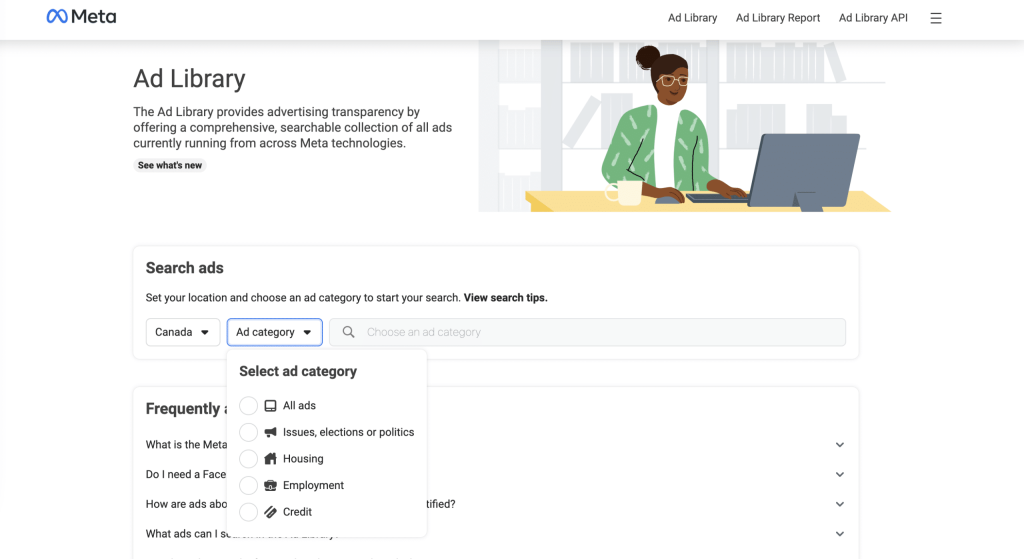
The Facebook Ad Library, now known as Meta Ad Library, is a free transparency tool that lets anyone search ads currently running across Meta technologies. You can use it to review an advertiser’s creative, copy, ad format, delivery dates, and the Meta platforms where the ad appears.
For regular commercial ads, the Library does not reveal private performance data such as CTR, CPC, conversions, CPA, or ROAS. Historical and additional transparency data are available only in certain cases, such as social issue, election, or political ads, as well as eligible ads delivered in the EU and UK.
The Facebook Ad Library empowers advertisers to track competitor messaging, creative trends, offers, and campaign patterns, then use those insights to develop stronger tests for their own campaigns.
Benefits of Facebook Ad Library for Advertisers and Businesses
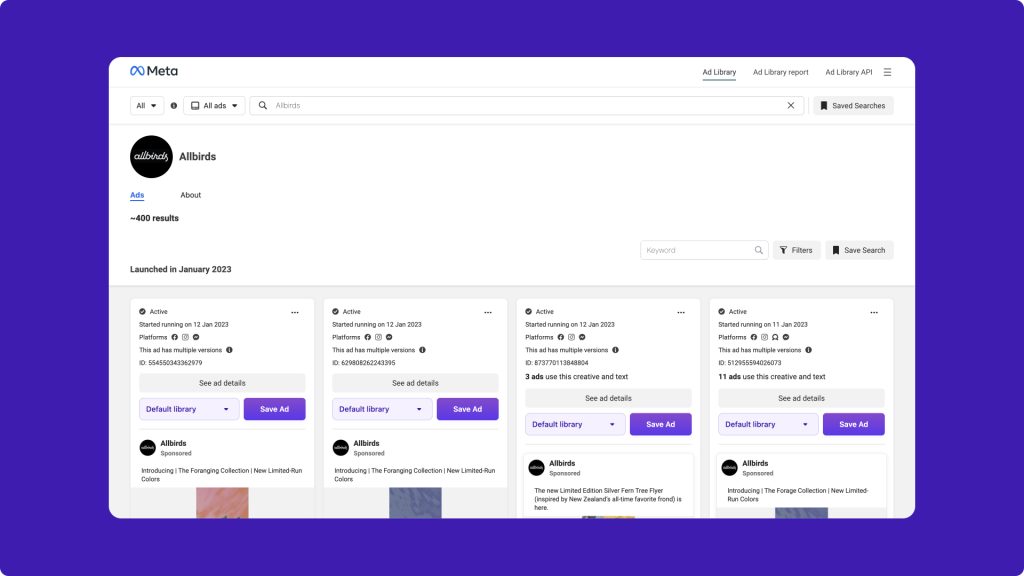
The Facebook Ad Library gives advertisers a practical way to study how brands are advertising across Meta platforms. Instead of simply browsing individual ads, you can use it to identify patterns and turn competitor activity into useful campaign insights.
Competitor intelligence
- Monitor active campaigns: See which products, offers, creatives, and ad placements competitors are currently using.
- Track campaign changes: Identify when competitors launch new ads, seasonal promotions, or different messaging angles.
- Spot recurring strategies: Look for hooks, offers, or products that appear repeatedly across multiple ads.
Creative and offer research
- Find new creative angles: Study different types of ads, such as image, video, carousel, UGC-style, and product demonstration creatives.
- Compare offers: Review how competitors use discounts, bundles, free shipping, trials, or other incentives.
- Understand positioning: See how brands differentiate similar products through benefits, pricing, messaging, and calls to action.
Free market research
- Research without paid tools: Meta Ad Library is free, making it useful for regular competitor and market monitoring.
- Reduce creative guesswork: Use real advertising activity as a reference before developing your own creative tests.
- Improve transparency: Identify the advertiser behind an ad and review the delivery information Meta makes publicly available.
How does Ad Library on Facebook work?
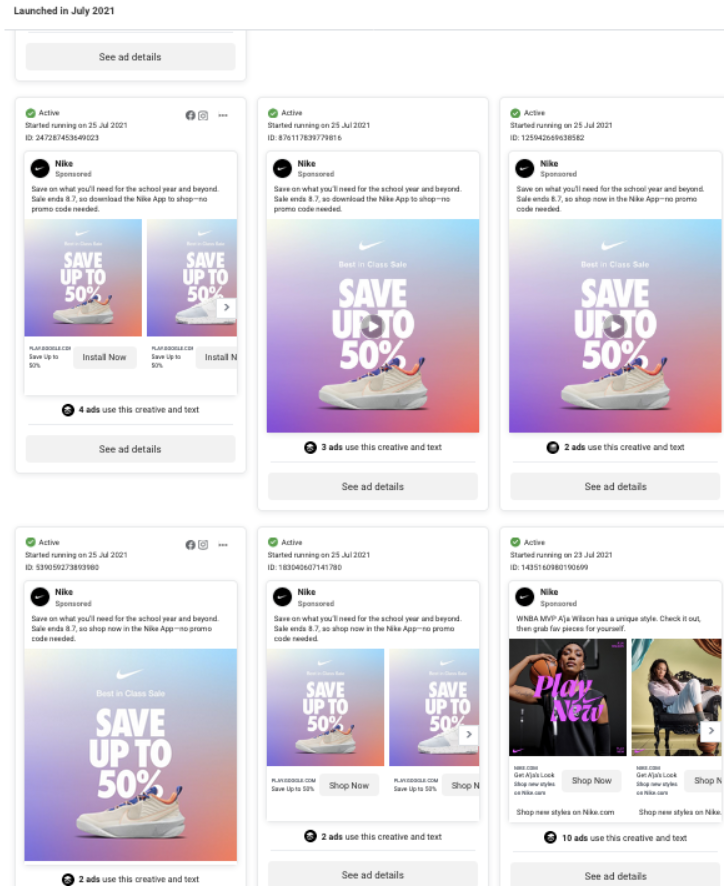
The Facebook Ad Library works by offering a searchable archive of advertisements running on Facebook, Instagram, and other Meta platforms like WhatsApp. Here’s a breakdown of its functionality:
- Data Collection: Meta constantly gathers information on ads displayed across its platforms. This includes details like ad content (text, images, videos), targeting parameters (location, demographics), and basic information about the advertiser (page name).
- Search and Filter: Anyone can access the Ad Library and search for ads using various filters. You can search by:
- Advertiser Name: See all the ads a specific company is running.
- Keywords: Find ads containing specific words or phrases.
- Categories: Filter by ad type (image, video, etc.), location, or even social issue/election focus.
- Transparency and Insights: Once you find an ad, you can view details like:
- Creative: See the ad types and content, allowing you to analyze visuals and messaging.
- Targeting: Understand who the advertiser is trying to reach (demographics, interests). You can modify to make more accurate targeting strategies.
- Dates: See when the ad was created and how long it’s been running (estimates only).
- Estimated Spend (Optional): For some ads, the library provides estimates on advertiser spending (this is not exact data).
Facebook Ad Library functions as a free and valuable tool for anyone interested in understanding the advertising landscape on Meta platforms. It empowers users with knowledge and inspiration to navigate the world of Facebook and Instagram advertising.
How do You Know if an Ad is Performing Well in the Facebook Ads Library?
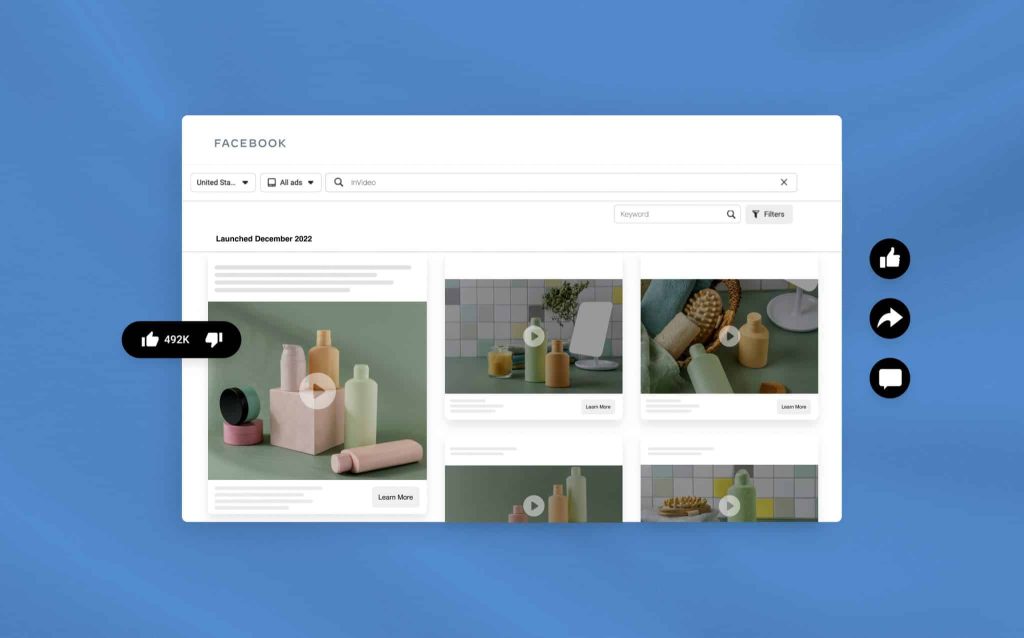
Facebook Ad Library itself doesn’t directly tell you if an ad is performing well. It lacks access to private metrics like click-through rates, conversions, or cost-per-click (CPC). However, you can use the Library in conjunction with other methods to make educated guesses about an ad’s performance. Here are some ways to do that:
Indicators of Potential Success:
- Campaign Longevity: Ads that have been running for a long time (weeks or months) suggest they might be effective. Businesses typically wouldn’t keep spending money on poorly performing ads.
- Multiple Ad Variations: If you see an advertiser running multiple versions of the same ad with different visuals or copy, it suggests they’re A/B testing to optimize and potentially seeing some positive results.
- Engagement Metrics (Limited): While the Library doesn’t show likes, comments, or shares directly, you can sometimes see these metrics on the ad itself within Facebook or Instagram (if it’s publicly viewable). High engagement could indicate the ad is resonating with the audience.
The Library’s true value lies in gleaning insights from successful ads. Analyze the:
- Messaging: What kind of language and tone resonates with the audience?
- Creatives: What visuals or video styles seem to grab attention?
- Targeting: Who are they targeting (demographics, interests)?
- By understanding these elements, you can inform your own ad creation and targeting strategies, potentially leading to better campaign performance.
How to use Facebook Ad Library effectively
Lies with its benefits, Ad Library on Facebook would be an efficient feature to help advertisers and businesses scale more effectively on this platform. So, I gonna guide you step-by-step to help you master Facebook Ad Library:
- Access the Facebook Ad Library: Visit the Facebook Ad Library website or search for “Facebook Ad Library” on any search engine. Alternatively, you can access it through your Facebook account by navigating to the page for which you want to view ads and selecting “Page Transparency” from the menu.
- Search for Ads: Use the search bar to look up specific advertisers, keywords, or topics. You can filter results by country, active status, and more.
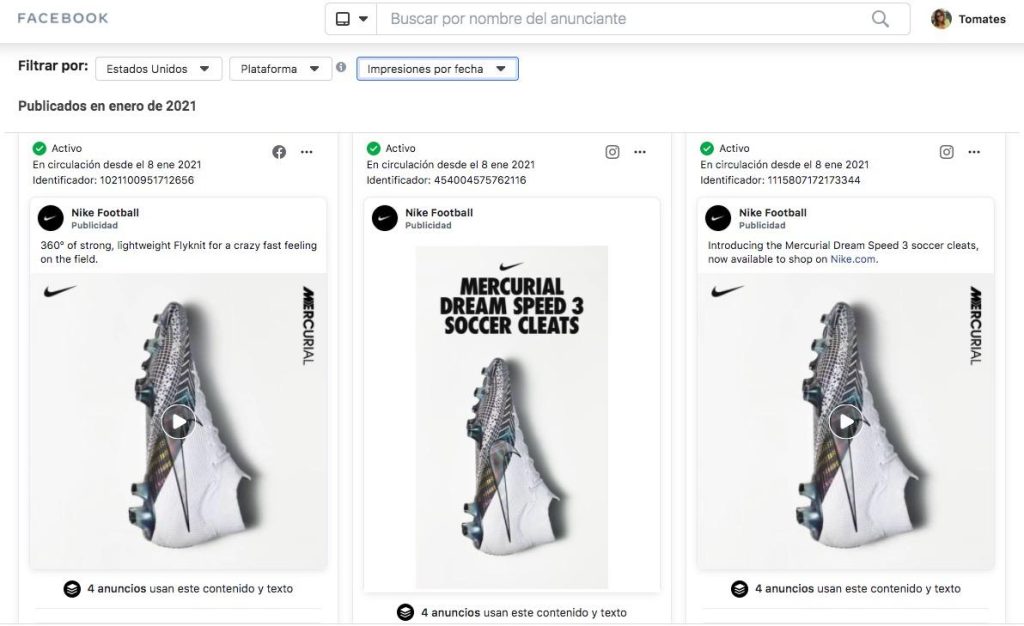
- View Ad Details: Click on an ad to see more information, including the ad’s content, duration, impressions, and demographic targeting.
- Analyze Trends: Explore ad trends over time, including spending patterns, campaign durations, and audience targeting.
- Monitor Competitors: Keep track of your competitors’ advertising strategies and learn from their approaches.
- Learn from Successful Campaigns: Identify successful ad campaigns in your industry or niche and glean insights to improve your own advertising efforts.
- Stay Informed: Regularly check the Facebook Ad Library to stay updated on the latest advertising trends and strategies in your industry.
The goal isn’t to directly copy competitor ads. Instead, use the Library to understand what resonates with your target audience. Analyze messaging styles, creative approaches, and targeting strategies that seem effective. Leverage this knowledge to inform your own unique and compelling ad campaigns.
By following these tips, you can transform the Facebook Ad Library from a simple search engine to a powerful tool that fuels your creativity, optimizes your targeting, and ultimately helps you craft high-performing Facebook and Instagram ad campaigns.
FAQs about Facebook Ad Library
No. Meta Ad Library is publicly accessible, so you can search and view eligible ads without logging into a Facebook account.
The advertiser may not be running active ads in the selected country, or your filters may be too restrictive. Try checking the advertiser name, country, ad status, and keywords before assuming the campaign is no longer running.
Meta Ad Library is mainly designed for viewing and researching ads rather than providing a built-in download function for every creative. You can still save useful examples and document elements such as hooks, formats, offers, and landing pages for your own research.
For ongoing competitor research, checking every one or two weeks is usually enough to spot new creatives, offers, and campaign changes. During major sales periods or product launches, more frequent monitoring can help you identify shifts sooner.
Final Word
Facebook Ad Library (Meta Ad Library) is no longer just a place to see random ads. It’s a treasure trove of information waiting to be unlocked. By strategically using its search functions, analyzing successful campaigns, and understanding user demographics, you can gain valuable insights to inform your own advertising strategies.
Leverage the Facebook Ad Library to become a more informed advertiser, craft compelling ad campaigns, and ultimately achieve social media advertising success. Or connect with a trusted Facebook partner, Mega Digital, to make your advertising campaigns soar!