

If your brand is looking for a new method to interact with audiences on Facebook, then don’t miss out on Facebook Story Ads’ potential. With half a billion daily active users engaging with Stories on Facebook and Instagram, these ads offer a prime opportunity to capture attention and drive meaningful engagement. Let’s find out how to make use of Facebook Stories Ads aligning with your brand’s objectives!
Quick summary:
- Facebook Story Ads are full-screen, vertical ads that appear between organic Stories, making them well suited to mobile-first campaigns.
- They can support different objectives, including awareness, engagement, traffic, leads, and conversions.
- Strong Story Ads usually combine 9:16 creative, concise messaging, eye-catching visuals, and a clear CTA to capture attention quickly.
- Performance should be evaluated based on the campaign goal, using metrics such as CTR, cost per result, CPA, and ROAS rather than views alone.
What are Facebook Story Ads?
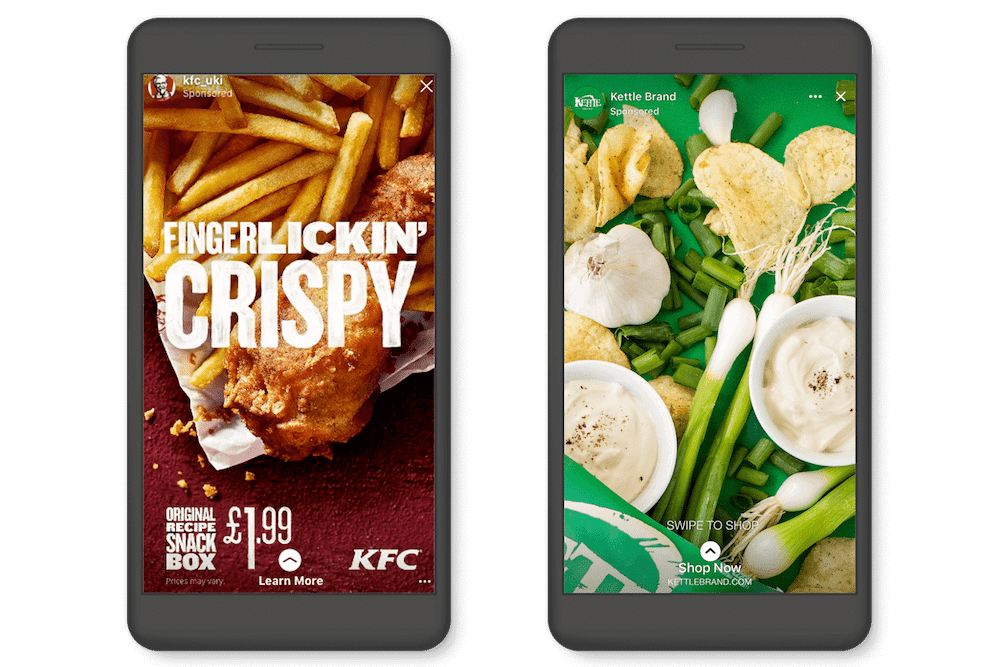
Facebook Story Ads are full-screen ads that appear between organic Stories on Facebook. They can use images or videos to help businesses reach their target audience, build awareness, drive traffic, and encourage actions such as website visits, sign-ups, or purchases.
Unlike Feed ads, Story Ads are designed for a vertical, mobile-first viewing experience, making visual framing, concise messaging, and a clear call to action especially important.
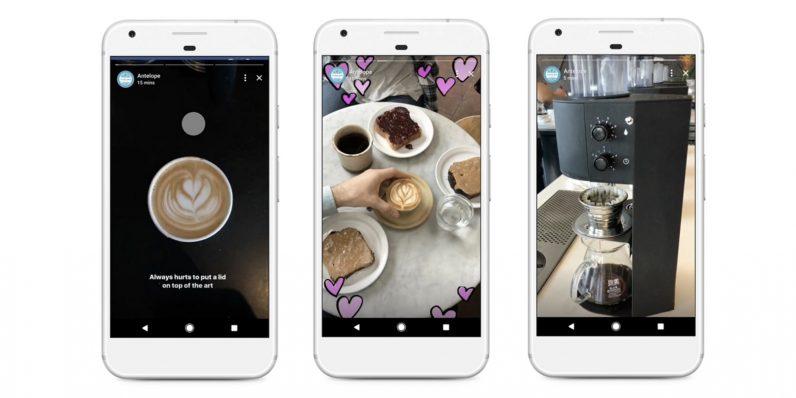
A useful example from the broader Meta Stories ecosystem is Michael Kors, which used carousel ads in Instagram Stories to promote its Michael Kors Access smartwatches. The campaign generated a 20% higher online return on ad spend, 3X higher click-through rate, and 60% lower cost per click compared with other ad formats.

How Do Facebook Story Ads Work?
Unlike other Facebook Ad types, Facebook Story Ads allow businesses and advertisers to create visually engaging ads that appear within the Stories feature on the Facebook platform.
- It can be customized with various interactive elements such as swipe-up links, call-to-action buttons, and stickers.
- Stories Ads are displayed fullscreen and typically last for a few seconds between users’ organic Stories content as they swipe through their feed.
- Advertisers can track engagement metrics such as clicks, conversions, and swipe-ups to measure the effectiveness of their ads.
Stories align perfectly with the way people naturally interact with their smartphones. Research shows that people hold their phones vertically approximately 90% of the time. Additionally, Stories are designed for a vertical, full-screen format, making it effortless for users to swiftly enjoy videos and photos in a manner that feels intuitive and seamless.
Benefits of Facebook Story Ads to Businesses
With more than 1 billion stories shared every day across the Facebook family of apps and 4 million advertisers using Stories ads every month, Facebook Story ads hold a golden ticket for businesses to connect and engage with their audiences in a more user-generated manner.
Increased Engagement
Story Ads offer businesses a highly engaging platform to connect with their target audience. The immersive, full-screen format of Stories captures users’ attention and encourages interaction, leading to higher engagement rates than traditional ads.
Expanded Reach
With millions of daily active Facebook and Instagram Stories users, businesses can extend their reach to a broader audience. Story Ads allow businesses to reach users who may not engage with traditional feed-based ads, thereby expanding their potential customer base.
Enhanced Brand Awareness
Story Ads provide businesses with an opportunity to showcase their brand personality and story in a visually compelling way. By leveraging creative elements such as images, videos, and interactive features, businesses can effectively communicate their brand message and values, thereby increasing brand awareness.
Improved Targeting
Facebook’s advanced targeting options allow businesses to tailor their Story Ads to specific demographics, interests, behaviors, and more. This precise targeting ensures that ads are shown to the most relevant audience, increasing the likelihood of engagement and conversions.
Cost-Effectiveness
Facebook Story Ads can be a cost-effective advertising solution for businesses of all sizes. With options for flexible budgeting and bidding strategies, businesses can optimize their ad spend and achieve their desired results within their budget constraints.
Drive Conversions
Story Ads include interactive elements such as swipe-up links and call-to-action buttons, making it easy for users to take action directly from the ad. This seamless user experience can lead to higher conversion rates and drive valuable actions such as website visits, app downloads, and purchases.
Overall, Facebook Story Ads offer businesses a powerful tool to effectively reach and engage their target audience, drive brand awareness, and ultimately drive conversions and business growth.
How much do Facebook Story Ads cost?
There is no fixed cost for Facebook Story Ads because pricing depends on factors such as audience competition, campaign objective, bidding strategy, market, and creative performance. As a general benchmark, Facebook Stories Ads can cost around $0.35 – $1.00 per click and $5 – $8 CPM, although actual results can vary significantly between campaigns.
Businesses can control their spending by setting a daily or lifetime budget in Meta Ads Manager and monitoring the cost metrics that best match their campaign goals.
Mega Digital recommends: Treat these figures as reference points rather than fixed targets. For conversion campaigns, metrics such as CPA, cost per result, and ROAS are usually more useful than CPM or CPC alone.
Read more: Facebook Advertising Cost Breakdown [Data Updated 2026]
Facebook Story Ads Specs
To make sure your Story Ads display properly across the full-screen placement, follow the recommended Facebook Ads Sizes and technical requirements below. Facebook Stories are designed for vertical viewing, so your creative should prioritize a 9:16 format and keep important elements within the safe zone.
| Specification | Image Ads | Video Ads |
|---|---|---|
| Recommended resolution | 1440 × 2560 px | 1440 × 2560 px |
| Aspect ratio | 9:16 | 9:16 |
| File formats | JPG, PNG | MP4, MOV, GIF |
| Maximum file size | 30 MB | 4 GB |
| Video length | — | Up to 2 minutes |
| Safe zone | Keep key elements away from the top 14% and bottom 20% | Keep key elements away from the top 14% and bottom 20% |
For video Story Ads, Facebook displays up to 10 seconds at a time. Longer videos may be divided into multiple Story cards, with users given the option to continue watching the full video.
Tip: Keep important text, logos, products, and other key visual elements away from the top and bottom interface areas. This helps prevent Facebook’s profile information, navigation controls, or CTA elements from covering the main message.
How to Create Facebook Stories Ads?
Story ads’ placement can be variable on Facebook, Instagram, or Messenger, based on your objectives and target audience. Here are 6 simple steps to create Facebook Stories Ads on Meta Ads Manager:
- Step 1: Log in to your Facebook Ads Manager account.
- Step 2: Click on “Create” to start a new ad campaign. Choose an objective that aligns with your advertising goals, such as Awareness, Traffic, Engagement, Leads, App Promotion, and Sales.
- Step 3: Define your audience targeting, budget, schedule, and placement. Specify that you want your ads to appear in Facebook Stories.
- Step 4: Choose the format for your ad creative (single image, single video, carousel, etc.). Upload your images or videos, and add text, stickers, emojis, or other interactive elements to make your ad engaging.
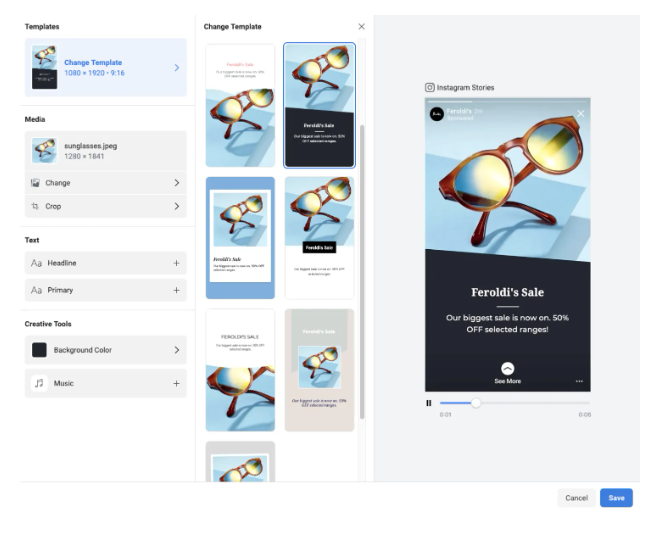
- Step 5: Include a clear call-to-action button to prompt users to take action, such as “Learn More”, “Shop Now”, or “Sign Up”.
- Step 6: Preview your ad to ensure everything looks as intended. Make any necessary adjustments, then confirm and launch your Facebook Stories Ad campaign.
Or you can directly create Story Ads on the Business Page by uploading creatives on Story like normal, then click on Boost Story to start setting up a campaign.
Best Practices to Create Effective Facebook Story Ads
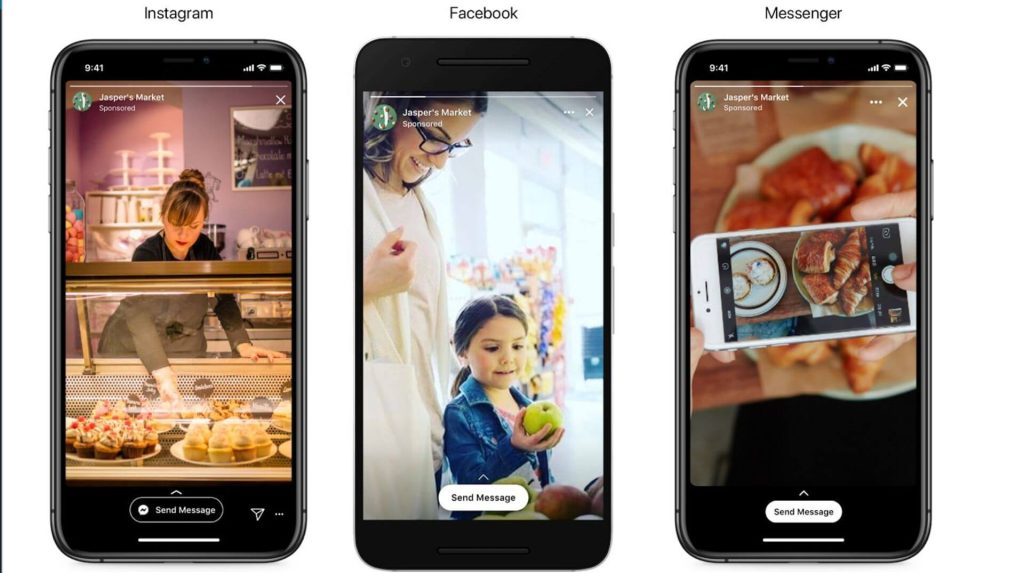
Creating effective Facebook Story Ads requires attention to detail and strategic planning. Here are some best practices to help you create compelling and engaging ads:
- Keep it Vertical: Since Stories are displayed vertically, ensure your ad creative is optimized for a vertical, full-screen view. Use vertical images or videos with a ratio of 9:16 for maximum impact.
- Grab Attention Quickly: With Stories moving quickly, you must grab users’ attention within the first few seconds. Use eye-catching visuals, bold colors, and captivating imagery to stop users from swiping past your ad.
- Be Concise: Keep your message clear and concise. Avoid cluttering your ad with too much text or information. Focus on conveying your key message or offer simply and straightforwardly.
- Include a Strong Call-to-Action (CTA): Prompt users to take action by including a clear and compelling call-to-action button. Whether it’s “Shop Now”, “Learn More”, or “Swipe Up”, make sure your CTA encourages users to engage with your ad.
- Use Interactive Elements: Make your ads more engaging by adding interactive elements like stickers, emojis, polls, or swipe-up links. These elements encourage user interaction and increase engagement with your ad.
- Tell a Story: Leverage the storytelling capabilities of Stories to create a narrative around your brand or product. Use sequential images or videos to guide users through a story that resonates with them emotionally.
- Test Different Formats: Experiment with different ad formats, such as single images, videos, or carousel ads, to see what works best for your audience. Test creative elements, messaging, and CTAs to optimize your ads for maximum effectiveness.
- Optimize for Mobile: Remember that most users view Stories on mobile devices, so ensure your ad creative is optimized for mobile viewing. Test your ads on mobile devices to ensure they look and perform as intended.
By following these best practices, you can create Facebook Story Ads that capture users’ attention, drive engagement, and achieve your advertising goals.
Frequently Asked Questions aAbout Facebook Story Ads
Yes. You can create Facebook Story Ads directly in Meta Ads Manager without publishing the creative as an organic Story first. This gives you more control over targeting, budget, placements, and campaign objectives.
Yes. Facebook Story Ads support both image and video creatives. For either format, a 9:16 vertical layout is recommended to make better use of the full-screen Stories experience. Pasted text
Advantage+ placements can automatically distribute your ads across eligible Meta placements, including Stories, based on where the system expects better results. Manual placements are more suitable when you specifically want to test Facebook Stories or compare its performance with other placements.
Track metrics that match your campaign objective. For traffic campaigns, focus on CTR, CPC, and landing page views; for conversion campaigns, prioritize cost per result, CPA, conversion rate, and ROAS.
Read more: Mastering Facebook Collection Ads: A Comprehensive Guide
Final Word
Facebook Story Ads present a valuable opportunity for businesses to engage with their audience in a visually captivating and immersive manner. By leveraging Story Ads’ unique features and targeting capabilities, businesses can drive brand awareness, increase engagement, and ultimately drive conversions.
Incorporating these best practices and staying updated on the latest trends can help businesses maximize the effectiveness of their Facebook Story Ads campaigns and achieve their marketing objectives. Or, if you want to find a strategic partner who can work to manage and fine-tune your advertising campaigns, connect with Mega Digital – a trusted Facebook Agency to make your campaign robust!