

Struggling to reach the right audience with your Facebook ads? Poor targeting can waste your budget, attract irrelevant clicks, and lead to low conversion rates. Understanding how Facebook ad targeting works is essential to reaching potential customers and improving campaign performance. In this guide, we’ll explore the different targeting options, how to set them up, common mistakes to avoid, and practical strategies to optimize your campaigns.
Quick summary:
- Facebook ad targeting helps businesses reach potential customers through Detailed Targeting, Custom Audiences, Lookalike Audiences, and Advantage+ Audience.
- Effective targeting improves ad relevance, budget efficiency, and opportunities to re-engage high-intent customers.
- Advertisers can configure audience settings in Meta Ads Manager using manual targeting options or AI-powered Advantage+ Audience.
- Common targeting mistakes include overly narrow audiences, inaccurate customer assumptions, and insufficient testing.
- Optimize targeting performance with first-party data, audience segmentation, and A/B testing focused on conversions and ROAS.
What is Facebook Ad Targeting?
Facebook ad targeting is a powerful feature that allows businesses to reach their ideal audience with precision. It works by leveraging the vast amount of data Facebook collects about its users, including demographics, interests, behaviors, and connections.
This data precision allows advertisers to tailor their ads to specific user segments, increasing the likelihood of reaching individuals who are more likely to engage with the content or take desired actions.
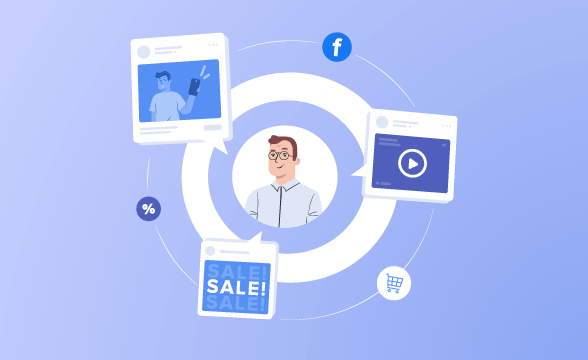
For example, if you’re a local bookstore, you can target ads to people who live in your area and have expressed an interest in reading. Or, if you’re an online clothing retailer, you can target ads to people who have recently visited your website or added items to their shopping cart.
All Facebook Ad Targeting Options
Facebook Ad offers a wide array of audience targeting options. This section will discuss each of these options in detail.
Detailed Targeting
Detailed Targeting is a feature available in the Audience section of ad set creation on platforms like Facebook. Detailed Targeting allows you to refine the audience for your ad campaign by specifying detailed criteria based on:
- Demographic
- Interest
- Behavior
Demographic Targeting
Demographic targeting is one of the most basic forms of targeting on Facebook. It allows you to target users based on information such as their age, gender, location, language, education, and relationship status. If your product or service is especially relevant to a specific demographic, these ad targeting options can be instrumental in tailoring your marketing efforts to reach the most receptive audience.
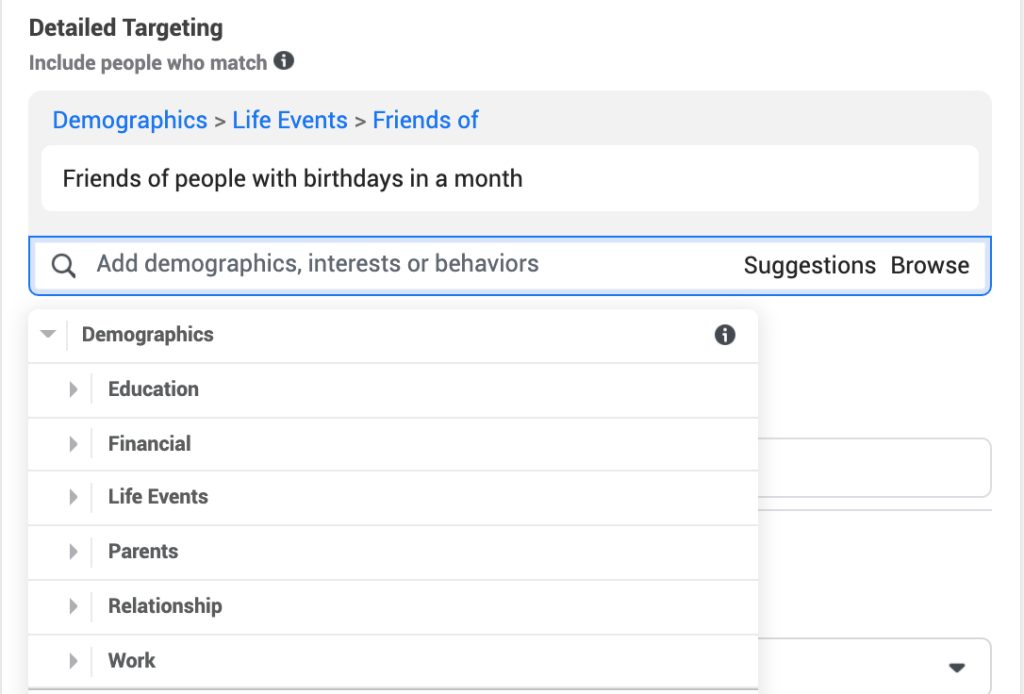
The demographic audience subcategories currently available include:
- Education (education level)
- Financial (income percentile)
- Life events (like birthdays and anniversaries)
- Parents (parental status)
- Relationship (relationship status)
- Work (employers, industries, or job titles)
Interest targeting
Interest targeting allows you to reach users based on their interests, hobbies, and pages they like on Facebook. This could range from broad categories like ‘Fitness and wellness’ to more specific interests like ‘Yoga’ or ‘Healthy eating’. For instance, a fitness center could target ads to users who have expressed an interest in fitness and wellness, or specifically in yoga.
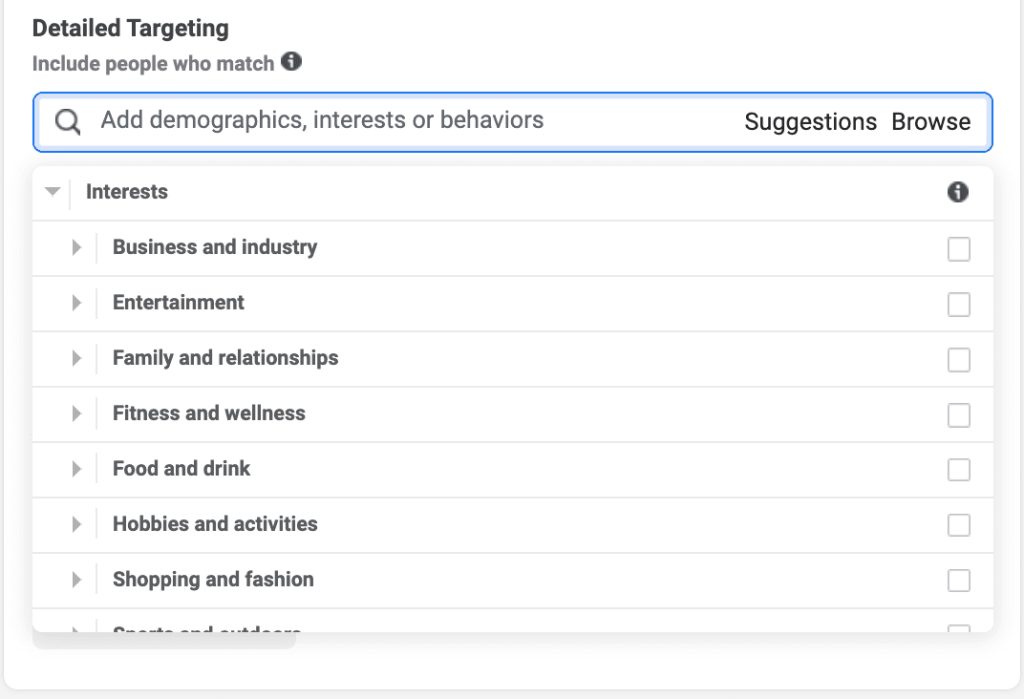
Here are some of the subcategories under interest targeting:
- Business and Industry
- Entertainment
- Family and Relationships
- Fitness and Wellness
- Food and Drink
- Hobbies and Activities
- Shopping and Fashion
- Sports and Outdoors
Behavior Targeting
Tracking user behaviors is crucial before delivering an ad of any form. It is often more impactful to direct ads towards individuals who have engaged with your blog posts or have become followers on your social media platforms. Behavior targeting lets you target users based on their behaviors, both on and off Facebook. This includes purchase behaviors, device usage, and other activities.
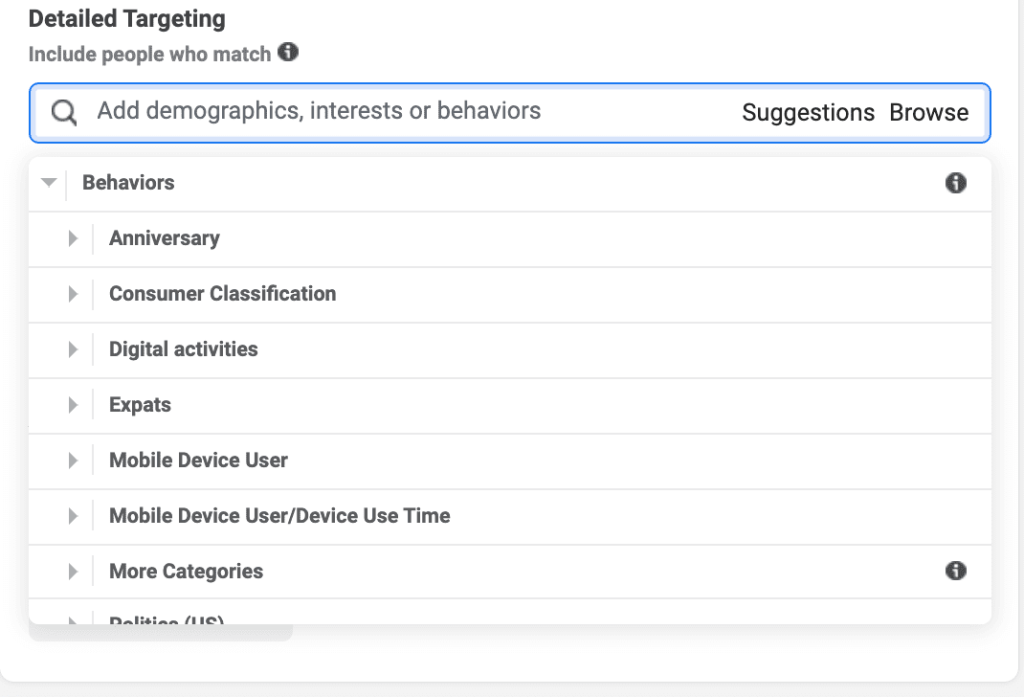
The behavior audience subcategories consist of:
- Automotive (DLX Auto Powered by Polk)
- Anniversary
- Charitable Donations
- Digital Activities
- Financial
- Mobile Device User
- Purchase Behavior
- Residential Profiles
- Travel
For example, an online electronics store could target ads to users who have recently purchased electronics or are frequent online shoppers.
Custom Audiences
If you already have a quality list of leads in your hands and aim to engage with them on Facebook, you can easily generate a Custom Audience to capture and convert those leads.
With a Custom Audience, you can utilize specific information you’ve collected about your leads. This could be customers who have purchased from you in the past, users who have visited your website, or users who have engaged with your content on Facebook. This proves to be an effective targeting option, especially if your objective is to upsell to existing customers. For example, an online clothing retailer could target ads to users recently visiting their website or adding items to their shopping cart.
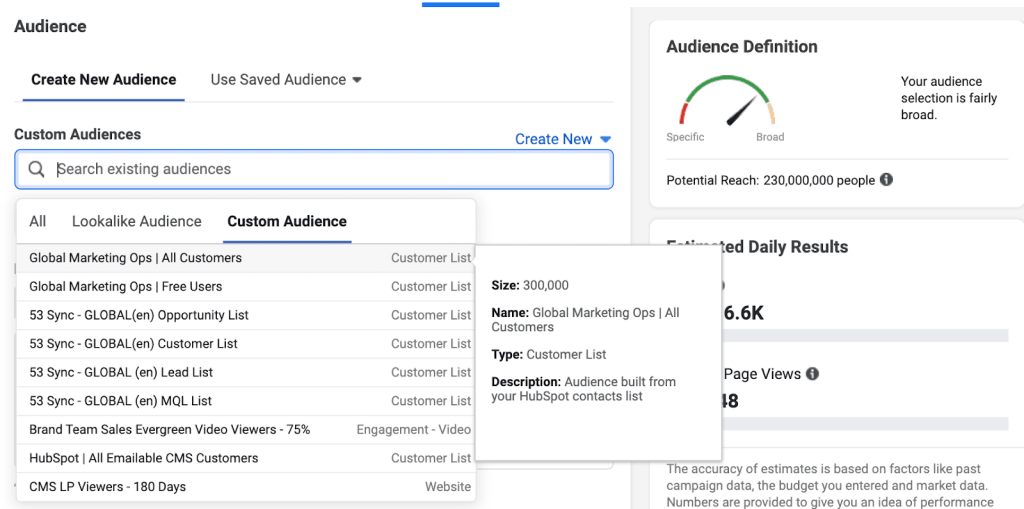
The way Facebook creates a Custom Audience based on your existing users’ traits is similar to that of the Lookalike Audience, which will be explained below.
Lookalike Audiences
As the name suggests, lookalike audiences enable you to reach new users with similar characteristics to your existing customers. Facebook creates these audiences by analyzing the characteristics of your custom audience and finding users with similar profiles. By establishing a Lookalike audience, you can aim for a significantly larger, yet still pertinent, group of potential Facebook users.
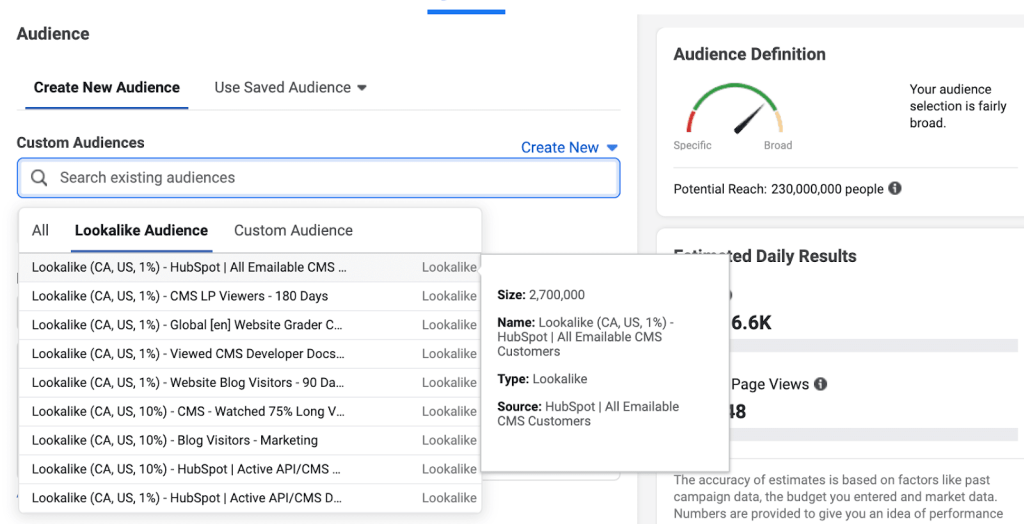
To fully comprehend what it means for an audience to “look” like your existing database, take a look at this example: Let’s say you upload your email subscriber list to Facebook as a custom audience. Facebook, firstly, identifies the following features of your users:
- In their mid-to-late twenties
- Live in Canada
- Work in the marketing field
- Show an interest in travel
Having all that data ready for use, Facebook could then find users who match all of these characteristics since users with those criteria seem most interested in what your brand has to offer.
Advantage+ Audience
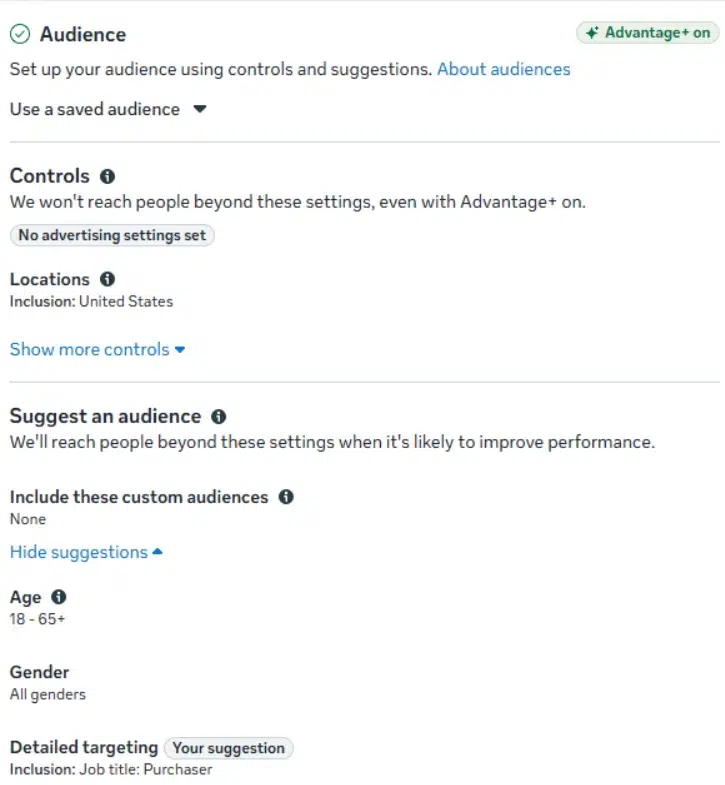
Advantage+ Audience is an AI-powered targeting option that helps advertisers reach people who are most likely to engage with their ads or take desired actions. Instead of relying solely on manually selected demographics, interests, and behaviors, Meta uses AI to find potential customers based on audience signals and campaign performance.
With Advantage+ Audience, advertisers can define their audience using two types of settings:
- Audience Controls: Set restrictions such as location, minimum age, language, and Custom Audience exclusions.
- Audience Suggestions: Provide information such as interests, demographics, Custom Audiences, or Lookalike Audiences to guide Meta’s AI in finding potential customers.
For example, an online clothing retailer could suggest users interested in fashion and shopping. Meta may also show ads to other users who are likely to make a purchase, even if they don’t match the selected interests.
Advantage+ Audience is particularly useful for reaching new customers and expanding your audience. However, if you need to target a specific group, such as previous website visitors, manual audience options may be more suitable where available.
Benefits of using Facebook Ad Targeting
Facebook ad targeting helps businesses reach potential customers, improve ad relevance, and optimize advertising budgets. Here are four key benefits:
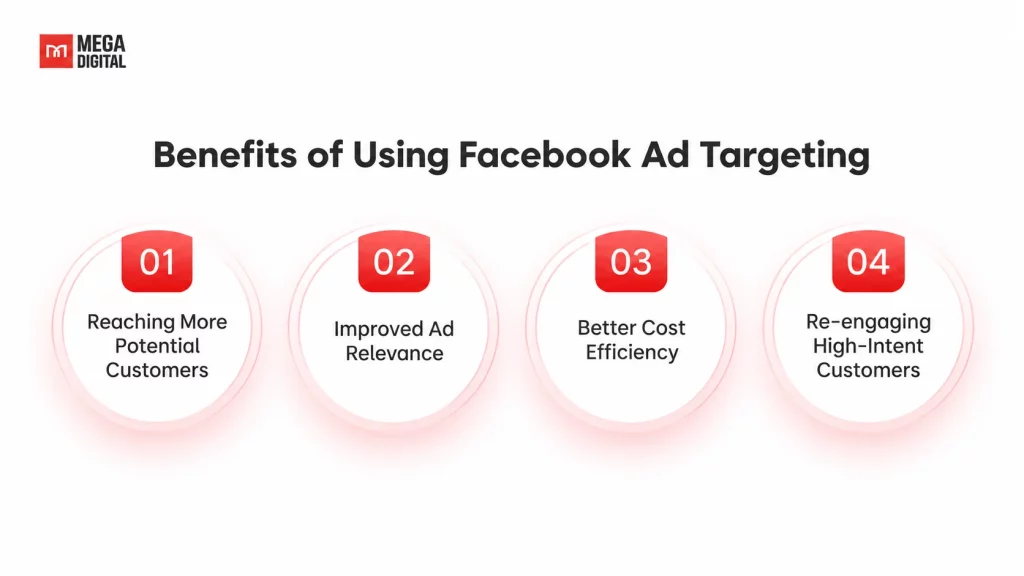
Reaching More Potential Customers
Facebook ad targeting helps businesses discover potential customers based on their interests, behaviors, and interactions. With Meta Advantage+ Audience, AI can expand reach beyond predefined audience suggestions. According to Meta’s report, Advantage+ Audience delivered 15% lower cost per result for awareness campaigns.
Improved Ad Relevance
Facebook ad targeting helps businesses deliver messages that better match audience interests and needs. For example, an online clothing retailer can introduce new collections to potential shoppers while showing personalized offers to previous website visitors, making ads more relevant to different customer groups.
Better Cost Efficiency
Effective Facebook ad targeting can help businesses optimize spending by reaching users more likely to convert. In a Meta experiment conducted, Advantage+ Audience achieved a 7% lower median cost per website conversion compared with regular targeting, although actual results vary by campaign.
Re-engaging High-Intent Customers
With Custom Audiences, advertisers can reconnect with people who have previously interacted with their business, such as website visitors, cart abandoners, and existing customers. For example, an online electronics store can retarget cart abandoners with product reminders or relevant offers to encourage purchases.
How to Set Up Facebook Ad Targeting in Meta Ads Manager
Setting up Facebook ad targeting starts with choosing the right campaign objective and configuring your audience at the ad set level. Follow these five steps to get started.
Step 1: Access Meta Ads Manager
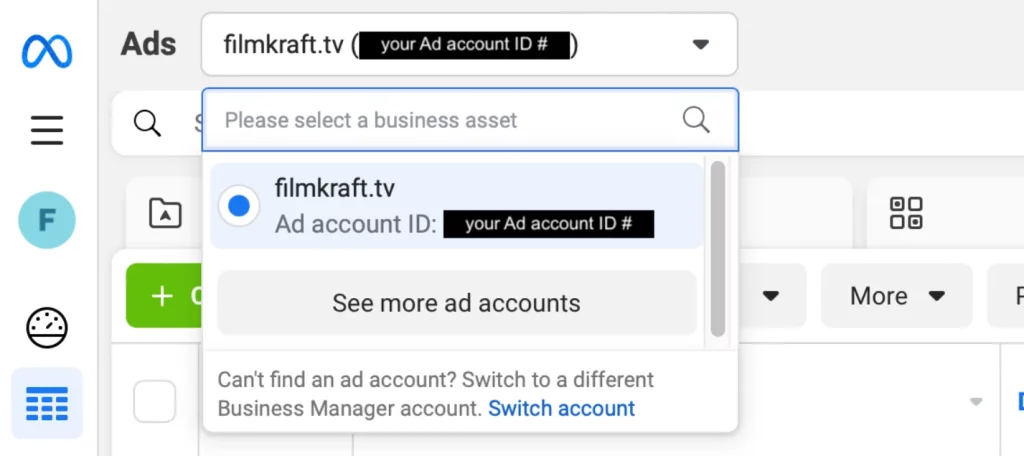
Go to Meta Ads Manager and select your advertising account. If you don’t have one yet, follow our guide to creating a Facebook ad account to get started.
While standard ad accounts work for most advertisers, businesses running large-scale campaigns may face challenges with spending limits, payment management, or technical support. For those looking for more flexibility, Mega Digital offers Facebook Agency Ad Accounts with flexible billing options, higher spending capacity, and dedicated account support to help keep campaigns running smoothly.
Step 2: Create a New Ad Campaign
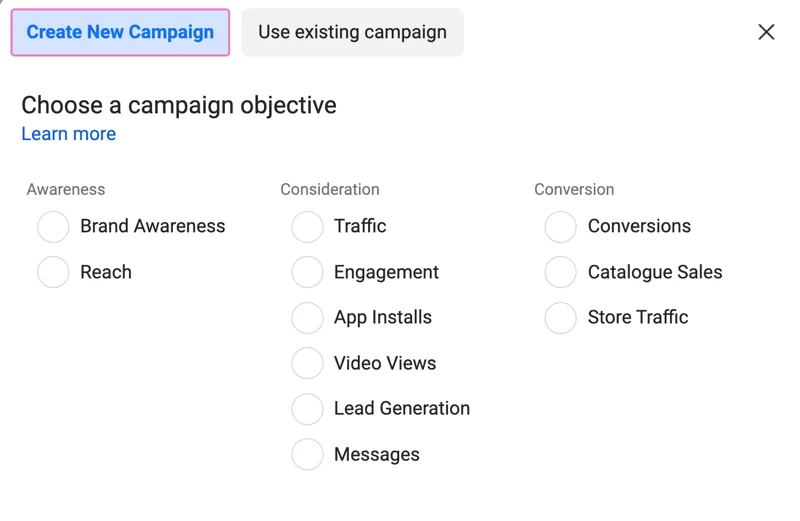
Click + Create and choose a campaign objective that aligns with your goals, such as Awareness, Traffic, Engagement, Leads, or Sales. For example, if you want to drive online purchases, select Sales to help Meta optimize ad delivery toward potential buyers.
Step 3: Choose Your Audience Setup
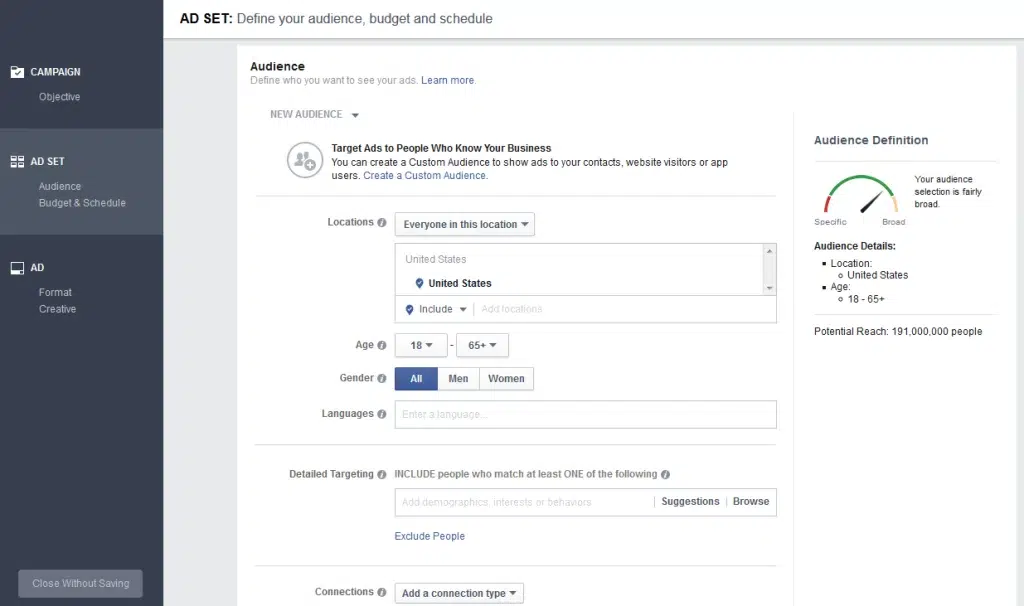
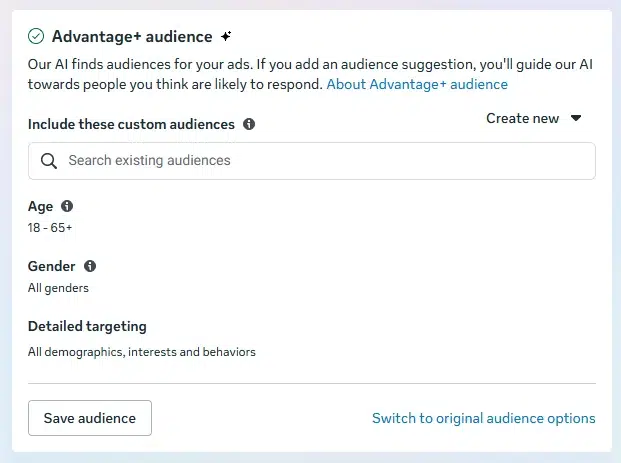
At the Ad Set level, navigate to the Audience section. Depending on your campaign type, Meta may enable Advantage+ Audience by default. You can use this AI-powered targeting option or switch to the original audience options when available for more direct control over audience selection.
Step 4: Define Your Target Audience
Configure your targeting based on the selected audience setup:
- Advantage+ Audience: Set Audience Controls, such as location and minimum age, then provide optional Audience Suggestions, including interests, demographics, Custom Audiences, or Lookalike Audiences.
- Original Audience Options: Select available targeting criteria, including location, age, gender, interests, behaviors, and Custom or Lookalike Audiences. Keep in mind that some targeting selections may still be expanded depending on your campaign objective and settings.
Step 5: Review and Publish Your Campaign
Review your audience settings, budget, placements, and other campaign details. Once you’ve completed your ad creatives and tracking setup, click Publish to launch your campaign. Monitor performance in Ads Manager and refine your targeting based on conversion results.
Common Mistakes to Avoid when Using Facebook Ad Targeting
Executing Facebook ad targeting comes with its challenges. Understanding and addressing these issues is crucial for optimizing ad performance and maximizing returns on investment. Let’s look at some frequently encountered mistakes that advertisers make when using Facebook Ad targeting.
Not understanding which audience to target
This most common pitfall can be attributed to several factors, often leading to inefficiencies and wasted resources. Advertisers may not conduct thorough audience research before setting up their campaigns. Their inaccurate perceptions of the target audience’s demographics, interests, and behaviors can result in poorly defined targeting criteria.
Solution: Rather than making groundless assumptions about your audience, analyze data about the audience’s demographics, interests, and search trends from Facebook’s audience insights to inform your targeting decisions.
Targeting too narrowly
Advertisers might believe that a smaller, more specific audience will lead to higher engagement and conversion rates. However, this is not always the case. While precision is essential, overly narrow targeting may result in missing out on a broader audience that could be interested in your products or services.
Solution: While it’s important to target the exact audience, don’t target too narrowly, or you may miss out on so many other potential customers. Try targeting a wide range of people and then narrowing it down once you get more data.
Rely on only one of Facebook’s targeting options
Facebook offers many different ways to target your audience. Each targeting option has its strengths and limitations. Using only one of them in your ad campaigns may result in missing out on audiences that could be effectively reached through other methods. Also, by sorting out your audience solely based on one targeting option, your audience will be way too big.
For example, only targeting a list of people whose birthdays are coming up will turn up a very broad audience. The people on it could have any number of interests or inclinations when it comes to their birthday festivities.
Solution: In this sense, we often find that using a combination strategy with interest targeting and demographic targeting suits our needs best.
Not testing different audiences
Don’t jump right to the conclusion that one audience is better than another. If you have not done any testing with different audience segmentations, how can you be sure that one particular targeting setting will work wonders for your business? This fallacy is what many businesses have fallen into, and its consequences cost them a lot.
Solution: You should thoroughly carry out research on your audience and test different audience targeting options to find out which performs best. Try different combinations of interests, demographics, and other targeting criteria to figure out the best audience for your business.
Mega Digital’s 6 Pro Tips to Optimize Facebook Ad Targeting
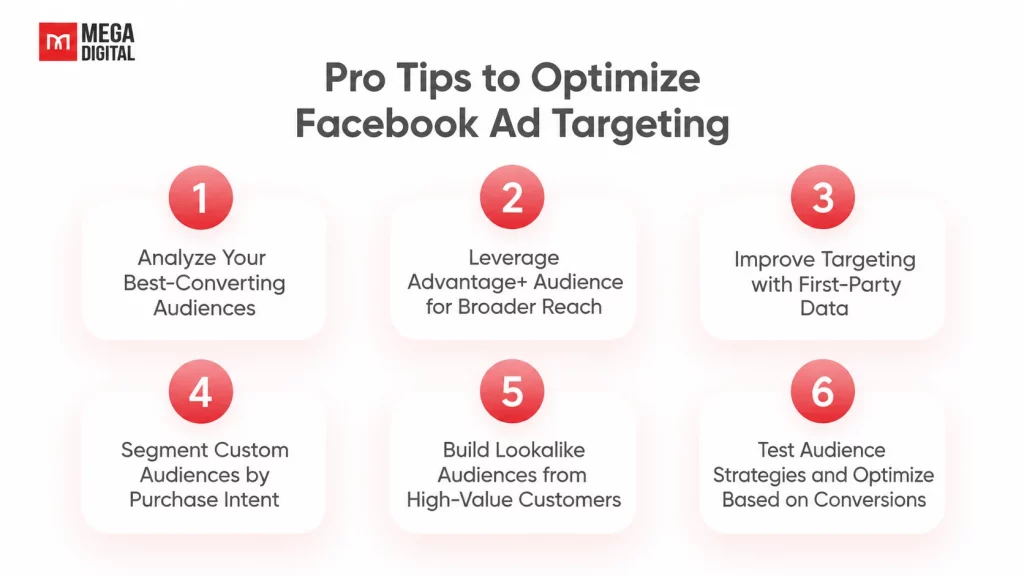
Effective Facebook ad targeting requires a combination of accurate audience data, AI-powered optimization, and continuous performance analysis. Here are six practical strategies Mega Digital recommends to improve your targeting results.
1. Analyze Your Best-Converting Audiences
Review the last 30 – 60 days of campaign data in Meta Ads Manager, analyzing available breakdowns by age, location, and placement to identify audiences generating purchases or qualified leads. Cross-check these findings with CRM data and prioritize customer segments based on CPA and conversion value rather than clicks or engagement alone.
2. Leverage Advantage+ Audience for Broader Reach
Avoid overcomplicating your targeting with multiple interest groups or unnecessary restrictions that may limit Meta’s ability to optimize ad delivery. For prospecting campaigns, test Advantage+ Audience with essential location controls and relevant creatives, then evaluate whether broader targeting improves cost per purchase or qualified lead.
3. Improve Targeting with First-Party Data
Ensure Meta Pixel and Conversions API accurately track important events, such as AddToCart and Purchase, and check event deduplication in Events Manager to prevent duplicate reporting. For lead generation, connect CRM data where supported to help Meta optimize toward qualified leads instead of low-quality form submissions.
4. Segment Custom Audiences by Purchase Intent
Create Custom Audiences based on customer actions, such as cart abandoners within 7 days, product viewers within 30 days, and previous purchasers. When audience size supports dedicated remarketing, tailor ads to each group’s intent, using checkout reminders for cart abandoners and product reviews or comparisons for undecided shoppers.
5. Build Lookalike Audiences from High-Value Customers
Prioritize purchaser lists, repeat customers, or qualified leads as Lookalike Audience sources rather than general website visitors or social media followers. Test eligible 1% Lookalike Audiences against broader targeting, measuring acquisition costs and customer quality while remembering that Lookalikes may function as suggestions under Advantage+ Audience.
6. Test Audience Strategies and Optimize Based on Conversions
Use Meta’s A/B Testing tools to compare audience configurations while keeping creatives, budgets, and optimization events consistent across test variants. Evaluate results using CPA, qualified-lead costs, or ROAS, and avoid scaling or pausing campaigns before collecting sufficient conversion data.
FAQs about Facebook Ad Targeting
No, Facebook doesn’t allow direct targeting of competitors’ followers. However, you can target related interests or competitor-specific interests when available, though this doesn’t guarantee reaching their actual followers.
Yes, you can target audiences using demographics, interests, and other available options without Meta Pixel. However, website retargeting, conversion tracking, and optimization will be limited without supported website tracking.
Meta regularly removes or combines Detailed Targeting options to simplify advertising and align with its policies. You can explore related interests or use Advantage+ Audience as an alternative.
Yes, Meta’s Special Ad Categories restrict targeting options such as age, gender, and location, depending on the category and region. Advertisers must declare the applicable category and follow its targeting rules.
Read more: Facebook Retargeting Ads 101: Definition & Best Practices
Conclusion
Mastering Facebook ad targeting can significantly enhance the success of your ad campaigns. By understanding and utilizing the various Facebook ad targeting options, implementing our Facebook ad targeting tips, and developing a robust Facebook ad targeting strategy, you can ensure your ads resonate with the right audience.
If you need help from a trusted digital advertising agency with years of experience in leveraging targeted ad campaigns, contact Mega Digital today!